Creating professional-looking videos with AI is no longer limited to advanced editors or big budgets. Vidnoz AI Video Maker brings a beginner-friendly approach, offering thousands of templates, a massive library of realistic avatars, and powerful AI features like text-to-video, auto-subtitles, and voice cloning. We tested the tool on its free plan to see how easy it is to use, how well the avatars perform, and whether the output quality matches what creators and businesses expect. Here’s our hands-on review, rated across five key parameters.
8Expert Score
A versatile AI video maker
Vidnoz AI Video Maker is a beginner-friendly tool packed with avatars, voices, and templates. It’s great for quick business promos, explainer videos, or social content.
Ease of Use (UI/UX)
9
AI Core Features
8
Video Output Quality
7
Speed & Performance
8
Pricing & Value
6.5
How We Rate? Our ratings reflect hands-on testing and comparison across key parameters such as usability, features, pricing, support, and overall value.
Performance Breakdown: Pros and Cons
Beginner-Friendly Interface
Massive Template Library
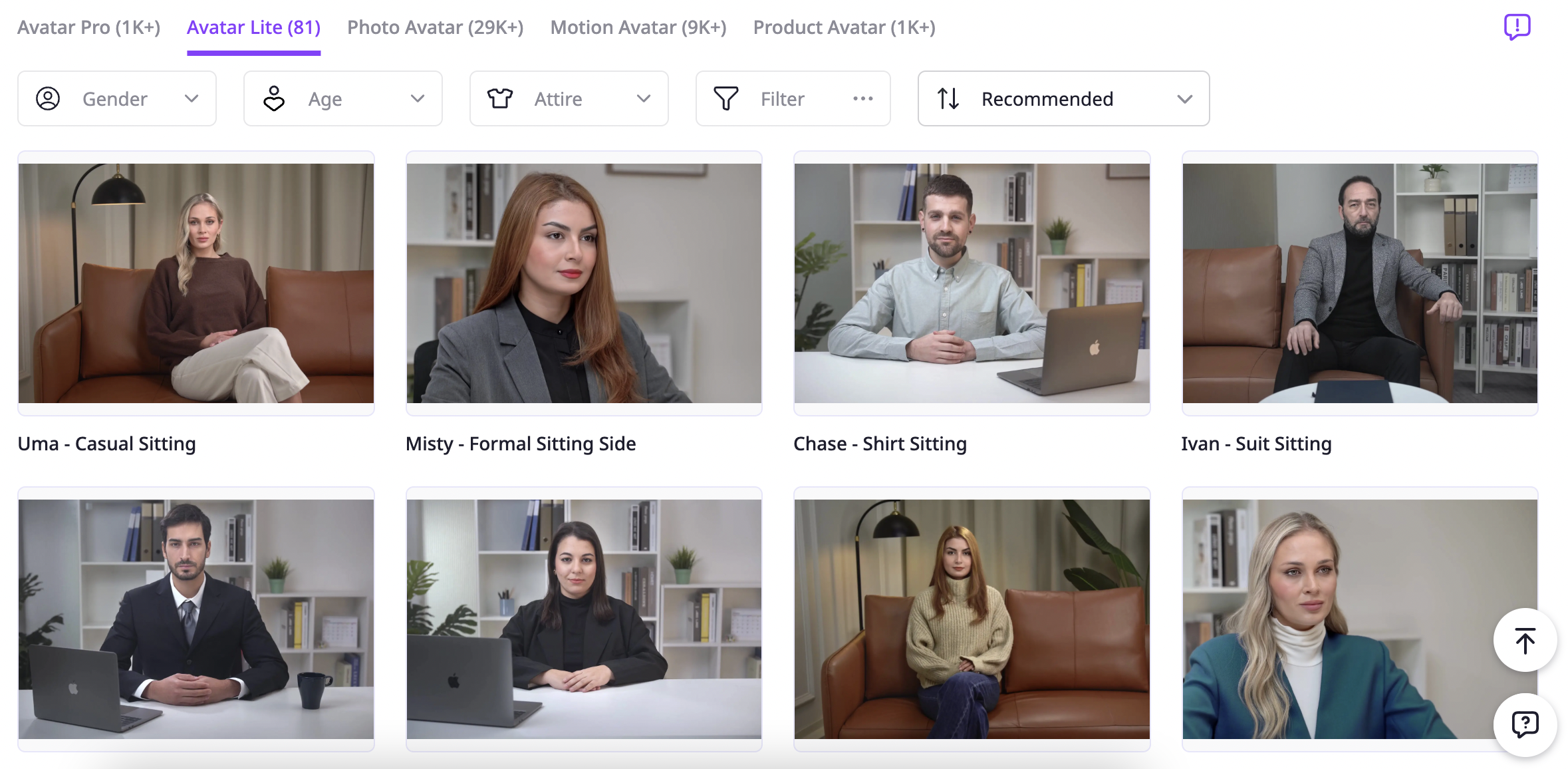
1,900+ realistic avatars plus 29,000+ photo avatars
Wide Voice Library
Limited Free Plan
Lip-Sync Quality Varies
Advanced Features Locked under paid plans
Not ideal for professional filmmakers
Ease of Use (UI/UX)
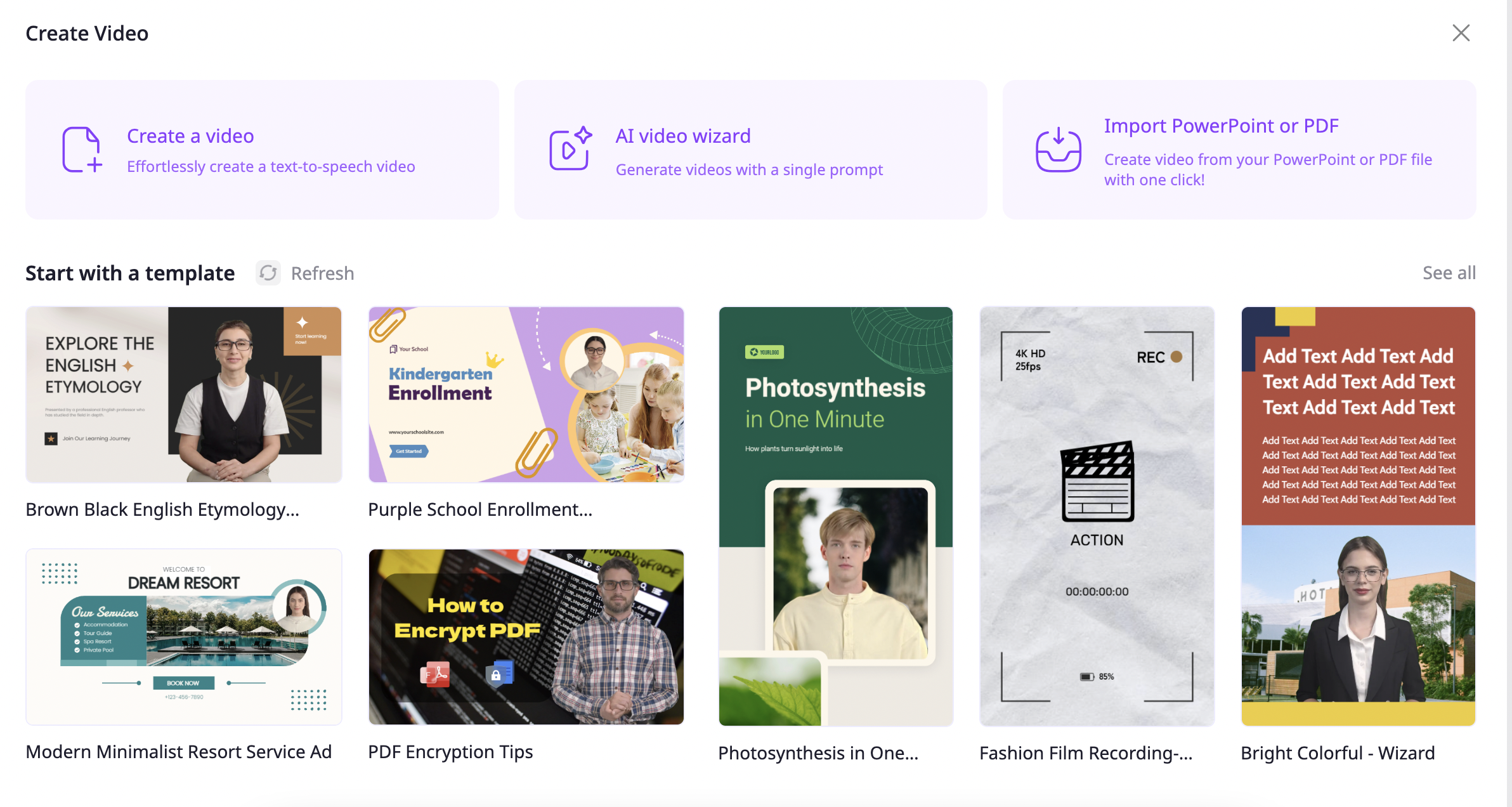
Vidnoz is extremely beginner-friendly. The interface is clean, and you can start creating a video in minutes without a steep learning curve. During testing, creating a 15-second video under the free plan was quick and straightforward. Templates are neatly categorized (business, financial, education, explainer, etc.), and you can choose between portrait or landscape formats for reels and shorts. For a first-time user, the workflow feels smooth and intuitive.
AI Core Features
This is where Vidnoz shines with its avatar and AI feature set. The avatar library is huge — over 1,900 realistic avatars across ethnicities and styles, plus 29,000+ Photo Avatars. There are six avatar types: Pro, Lite, Photo, Motion, Product, and more.
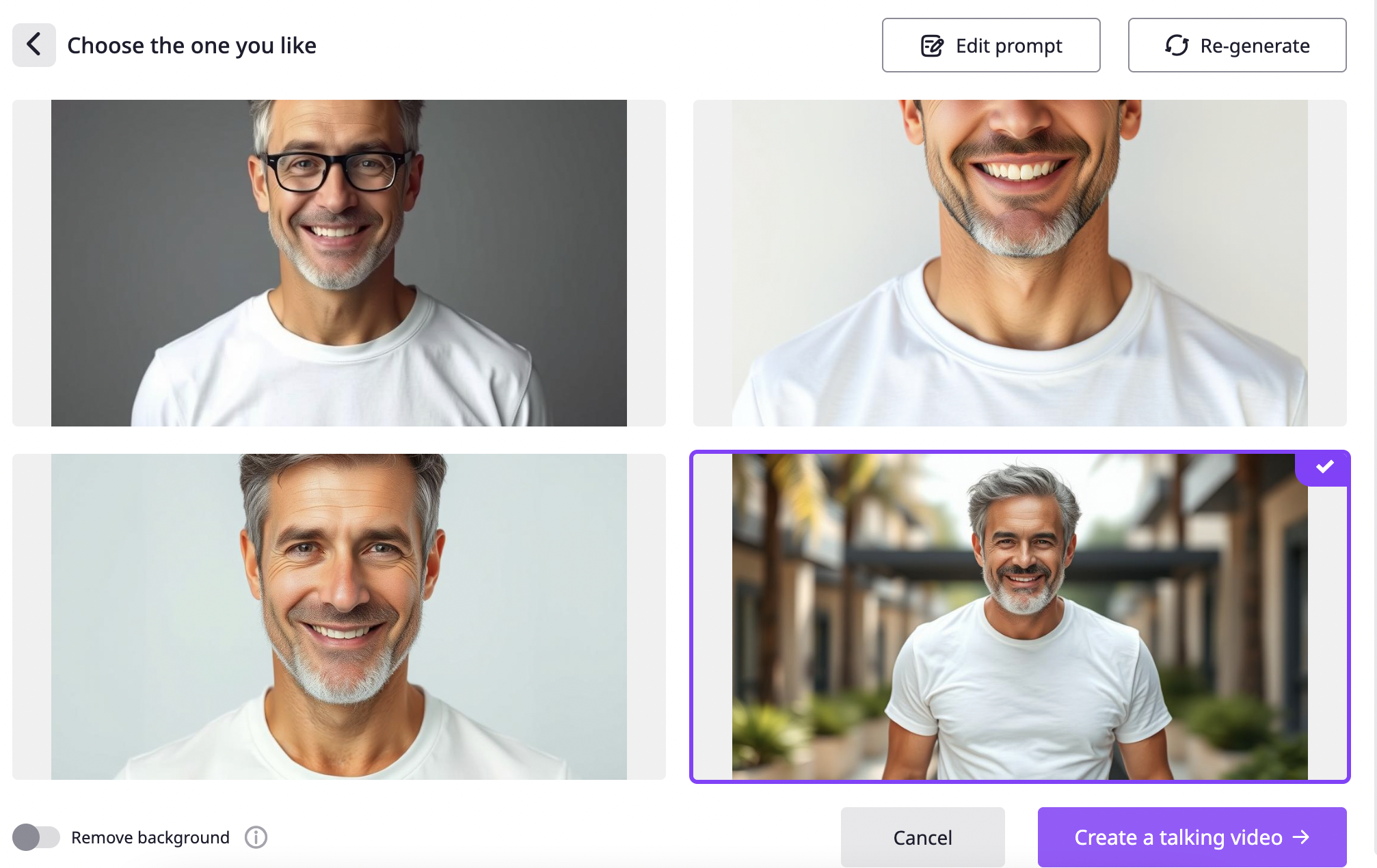
Creating a Photo Avatar from a simple prompt was seamless, although the talking video output wasn’t as crisp as expected.
You also get 2,000+ AI voices, voice cloning (paid feature), and branding options. Advanced features like text-to-video, image-to-video, face swap, video effects, and AI dance are available, but most are locked under paid plans. Overall, the AI toolkit is impressive but gated by pricing tiers.
Video Output Quality
The rendering process is smooth and reasonably quick. However, there’s a catch: on the free plan, you can only download videos in HD quality. Full HD or 4K downloads require upgrading to a paid plan. While the avatars and voice sync looked good, the talking avatar’s lip-sync wasn’t 100% natural in every case. Export formats are decent, but professional creators might miss broader options beyond HD unless they upgrade.
Speed & Performance
The tool handled rendering well, with no major lags or crashes, even with longer edits. Creating and exporting the Photo Avatar video was quick, and templates loaded fast. Compared to some heavy video editors, Vidnoz feels lightweight and efficient. Still, output speed may vary depending on the complexity of avatars or effects used.
Pricing & Usage Limits
Vidnoz AI Video Maker offers flexible plans that cater to casual users, beginners, and growing businesses. The Free Plan lets you experiment daily with short videos, while the Starter Plan unlocks longer videos, HD output, and faster processing. For teams or professional creators, the Business Plan bundles advanced features like voice cloning, branding, and collaboration. Here’s a closer look at each plan and who it’s best suited for.
1. Free Plan
Includes:
15 seconds/day (max 0.25 min per video)
1,500+ AI avatars
2,600+ video templates
880 voices
720p resolution
2 AI image generations/day, 20 AI scripts/day
Who Should Use It?
Perfect for hobbyists, first-time creators, or anyone testing the platform. You can create a short daily video to explore templates and avatars. Best for experimenting before deciding if paid plans are worth it.
2. Starter Plan – $19.99/month
Includes:
15 minutes/month (max 60 min/video)
1,600+ AI avatars
2,900+ video templates
1,460 voices (with emotions)
1080p resolution
100 AI image generations/day
Unlimited AI scripts
SCORM export
No watermark + fast video processing
Who Should Use It?
A great fit for freelancers, small businesses, and solo marketers who need regular content in HD quality. It works well for product demos, explainer videos, or social campaigns without watermarks.
3. Business Plan – $56.99/month
Includes everything in Starter, plus:
30 minutes/month (max 60 min/video)
Unlimited AI image generations
Voice cloning
1-click video translation
Brand kit + branded video pages
Call-to-action buttons on videos
Video embedding + team collaboration
SAML/SSO + video analytics
Faster video processing
Who Should Use It?
Best for growing teams, agencies, and businesses that need branding, collaboration, and advanced features. Voice cloning and 1-click translation make it ideal for professional marketing campaigns, global businesses, and e-learning platforms.
Which Plan is Best for You?
Use Free Plan to experiment.
Go for Starter if you’re a solo creator or small business.
Choose Business if you’re scaling content creation, need branding, or plan to collaborate with a team.
Best Alternatives of Vidnoz
1. Synthesia
One of the best-known AI video makers with realistic AI avatars.
Strong in text-to-video and avatar customization.
Often used by businesses and educators for training or explainer videos.
Compared to Vidnoz, Synthesia is more polished in lip-sync and avatar realism, but comes at a higher price point.
2. Pictory
Focuses heavily on text-to-video and turning scripts/blogs into videos.
Offers large template libraries and supports branding elements.
Great for marketers who want to repurpose content into short videos.
Compared to Vidnoz, it has fewer avatars but stronger in auto-video generation from text.
3. HeyGen (formerly Movio)
Specializes in AI avatars and video presentations.
Offers lip-syncing avatars and multi-language voiceovers.
Popular among businesses for professional-looking product videos and explainer content.
Compared to Vidnoz, HeyGen emphasizes professional avatars over fun features like photo avatars or video effects.
Feature
Vidnoz
Synthesia
Pictory
HeyGen
Ease of Use
Very easy, beginner-friendly
Easy, guided UI
Simple, script-to-video
Easy, presentation-style
Templates & Design
Huge template library
Limited templates, focus on avatars
Templates for marketing & social videos
Modern templates, fewer than Vidnoz
Avatars
1,900+ realistic avatars
140+ realistic avatars
Limited avatars, more text-to-video
100+ professional avatars
AI Features
Text-to-video, image-to-video, face swap, AI dance, voice cloning (paid)
Text-to-video, avatar-based narration
Script-to-video, auto-subtitles, highlights
Avatars, lip-sync, multilingual voices
Video Output Quality
HD on free plan, Full HD/4K on paid
1080p exports
1080p, HD output
1080p (4K in higher plans)
Pricing (Starting)
$19.99/mo (starter)
$30/mo (starter)
$19/mo (standard)
$29/mo
Free Plan/Trial
Free plan available
Demo access only
Free trial (limited exports)
Free trial (with watermark)
Support Options
Email, guides
Email, knowledge base
Email, chat
Chat, guides
Ideal For
Beginners, small businesses, casual creators
Businesses, training, e-learning
Marketers, bloggers, content repurposing
Agencies, professional product videos
Final Verdict
Vidnoz AI Video Maker delivers a powerful mix of simplicity, creativity, and advanced AI features. From its massive avatar and template library to its intuitive drag-and-drop editor, the tool makes video creation accessible even for complete beginners. The free plan is generous enough for experimentation, while the Starter and Business plans unlock professional features like branding, voice cloning, and faster rendering.
Overall, Vidnoz is best suited for marketers, educators, small businesses, and content creators who want to scale video production quickly without hiring a production team. For hobbyists, the free plan is more than enough to explore. If you need polished corporate training or branding-heavy campaigns, the Business plan is a smart investment.