ChatGPT Atlas is a web browser developed by OpenAI that deeply integrates the capabilities of ChatGPT (the conversational AI) into the browsing experience.
Think of it as:
A navigator that explains, summarizes, and answers questions about any page you’re on.
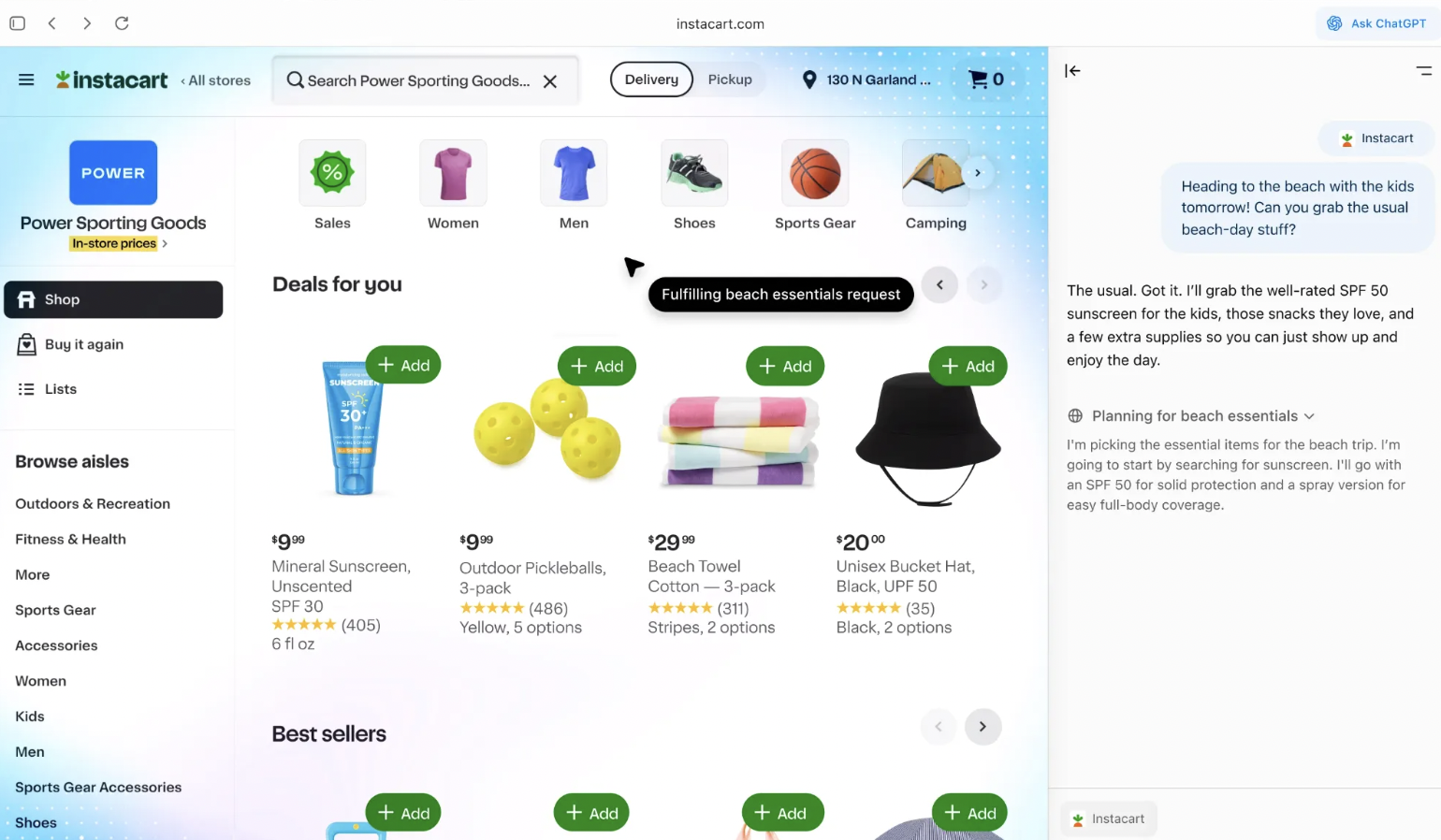
An agent that can perform tasks for you online (like booking, research, filling forms).
A memory layer, so your browsing + chats connect and continue across sessions.
It’s currently rolling out on macOS first, with Windows, iOS, and Android versions coming later.
Key Features
Sidebar/chat interface built into browser, so you can ask questions about the webpage you’re viewing without switching tabs.
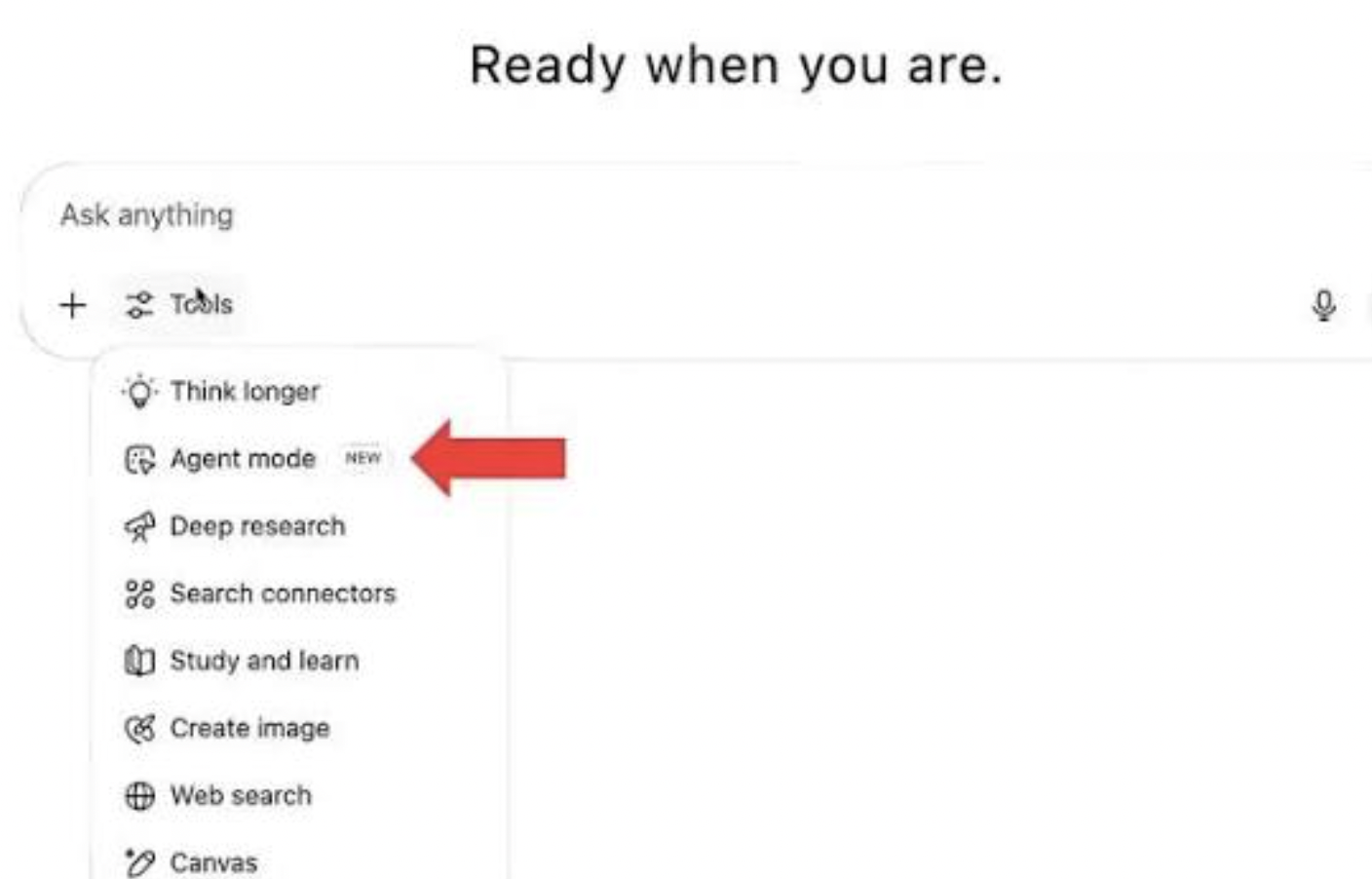
“Agent mode” in which the browser’s AI can perform web-based tasks for you — e.g., doing research, managing bookings, navigating pages on your behalf.
Memory/context features: The browser can remember what you were doing and help maintain continuity in browsing and AI-chat interactions. Lifewire
Initially available on macOS; versions for Windows, iOS and Android are forthcoming.
How to Use ChatGPT Atlas
At first glance, Atlas looks like any other browser. But once you start browsing, its differences become clear:
Ask the Page: Highlight text or open a sidebar to ask ChatGPT questions about what you’re reading. Get instant summaries, explanations, or translations.
Agent Mode: Switch on agent mode and let Atlas complete tasks for you—like planning a trip, autofilling forms, or researching multiple sources in parallel.
Memory and Continuity: Unlike traditional browsers, Atlas remembers your past sessions. You can say “continue my research on solar panels” and it will bring back your last search, notes, and context.
Multi-Tab Intelligence: Instead of juggling endless tabs, Atlas can pull key insights across multiple open pages into a single, coherent summary.
It feels less like browsing and more like navigating the web with a digital assistant at your side.
Benefits of ChatGPT Atlas
Why does this matter? Because Atlas offers more than convenience. It represents a shift in how we interact with the internet.
Productivity Boost: No more copy-pasting between Google, docs, and chatbots. Atlas unifies research, writing, and action.
Simplified Workflows: Students, professionals, and businesses can offload repetitive browsing tasks to AI agents.
Personalized Experience: Memory features let Atlas grow with your habits, learning how you search and what you need.
Deeper Understanding: From legal jargon to technical papers, Atlas makes information digestible, acting as an interpreter for the web.
Seamless AI + Web: Instead of being a tool outside your browser, AI becomes part of your everyday browsing environment.
The Future Ahead
Atlas is launching first on macOS, with Windows, iOS, and Android versions on the horizon. The roadmap includes deeper integrations like connecting directly to productivity tools, voice-based navigation, and even more autonomous “agentic browsing,” where the AI can carry out multi-step tasks end-to-end.
Yet, questions remain: How will privacy be handled? What limits should be set on an AI that can act within the web? And will users trust a browser that doesn’t just show pages, but makes decisions alongside them?
ChatGPT Atlas is more than just another browser. A web where you don’t simply search, scroll, and click, but instead work with an intelligent companion to shape your digital journey.