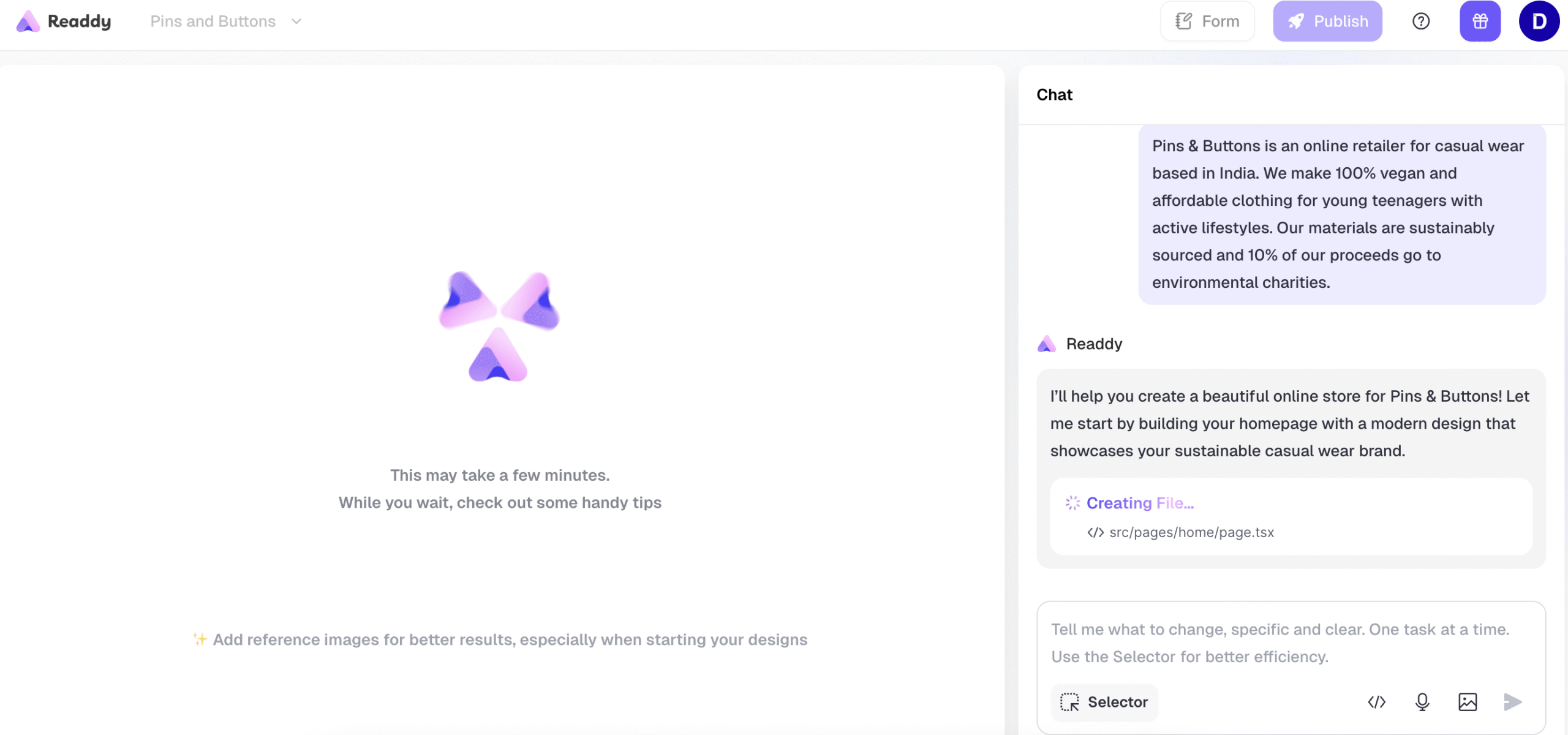
I tested Readdy to develop a sample website for my friend, and to my surprise, it’s refreshingly fast and simple even on the free trial. The platform uses AI to generate full websites from short prompts, making it incredibly convenient for freelancers, small business owners, and creators who need an online presence without technical hassle. The design output is clean and responsive, which is great for quick, professional-looking sites without hiring a developer.
Who is it Best For?
- Entrepreneurs and freelancers building personal or portfolio sites
- Small business owners who need quick, branded landing pages
- Non-technical users wanting AI-generated websites
- Creators or consultants testing business ideas fast
What Makes it Stand Out
Readdy stands out for its AI-driven simplicity and fast publishing. The builder creates ready-to-launch websites in minutes, complete with layouts, content, and SEO-friendly structure. Its combination of AI text generation, responsive design, and no-code editing makes it one of the easiest tools for anyone who wants to go from idea to live site in record time.
Best for freelancers, startups, and non-tech users who want a fast, AI-driven way to build a website with minimal effort. Its strengths are ease of use and pricing value, while e-commerce depth and ecosystem maturity remain areas for growth.
How We Rate? Our ratings reflect hands-on testing and comparison across key parameters such as usability, features, pricing, support, and overall value.
Performance Breakdown: Pros and Cons
- AI-Prompted Website Creation
- Figma Export Option
- Clean, Responsive Output
- Integrated Hosting & Domain Options
- No Drag-and-Drop Builder
- Credit-Based System, limiting flexibility in free or lower plans
- Limited Templates
- No Free Publishing
Who Should Use Readdy?
- Small Businesses & Startups – Ideal for quickly launching a business website or landing page without coding.
- Freelancers & Creators – Perfect for portfolios, personal branding, or service-based sites that need fast deployment.
- Entrepreneurs Testing Ideas – Great for building MVP websites or proof-of-concept pages in minutes.
- Beginners & Non-Tech Users – No design or coding skills required; the AI handles layout and content generation.
- Marketers & Consultants – Useful for creating lead capture pages or quick promotional microsites.
Who Should Skip This Tool?
- Advanced Designers or Developers – If you want deep customization, custom code, or advanced animations, Readdy will feel too limited.
- Ecommerce Store Owners – It isn’t built for managing complex catalogs or multiple payment gateways.
- Agencies or Teams – Lacks collaboration and versioning tools needed for client work.
- SEO-Heavy Projects – While the basics are covered, there’s limited control over advanced SEO settings.
- Large Businesses – Not suitable for enterprise-grade performance or integrations.
Ease of Use (UI/UX)
Readdy is a prompt-based website builder with a basic learning curve
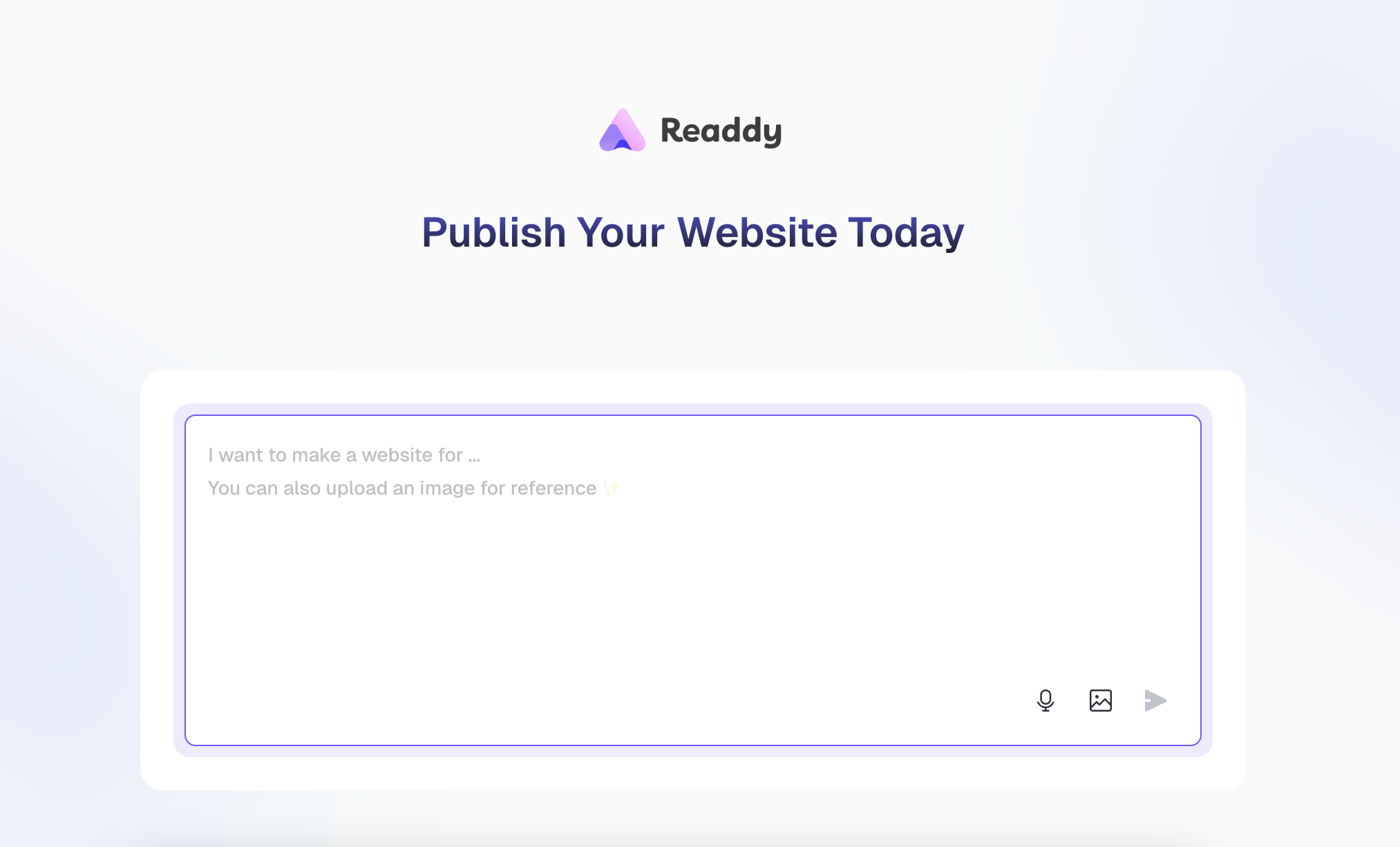
Getting started is simple with this website building tool. You just sign up, describe your website idea, and let the AI generate a complete layout with text and visuals. However, unlike traditional builders such as Elementor, Framer, or Squarespace, Readdy doesn’t offer a drag-and-drop interface. This means every change or adjustment requires entering a new prompt rather than visually editing elements on the page.
While the process is fast, it can feel overwhelming for beginners who are used to visual control. Each iteration rebuilds sections based on your prompts, which is powerful but less predictable than manual editing. Once generated, the AI-created sites are clean and responsive, though fine-tuning requires patience and clear instructions.
Every change, from editing text and images to activating or altering sections, is made by entering commands in the prompt box that stays active on the right-hand side (RHS).
Each prompt consumes 25 credits, whether you’re creating new elements or editing existing ones, so careful planning is recommended.
Responsiveness is seamless
The AI-generated designs are both desktop and mobile friendly, and you can easily preview your site before publishing. Despite its unconventional workflow, Readdy’s output maintains a well-balanced structure with responsive layouts that adapt smoothly across devices.
Design & Templates
Readdy Website Builder offers a limited number of pre-designed templates compared to popular tools like Wix and Squarespace. The template library feels minimal, with fewer design categories and layout variations. In our test, we skipped the available templates and instead created a new design entirely through AI prompting. The process was quick, but the output relied heavily on how specific and descriptive our prompts were.
One useful feature is the ability to upload your own design files directly into Readdy. Once uploaded, you can refine and adjust them. This lets you tweak images, text, and layouts without touching any code. It’s a smart balance between AI generation and manual customization, although the overall design flexibility still trails behind advanced builders like Framer or Webflow.
Readdy’s AI-first design process is fast and functional, but limited template choices and prompt-based edits make it better suited for users who prefer AI-driven creation over traditional design freedom.
Integrations
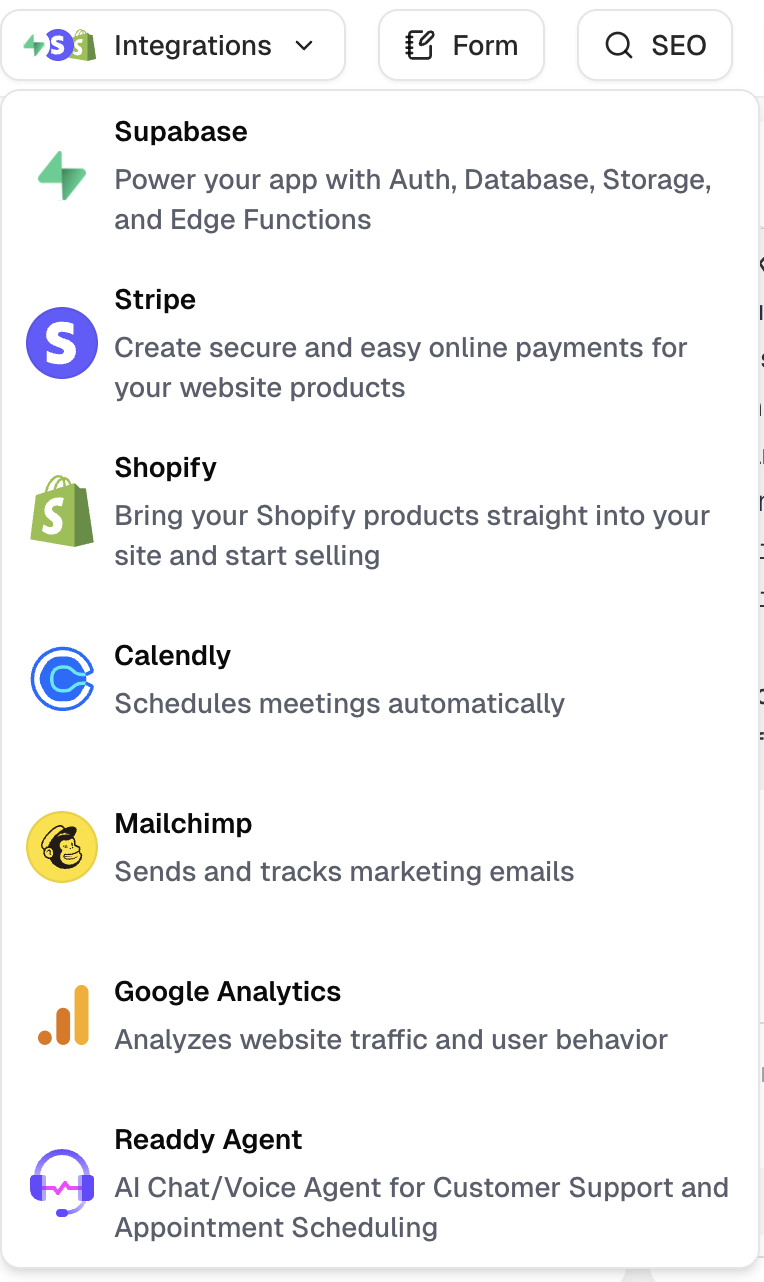
Readdy Website Builder supports several useful integrations, making it more flexible for users who want to extend their site’s functionality. Available integrations include Stripe, Shopify, Mailchimp, Google Analytics, and more. These allow you to connect payment gateways, marketing tools, and analytics platforms directly within your AI-generated site.
While we didn’t test any integrations during our review, it’s worth noting that Readdy also offers a Figma export feature, which is available under the Starter Plan and above (starting at $11/month). This feature lets you export your website design to Figma for further customization, minor design upgrades, or advanced layout refinements.
Publishing & Hosting
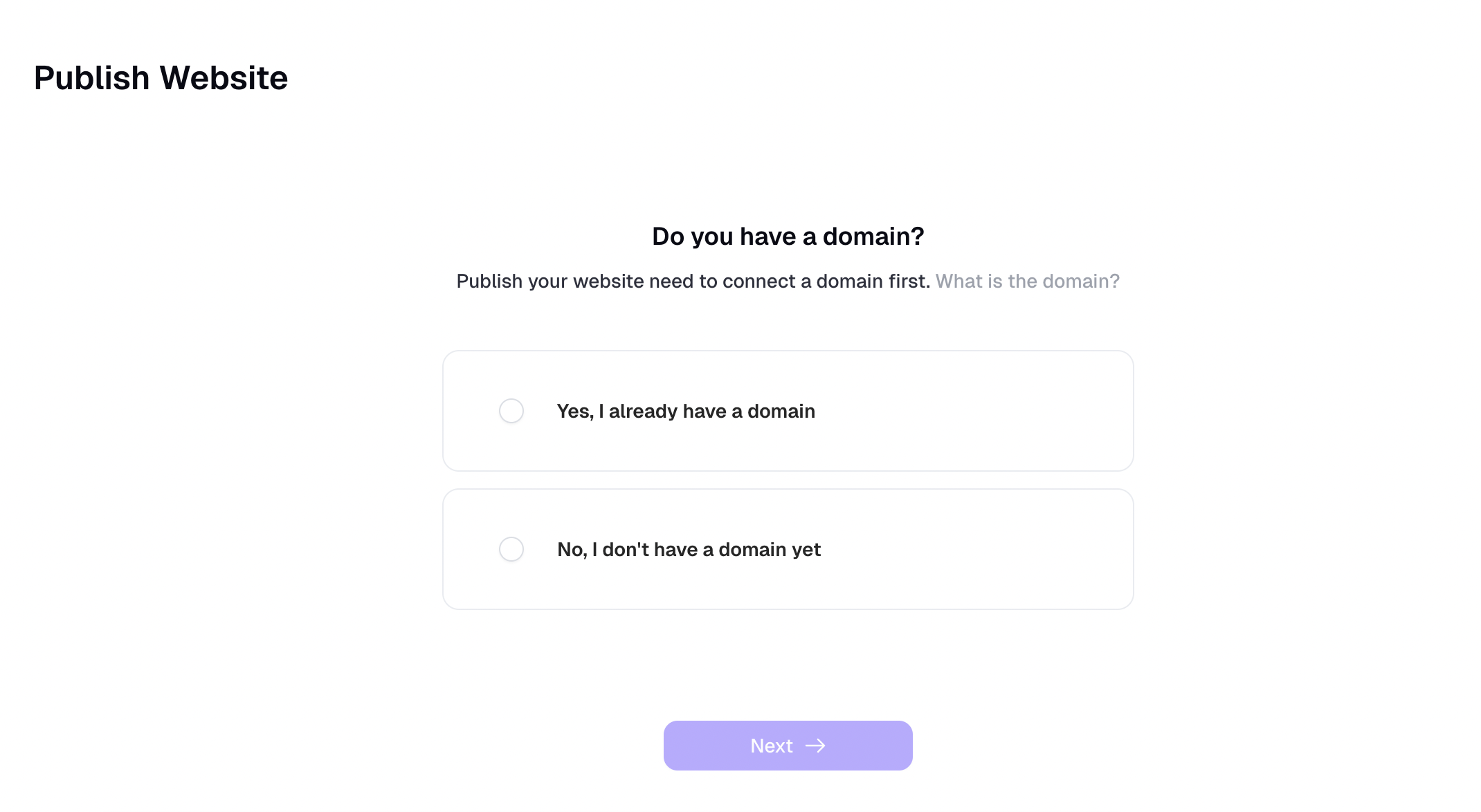
We tested Readdy Website Builder using the free trial, and found that there’s no option to publish your site on this plan. To go live, you must either connect an existing domain you’ve already purchased or search and buy a new one through the platform. Hosting is built-in, so there’s no need for third-party setup but it only works once a domain is linked.
During testing, we were still able to generate and share a live preview link, which helps showcase projects or gather feedback before committing to a paid plan. Here’s an example of the preview we created.
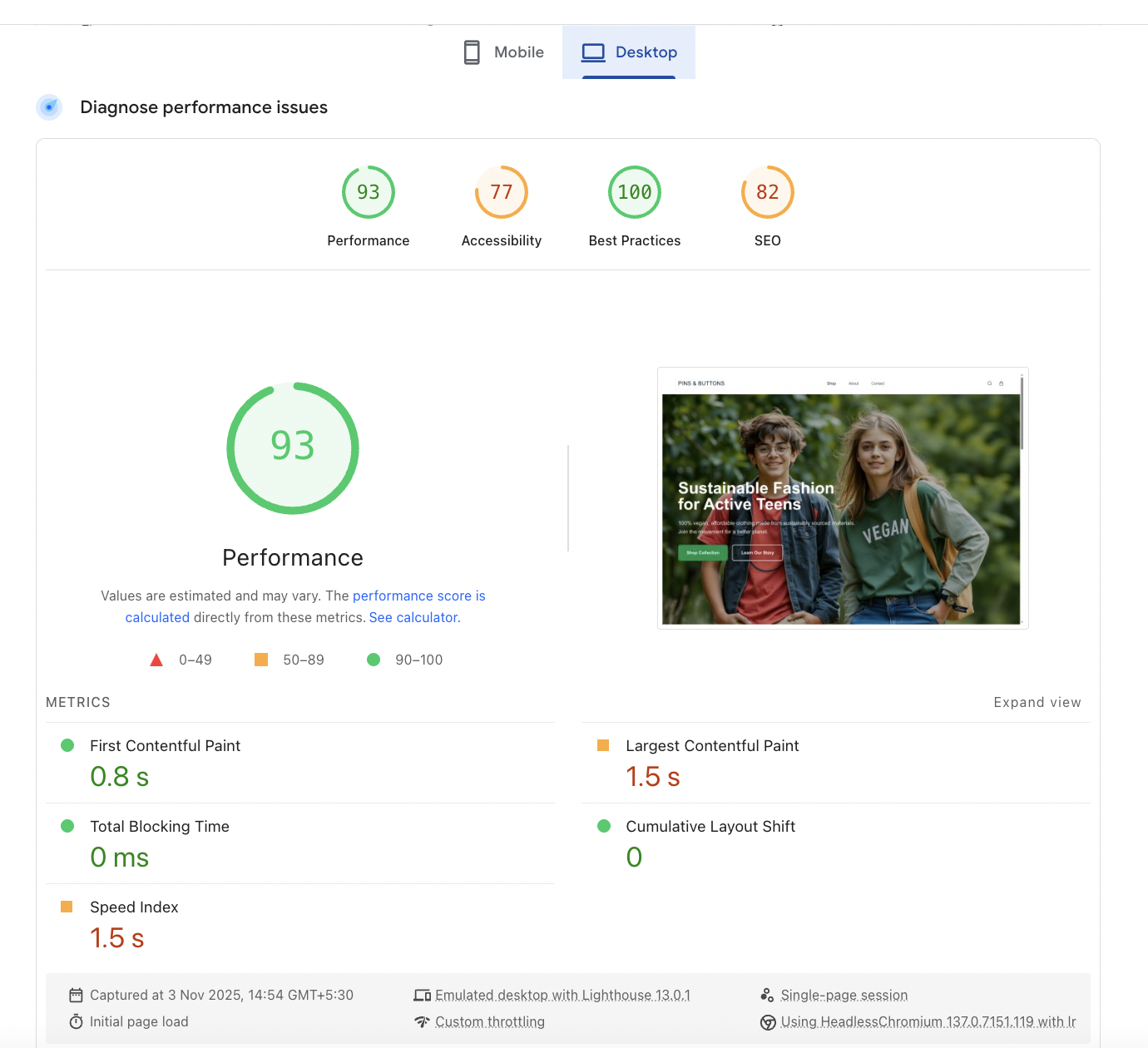
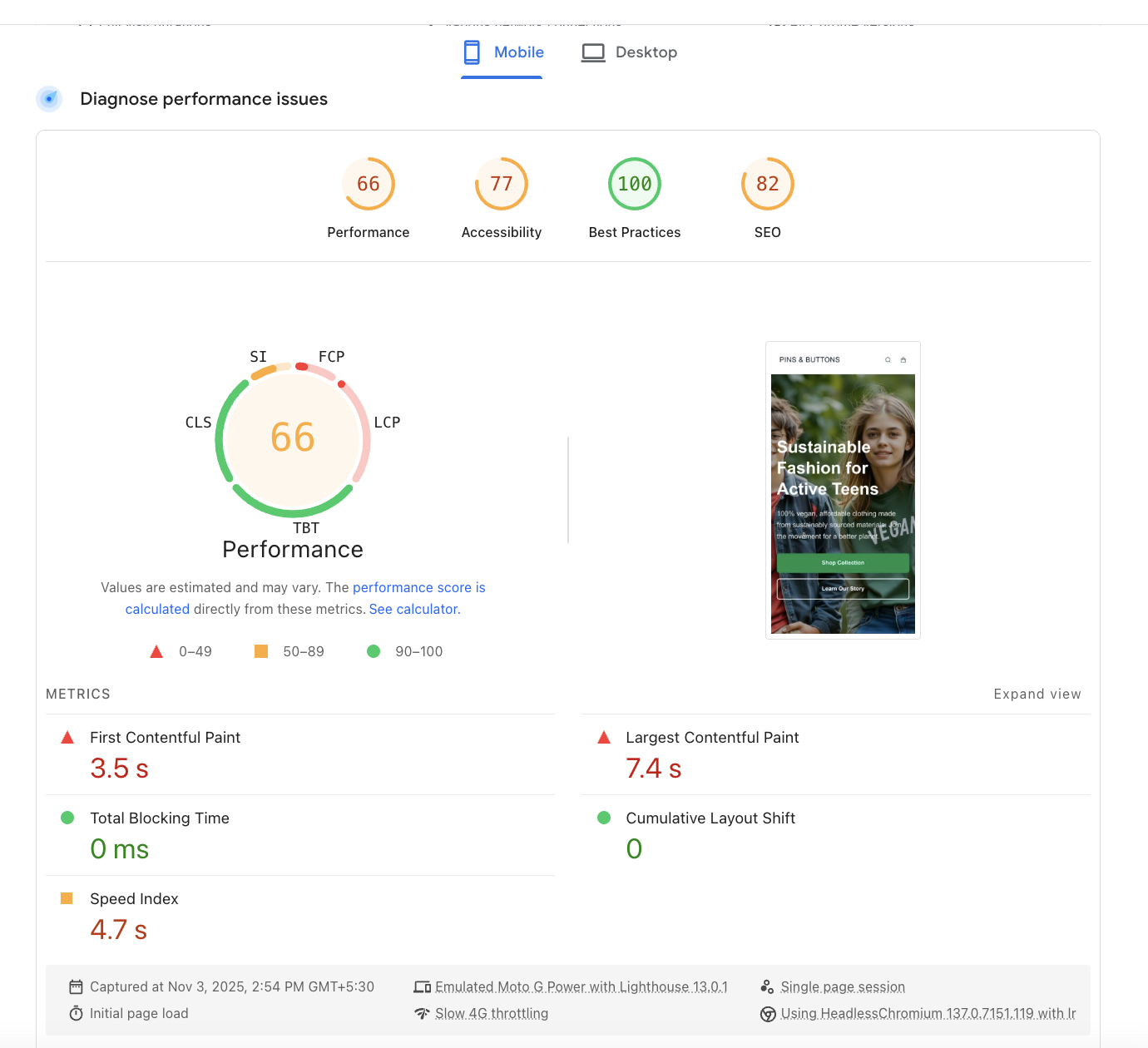
On Google’s Pagespeed Insights, Readdy-built websites demonstrate excellent desktop performance and respectable mobile optimization for an AI-generated builder. The clean structure ensures stability, but mobile load times could improve through image compression or further optimization settings. Overall, Readdy performs better than most prompt-based builders in performance efficiency, especially considering its AI-driven design system.
The desktop performance is excellent, with a fast loading time and stable layout. The site structure is clean and lightweight, ideal for AI-generated sites.
Mobile performance shows room for improvement. While accessibility and SEO remain solid, content loading speed is slower due to heavier image rendering and resource calls. Still, the page structure maintains a stable 0 cumulative layout shift, indicating strong layout integrity.
Pricing & Value for Money
If you’re exploring Readdy for the first time, the Free Plan is a good way to understand its AI prompt workflow. For actual publishing, the Starter Plan is the most practical that unlocks live sites, Figma export, and branding control. The Pro Plan is ideal for professionals who want more projects, higher credit limits, and enhanced lead generation tools.
Free Plan
Best For: Testing Readdy’s AI capabilities and previewing projects.
- 250 credits included
- Share projects using Readdy domain (preview link)
- No option to publish live sites
Ideal for experimentation and understanding how prompt-based design works, but publishing is disabled.
Starter Plan – $11/month
Best For: Beginners and light users who want to publish their first AI-generated website
- 2,500 credits included
- Free custom domain for 1 year
- Publish with a connected custom domain
- Download code & export to Figma
- Remove Readdy branding
This plan unlocks key tools like publishing and Figma export, making it the most balanced option for individuals and freelancers.
Pro Plan – $24/month
Best For: Growing creators, solo entrepreneurs, and small teams
- 6,000 credits included
- Everything from Starter Plan
- Additional projects and higher credit limits
- Free custom domain for 1 year
Best suited for users managing multiple sites or lead funnels, with extended credit and voice/chat capabilities.
Customer Support & Community
Readdy offers live chat and email support, along with a growing help center that covers basic tutorials and setup guides. The platform also includes an AI-based assistant that helps answer onboarding queries and guides users through the initial website creation process.
While support availability is consistent, response times are still developing, especially during high-traffic periods. The community ecosystem is in its early stages, lacking the depth and engagement seen in more mature platforms like Wix or Squarespace.
Best Alternatives of Readdy
- Wix ADI – Offers a more visual, beginner-friendly experience with true drag-and-drop editing and hundreds of templates. Unlike Readdy, Wix doesn’t rely solely on prompts, making it better suited for users who prefer hands-on design control.
- Framer – A strong competitor for designers who want pixel-perfect customization and Figma-level control. Framer is ideal for advanced users, while Readdy appeals more to those who want AI to handle structure and content.
- Butternut.ai – Similar in concept, Butternut uses AI to generate and publish websites quickly. However, it provides more visual editing flexibility than Readdy and includes basic ecommerce capabilities.
| Feature | Readdy | Wix ADI | Framer | Butternut AI |
|---|---|---|---|---|
| Ease of Use | Moderate — prompt-based interface; no drag-and-drop | Very easy, guided AI + drag-and-drop editing | Moderate — requires design knowledge, similar to Figma | Easy — AI generates full site with minimal input |
| Templates & Design | Limited templates; relies heavily on AI prompting | 900+ templates, highly customizable | Professional-grade, design-driven layouts | Fewer templates but decent AI-generated layouts |
| Customization | Prompt-driven; no visual editor; each change uses 25 credits | Full drag-and-drop control, WYSIWYG editing | Deep customization with pixel-perfect accuracy | Limited visual edits; AI-assisted customization |
| Ecommerce Features | None native (Stripe integration possible) | Basic to mid-level ecommerce; good for small shops | Limited ecommerce, best for portfolios and SaaS sites | Basic product and payment setup |
| Integrations | Stripe, Shopify, Mailchimp, Google Analytics, Figma export | PayPal, Stripe, Mailchimp, Google Analytics, Meta | Figma import/export, Google Fonts, custom embeds | Stripe, Google Analytics |
| Pricing (Starting) | Free plan, Starter $11/mo, Pro $24/mo | $16/mo (Combo plan) | Free plan, Pro $10/mo | Free plan, Starter $20/mo |
| Free Plan/Trial | Free plan (no publishing, 250 credits) | Free plan with Wix subdomain | Free plan available | Free plan available (limited publishing) |
| Support Options | Live chat, email, AI assistant, help center (developing) | 24/7 chat and help center | Email, documentation, community forum | Chat, email, limited docs |
| Scalability | Best for solo creators and freelancers | Small to medium businesses | Freelancers, designers, startups | Small businesses, creators |
| Ideal For | Users comfortable with AI prompting, wanting quick structure + Figma export | Beginners and visual creators | Designers wanting full control and design precision | Non-tech creators seeking fast, AI-built sites |
Final Verdict
Readdy Website Builder is an innovative, AI-prompt-driven platform that helps users generate complete website structures in just a few commands. It’s fast, smart, and ideal for those who prefer automation over manual design. However, the lack of drag-and-drop editing, limited templates, and credit-based system can make it less beginner-friendly compared to builders like Wix or Butternut.ai. The ability to export designs to Figma is a standout feature, allowing designers to refine AI-generated layouts with precision. Overall, Readdy is best for creators and freelancers seeking a quick, AI-assisted foundation they can later enhance visually.
On this page
Tags: review