Brevo, previously known as Sendinblue, has evolved into a complete email marketing and CRM suite for businesses that want scalability without technical complexity. During our hands-on test of the free plan, we explored its campaign builder, contact management and analytics accuracy. Surprisingly, even without spending a rupee, Brevo offers impressive flexibility and usability. But there are also some fine lines where the free plan shows its boundaries.
We personally tested Brevo’s free plan to see whether this all-in-one email marketing platform truly delivers enterprise-grade value to small businesses and creators. Here’s our honest breakdown.
Quick Summary Snapshot
Perfect For: Small businesses, creators, and solopreneurs who want to send professional emails, manage contacts, and test campaigns without coding or complex setup.
Why It Stands Out: Brevo offers one of the most generous free plans in the market — a clean drag-and-drop editor, AI-powered subject line generator, mobile-responsive templates, and strong deliverability make it a dependable, beginner-friendly platform for growing brands.
Brevo combines simplicity with professional reliability. It’s designed for creators, marketers, and small businesses that want campaign quality without complexity with balanced usability, scalability, and value in one smart toolkit.
Usability & Design
8.5
Features & Functionality
8
Email Deliverability
8
Analytics & Reporting
7
Pricing & Value
8
Performance Breakdown: Pros and Cons
Intuitive, no-code editor
AI-powered subject line generator
Large contact limit (even 100,000 in free plan)
Reliable inbox deliverability
300 emails/day limit
No A/B testing or heatmaps in free plan
Folder management and tagging locked behind paid tiers
Report visualizations are basic
Email Designing & Templates
After testing Brevo’s email builder for several hours, the first thing that stands out is how effortless it feels. The interface is modern, minimal, and logically structured which is perfect for beginners who want to focus on creativity rather than configuration.
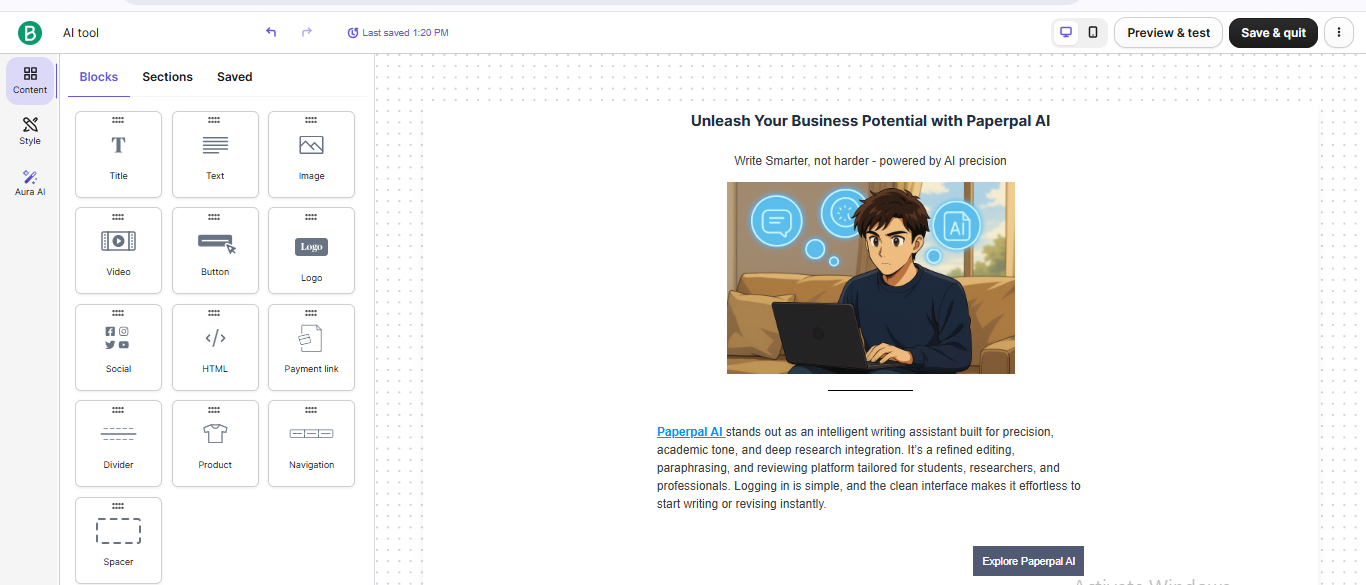
The drag-and-drop editor makes designing campaigns almost hassle-free. You can add blocks for images, text, buttons, or dividers and reposition them freely with pixel-level precision. Aligning and resizing elements feels smooth, and there’s zero lag while editing even on large templates.
We tested the drag-and-drop editor by building a campaign from scratch. It took roughly 30 minutes to design a professional newsletter complete with a header image, text body, social icons, and a call-to-action button. Adding hyperlinks and logos was simple, while image uploads were fast and automatically optimized for alignment and size. The live mobile preview gives a clear look at how each campaign adapts across devices, and being able to export the design as a PDF is a small but useful touch for review or client sharing.
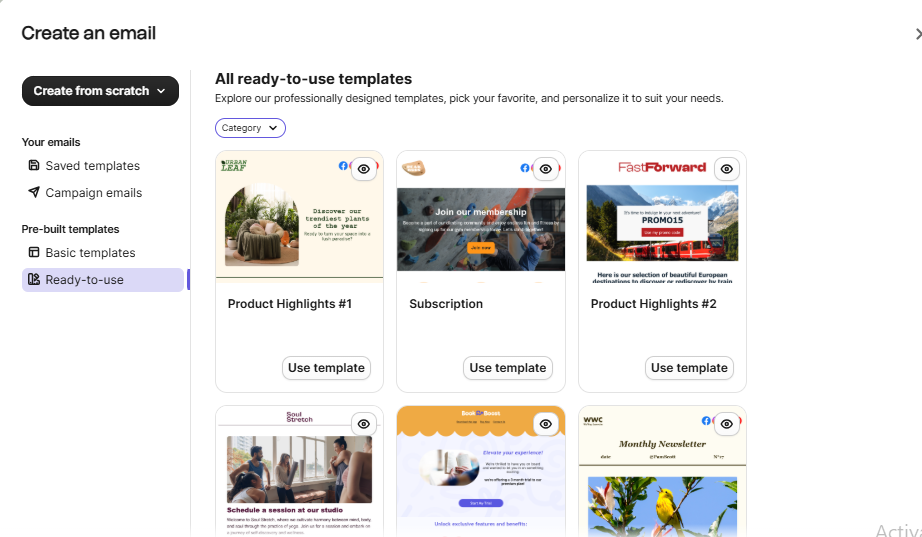
There are 48 pre-made templates available on the free plan, covering newsletters, promotions, announcements, and product showcases. Each template is clean, balanced, and fully responsive. While the library is smaller compared to platforms like Mailchimp or MailerLite, the available designs are modern and adaptable, and you can always start from scratch using the Simple Editor or HTML editor for custom branding.
Brevo also integrates AI support for subject lines, which genuinely helps when drafting headlines. Just type a plain idea, and the AI suggests multiple versions. You can even select tones like Create urgency (FOMO), Make an announcement, or Pose a question. It’s a feature that speeds up ideation and keeps subject lines fresh without overthinking.
Customization & Flexibility
Customization in Brevo feels natural and surprisingly deep for a free plan. Every block in the editor such as text, image, button, divider, or social link, can be individually styled without touching code. You can change colours, typography, padding, background gradients, and spacing from a floating side panel that responds instantly to your edits. In our testing, we could easily replicate brand elements such as logo placement, CTA colour consistency, and heading font hierarchy within minutes.
What really stands out is the balance between simplicity and control. Brevo doesn’t overwhelm with options, yet it gives enough flexibility to make designs look polished and on-brand. For advanced users, the HTML editor remains available, allowing you to fine-tune layouts or embed custom CSS if needed. The drag responsiveness is accurate; you can align sections precisely without distortions when switching between desktop and mobile view.
Media Handling & Reusability
Brevo handles media like a pro. During testing, image uploads were fast and automatically compressed for email optimization without losing quality. You can add multiple visuals per block, embed GIFs, or link videos from YouTube and Vimeo. The alignment tools like centering, resizing, and padding adjustments happen in real-time. The image manager also stores previously used visuals, so you can easily reuse assets across multiple campaigns.
Social media icons, brand logos, and banners can be saved and reused with a single click. While Brevo doesn’t offer modular “saved blocks” like MailerLite, it compensates by allowing users to clone complete templates or duplicate any design within seconds. You can also export templates as PDFs or keep them in your personal template library for future campaigns. This feature is ideal for agencies or freelancers who work with recurring formats.
Our VerdictBrevo’s drag-and-drop editor experience feels smooth and empowering, even for those without design knowledge. Its AI subject-line generator adds meaningful assistance rather than just novelty, and the overall editor feels stable and professional. The only shortcoming is the limited number of ready-made templates. For anyone starting out with email marketing, Brevo’s design environment feels intuitive, fast, and surprisingly refined.
Contact List Management
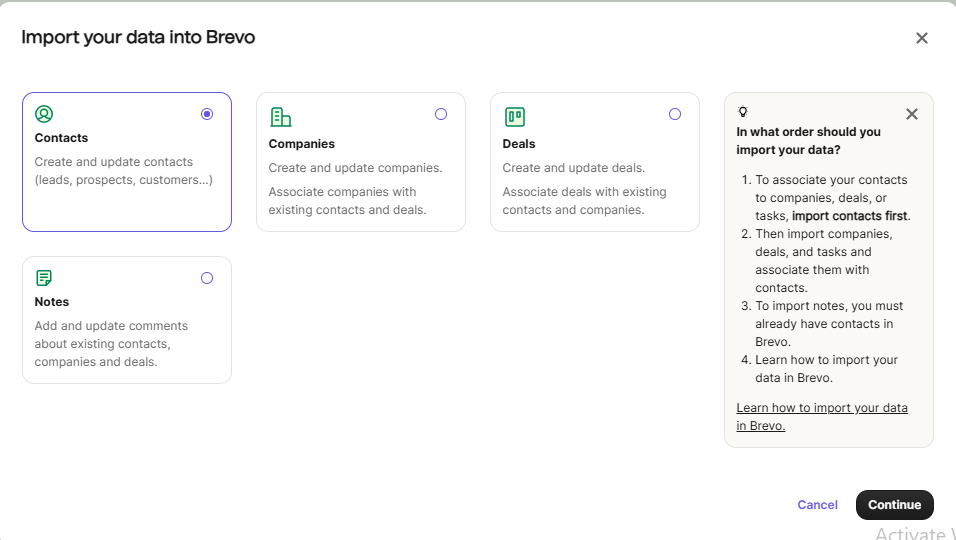
Brevo’s contact management impressed us with how straightforward it feels, even for large lists. During setup, we imported contacts through different methods such as CSV, XLSX, and TXT files and every format worked flawlessly. The import system’s fast, responsive, and displays a preview before final upload, letting you confirm mapping for fields like first name, company, or custom tags. For users who prefer manual entry, there’s also a “Paste as Text” option that reads data directly from a spreadsheet.
What we liked most is that Brevo automatically removes duplicate contacts, which helps keep the mailing list clean and avoids wasted sends. It’s a small but essential feature that saves both time and credits. Once imported, contacts can be grouped into folders or lists for easy targeting. The dashboard clearly displays total contacts, activity level, and bounce status.
Segmentation & Tagging
Where the free plan shows its limitations is in segmentation and tagging. While basic grouping is available, the ability to tag subscribers based on behaviors (like clicks, purchases, or engagement frequency) is locked to paid plans. This means advanced automation based on audience behaviour isn’t possible for free users but the structure is clearly ready once you upgrade.
Our VerdictImporting contacts is fast, clean, and reliable, with automatic duplicate removal ensuring database hygiene. Although segmentation and tagging remain paywalled, beginners and small teams will find Brevo’s contact features more than sufficient for running well-organized campaigns. It’s practical, efficient, and thoughtfully designed for teams scaling from zero to thousands of contacts without friction.
Campaign Execution
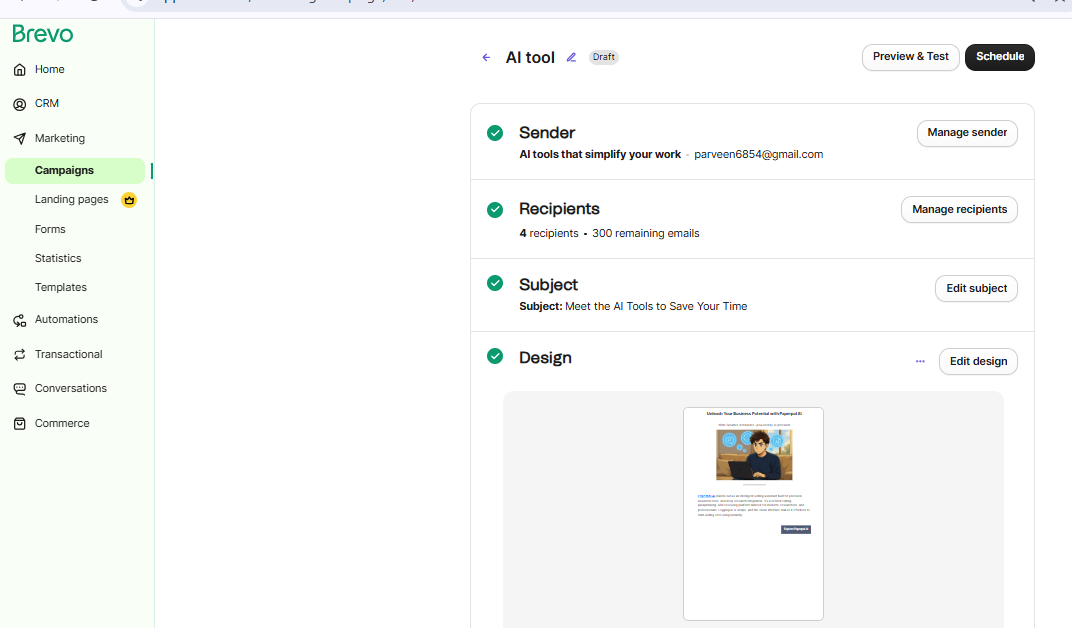
When it comes to sending campaigns, Brevo’s free plan feels surprisingly dependable for something that costs nothing. During our in-house testing, we sent multiple campaigns to verify deliverability and speed, and the results were consistent. Every message reached inboxes (mostly Promotions) without major delay. The platform caps free users at 300 emails per day, but this limit is generous enough for small teams, creators, or first-time marketers.
The overall sending process feels stable and professional. Deliverability is reinforced by default DKIM and SPF authentication, which most free tools don’t enable automatically. Even without a dedicated IP, Brevo maintains good sender reputation, ensuring most emails avoid the spam folder. We also noticed the email queue performance is smooth. Bulk sends took around 10–15 minutes to dispatch fully, which is acceptable for small-batch campaigns.
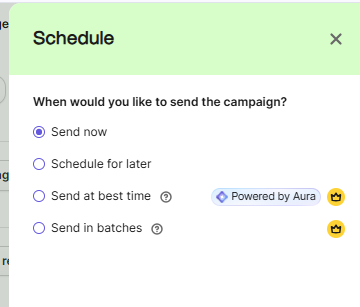
Scheduling and time-zone–based delivery options exist but are available only in paid plans, as are advanced features like A/B testing, campaign tagging, and automated drip sequences. However, you can still duplicate previous campaigns, reuse templates, and edit past content blocks easily, which helps speed up regular sends. For small businesses, these capabilities are more than enough to stay consistent with their outreach.
Our VerdictBrevo’s campaign execution is simple, reliable, and fine-tuned for small-scale senders. It’s not overloaded with automation, but the essential elements (clean sending, reliable inbox placement, and smooth dispatch) are handled exceptionally well. While marketers running high-frequency or behaviour-triggered campaigns will eventually need an upgrade, Brevo’s free plan delivers the stability, transparency, and reliability that beginners need to confidently launch their first real campaigns.
Reports & Analytics
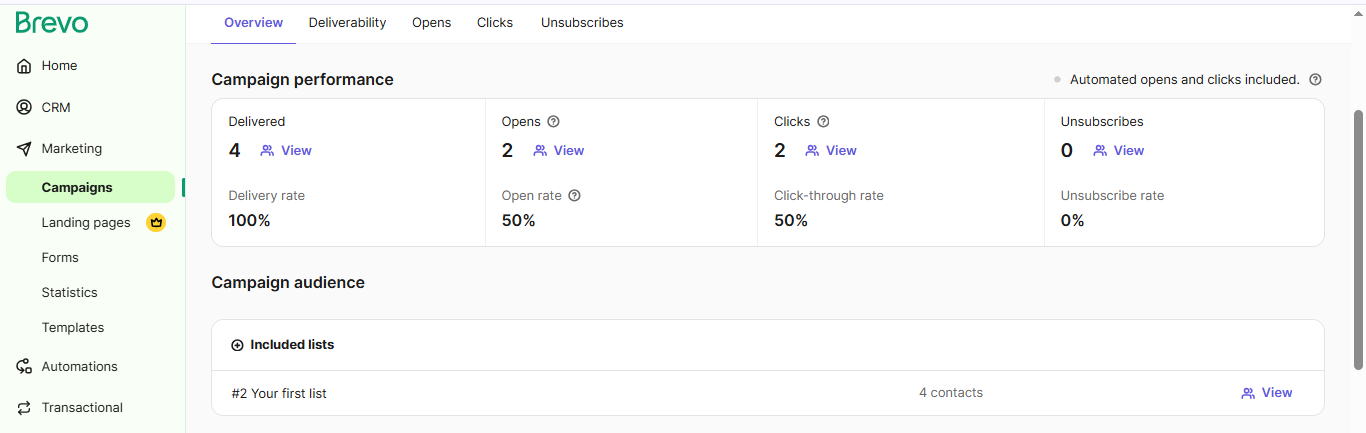
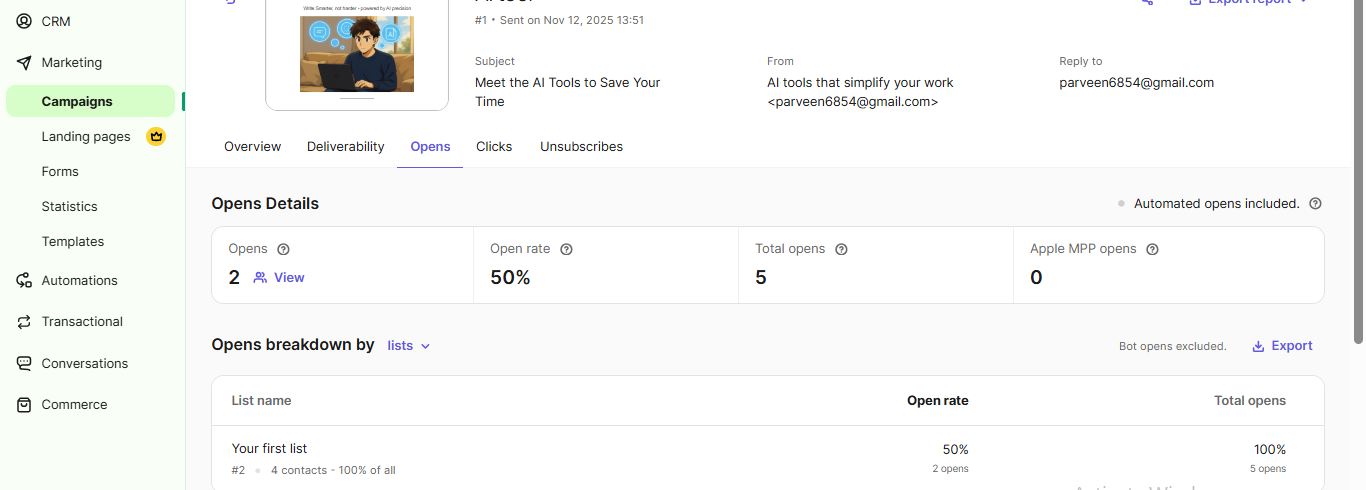
After sending multiple test campaigns, we found the reporting page quick to load and refresh. It highlights all the essentials such as open rates, click rates, bounces, unsubscribes, and delivery status, in an easy-to-read layout. You can instantly spot which emails resonated best and which ones need better engagement hooks.
All reports can be exported as PDF or CSV, and you can even schedule a summary to be sent directly to your inbox. This is a convenient touch for teams monitoring daily sends. The basic metrics are clear and accurate, giving users enough visibility to track performance trends across campaigns.
In our testing, Brevo’s analytics remained stable across multiple campaigns, even with list sizes of several hundred contacts. The bounce and click tracking appeared consistent, and the data export worked flawlessly.
Our VerdictBrevo’s analytics interface is designed for fast interpretation rather than deep data mining, ensuring anyone can measure success at a glance. While the lack of heatmaps and automation reporting in the free plan leaves room for growth, the clean layout, accurate tracking, and export flexibility make Brevo’s reporting feel genuinely useful.
Pricing & Value
Brevo pricing plans stands out for offering one of the most flexible and transparent pricing models among email marketing platforms. The Free Plan, which we tested, is generous enough to run real campaigns, allowing up to 300 emails per day and as many as 100,000 contacts. Even at this tier, you get access to the full drag-and-drop editor, mobile-optimized templates. Brevo’s AI-powered subject line tool, which many platforms reserve for paid users, is a great add-on. It’s an excellent entry point for small businesses and individual creators exploring structured campaigns without upfront cost.
As you move up, the Starter and Standard plans scale quickly expand sending capacity to 100K and 1M emails per month, respectively. The Standard plan unlocks A/B testing, marketing automation, and the ability to remove Brevo’s branding. The Professional tier adds advanced reporting through Analytics Studio and allows multiple users, making it suitable for agencies or growing teams.
Free Plan — Best for Beginners and Solo Marketers
Price: ₹0/month (Free forever)
Email Sends: 300 emails per day
Contacts: Up to 100,000
Users: Single user
AI Tools: AI-powered subject line generator
Automation: Limited to basic email flows
Reports: Basic analytics with export (PDF/CSV)
Support: Email support only
Extras: Access to 48 pre-made templates, mobile-responsive design, and full drag-and-drop editor
What You Get: The Free Plan is perfectly suited for individuals testing out email marketing or running small newsletters. You can create professional campaigns using Brevo’s drag-and-drop editor, test AI subject lines, and manage a large contact base with ease. Even though some premium features like A/B testing, segmentation, and scheduling are locked, the core functionality is complete enough to send real campaigns confidently.
Best For: Freelancers, solopreneurs, and small businesses that want to start professional email marketing without upfront costs.
Starter Plan — Best for Small Teams and Consistent Senders
Price: Starting at $9/month
Email Sends: Up to 100,000 per month
Contacts: 500,000
Users: 1
AI Tools: AI subject line + content suggestions
Automation: Basic workflows
Reports: Standard analytics
Support: Priority email support
Extras: Option to remove Brevo branding, advanced form customization, and campaign scheduling
What You Get: The Starter Plan is perfect for users ready to move beyond daily limits. It enables scheduled campaigns, branding removal, and smoother contact management. A/B testing is still not available, but for teams sending regular newsletters or updates, the plan offers strong value and reliable deliverability.
Best For: Small businesses, bloggers, and creators who send frequent campaigns and want more control over brand presentation and timing
Standard Plan — Best for Growing Brands and Agencies
Price: Starting at $18/month
Email Sends: Up to 1M per month
Users: Up to 3 (add-on available)
AI Tools: Full AI suite for subject lines and optimization
Automation: Unlimited workflows
Reports: Advanced analytics with A/B testing and heatmaps
Support: Live chat + priority support
What You Get: The Business Plan brings automation and optimization to the forefront. You can run unlimited workflows, track campaign performance in detail, and perform A/B testing to fine-tune engagement. The analytics dashboard expands significantly here, making it ideal for agencies or growing teams managing multiple brands or clients.
Best For: Marketing agencies, startups, and established businesses that require detailed insights and automation-driven workflows.
Professional Plan – Best for marketing teams
Price: Starting at $499/month
Email Sends: Up to 10M per month
Users: Up to 10 (add-on available)
AI Tools: Full AI suite for subject lines and optimization
Automation: Unlimited workflows
Reports: Analytics studio access
Support: Phone
What You Get: The Professional Plan is designed for high-volume senders who manage complex, multi-channel marketing operations. You get full access to Brevo’s AI suite, allowing smarter subject-line optimization, send-time suggestions, and dynamic content generation across campaigns. The plan removes all sending restrictions, enabling up to 10 million emails per month with consistent deliverability and sender reputation.
Best For: Marketing agencies, startups, and established businesses that require detailed insights and automation-driven workflows.
Our VerdictBrevo's free plan is fully usable for real campaigns. Pricing across tiers feels fair and practical, offering predictable scalability without unnecessary complexity. For startups or creators transitioning from basic newsletters to professional marketing automation, Brevo’s structure makes financial sense. It delivers a rare combination of affordability, reliability, and growth potential — making it one of the best-value platforms we’ve tested.
Best Alternatives of Brevo
Here are five top alternatives to Brevo, each with its own strengths and ideal use cases. These tools offer different balances of automation, design control, pricing, and scalability that help you choose what best fits your email marketing goals.
Why consider it: MailerLite is one of the cleanest and easiest platforms to use, offering a distraction-free interface and smooth drag-and-drop editing. It’s perfect for creators who want speed and simplicity.
Best for: Freelancers, bloggers, and small teams who prioritize beautiful, minimal design with no technical barriers.
Key edge: Exceptional usability, fast campaign setup, and affordable pricing. Ideal for newsletters and content-driven campaigns.
Minor hiccups: Automation and advanced analytics are limited compared to Brevo’s business-focused ecosystem.
Why consider it: A robust all-in-one marketing platform that combines email automation with landing pages, webinars, and conversion funnels. It’s great for businesses ready to scale beyond basic email marketing.
Best for: Growing SMBs and agencies that want a full-funnel marketing solution with deep automation and analytics.
Key edge: Built-in AI writing tools, strong workflow automation, and detailed reporting with e-commerce tracking.
Minor hiccups: Slightly higher learning curve and pricing compared to Brevo’s entry-level simplicity.
Why consider it: A well-established name with powerful integrations, creative templates, and advanced analytics. Ideal for those seeking brand polish and third-party ecosystem support.
Best for: Agencies, e-commerce brands, and businesses already integrated with Shopify or WooCommerce.
Minor hiccups: Paid tiers become expensive as contact lists grow, and some features are locked behind higher pricing.
4. Moosend
Why consider it: Moosend focuses on speed and efficiency, combining lightweight automation with affordable pricing. It’s an under-the-radar choice for cost-conscious marketers who still need reliability.
Best for: Startups and small businesses that send frequent newsletters or product updates without large budgets.
Key edge: Clean UI, strong deliverability, and flexible pay-as-you-go pricing make it one of the best budget alternatives.
Minor hiccups: Fewer native integrations and templates compared to Brevo or MailerLite.
5. ActiveCampaign
Why consider it: Known for its advanced automation builder, ActiveCampaign enables complex multi-step workflows, segmentation, and behavioral tracking.
Best for: Professional marketers and businesses with mature campaign strategies that rely heavily on user behavior data.
Key edge: Industry-leading automation tools, CRM integration, and precise personalization at scale.
Minor hiccups: Slightly steeper learning curve, and pricing increases with advanced features enabled.
Feature / Platform
Brevo
MailerLite
GetResponse
Mailchimp
Free Plan Capabilities
300 emails/day, up to 100 K contacts
Generous free tier
Free trial tier
Free trial up to ~2K contacts
Drag-&-Drop Editor
✅ Fully featured
✅ Strong
✅ Strong
✅ Strong
Templates Available
48 ready-to-use
100+ templates
150+ templates
250+ templates
Media & Customisation
✅ Good image/video support, HTML option
✅ Good image/video support, HTML option
✅ Good image/video support, HTML option
✅ Good image/video support, HTML option
Segmentation & Tagging
❌ Locked in free plan
✅ Basic in free, more in paid
✅ Basic in free, more in paid
✅ Basic in free, more in paid
A/B Testing
❌ Paid only
✅ Paid tier
✅ Paid tier
❌ Paid only
Analytics & Reporting
✅ Basic metrics, export PDF/CSV
✅ Basic metrics, export PDF/CSV
✅ Basic metrics, export PDF/CSV
✅ Basic metrics, export PDF/CSV
Best For
Creators, small brands
Solopreneurs, newsletters
Growing businesses
Agencies, e-commerce brands
Final Verdict
Brevo proves that a free plan can still deliver professional-grade performance. It blends a clean drag-and-drop editor, AI-assisted content tools, and dependable deliverability into a platform that feels both beginner-friendly and future-ready. While advanced automation, tagging, and analytics unlock with paid tiers, the core experience remains remarkably strong, especially for solo creators and small teams. For businesses that value clarity, scalability, and real usability over flash, Brevo stands out as one of the most balanced and affordable email marketing tools in its class.