We may earn affiliate commissions for the recommended tools. Learn more.

GetResponse vs Omnisend: Which Email Platform Actually Fits Your Business?

Email marketing tools aren’t just about sending newsletters anymore, they’re about building relationships, automating engagement, and converting visitors into loyal customers. Both GetResponse and Omnisend have earned a solid reputation among creators, small businesses, and growing online stores.

While GetResponse shines as a complete marketing suite with extensive customization and analytics, Omnisend focuses on streamlined eCommerce automation and speed. We tested both platforms across design, list management, campaign execution, and reporting to see which one offers the stronger balance of usability and performance.

Who Should Use Which?

Quick Comparison

CriteriaGetResponseOmnisend
Ease of UseBeginner-friendly dashboard; clear setup with guided onboardingQuick setup with a clean, intuitive interface built for eCommerce campaigns
Template Variety & Design150+ responsive email & landing templates with high customization depthFocused set of modern, eCommerce-specific templates; faster visual setup
Automation & WorkflowsAdvanced visual workflow builder with triggers for sign-ups and purchasesSimple drag-and-drop automation editor; strong abandoned-cart workflows
DeliverabilityReliable sending with detailed spam feedback and high consistencyExcellent inbox placement; quick 5–10-minute dispatch time during testing
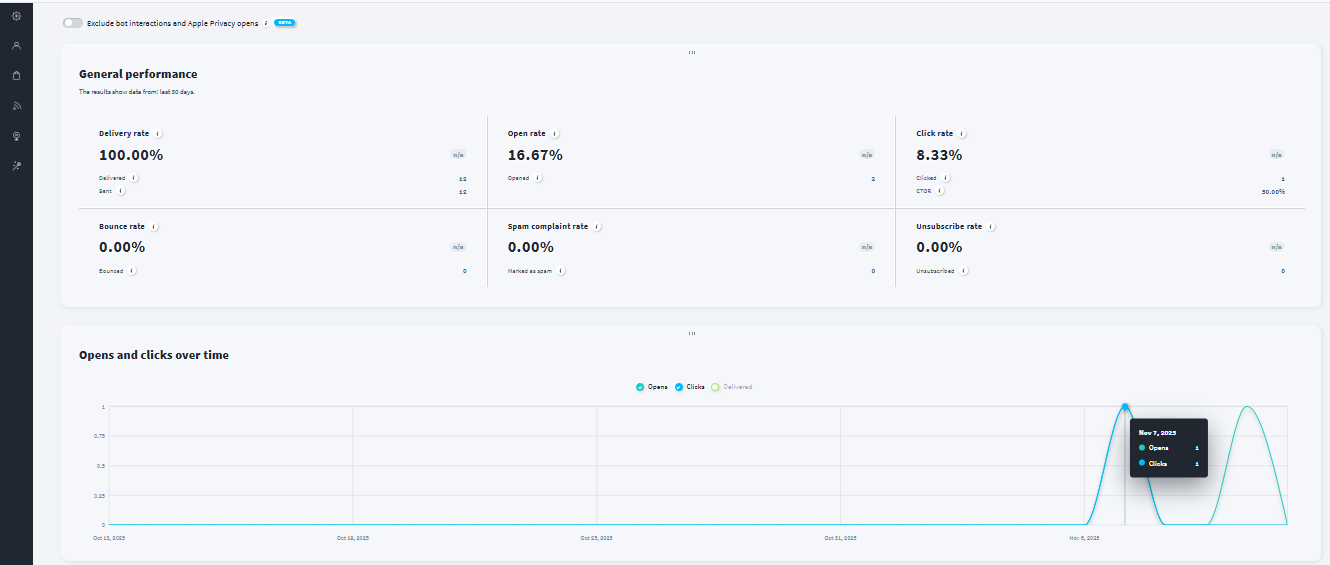
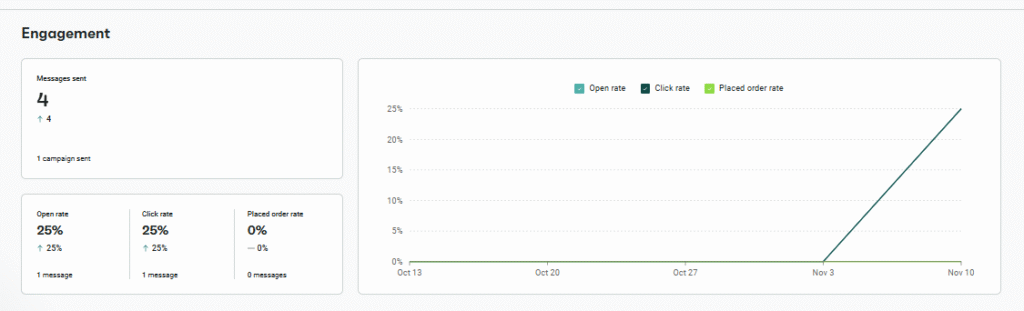
Reporting & AnalyticsComprehensive dashboard, heatmaps, and exportable reportsReal-time reporting with simplified, order-linked metrics
Free PlanUp to 500 contacts, limited featuresUp to 500 contacts, limited monthly sends
Starting Price (Paid)From ~$19/monthFrom ~$16/month
Best ForMarketers wanting creative control and detailed analyticseCommerce stores seeking speed and automated cart recovery
Key StrengthAll-in-one versatility; automation + analytics depthSimplicity, deliverability, and store-specific workflow precision
Key LimitationPrice jumps with list growthLimited template library and fewer advanced analytics

Evaluation Criteria (How We Compare)

We compared GetResponse and Omnisend across five essential parameters that define how well an email marketing platform performs in real-world use:

  • Email Designing & Templates – The creative flexibility, template variety, and customization depth each platform offers.
  • Contact List Management – The efficiency and depth of managing subscribers, including segmentation, tagging, imports, and behavioral targeting.
  • Campaign Execution – How quickly and reliably each platform sends campaigns, the ease of automation setup, and overall consistency in deliverability.
  • Reports & Analytics – The quality, visualization, and actionability of data each platform provides from open and click tracking to conversions, heatmaps, and exportable reports; and how easily marketers can derive insights to improve performance.
  • Pricing & Value – Affordability, plan transparency, and the balance of included features at each tier. 

Email Designing & Templates

GetResponse

GetResponse provides one of the most flexible editors in its class. The drag-and-drop interface is responsive, clean, and packed with over 150 pre-built templates. Each layout is mobile-friendly and tailored for conversions, with options for both email and landing page design. The editor supports fine-tuning like spacing, font, blocks, allowing brands to maintain visual consistency effortlessly.

Omnisend

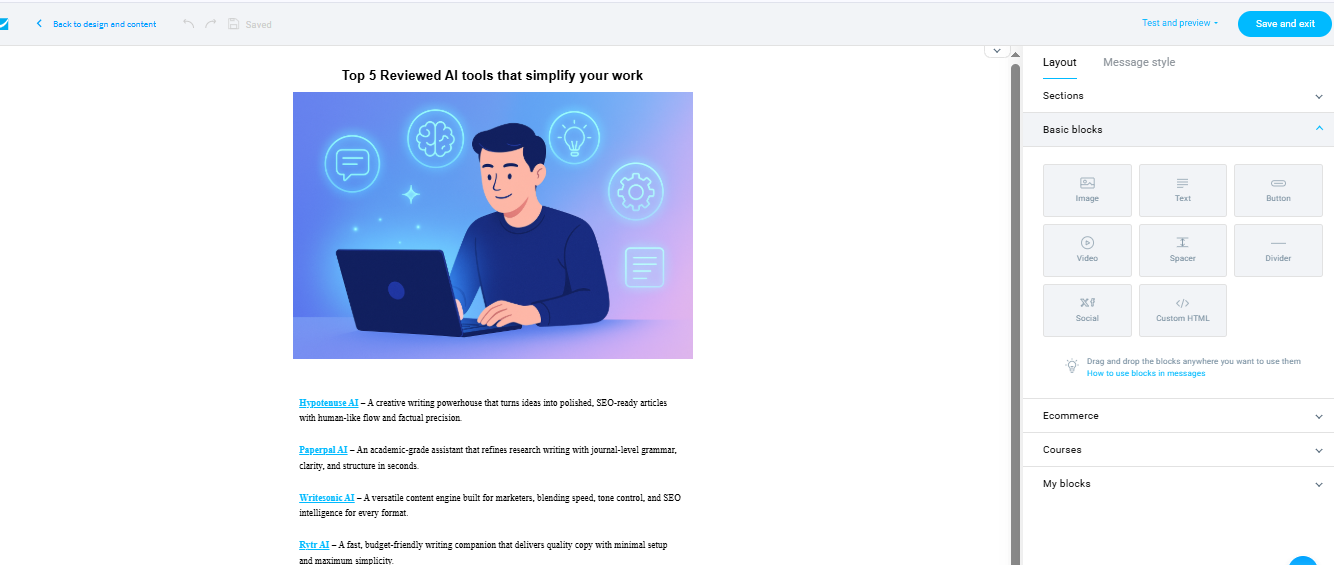
Omnisend keeps its focus sharp on eCommerce. The email designer is equally intuitive but more streamlined. You can drag products directly into templates, auto-insert prices, and build shoppable emails fast. Template options lean more toward promotional and product-driven content rather than editorial or long-form newsletters.

Contact List Management

GetResponse

GetResponse organizes contacts through tags, filters, and dynamic segmentation. Imports are smooth, duplicates are auto-merged, and engagement metrics are visible in real time. You can create custom fields or groups to target segments based on user behavior, location, or campaign activity.

Omnisend

Omnisend offers a more eCommerce-driven contact setup. Customer data, purchase history, and product preferences sit neatly within each profile. Filters for active buyers, abandoned-cart visitors, or recent subscribers make targeting precise. While advanced segmentation is locked behind paid tiers, it remains effortless to manage essential workflows.

Campaign Execution

GetResponse

GetResponse balances automation with manual control. Campaigns send within minutes, and scheduling across time zones is fluid. The workflow builder visualizes triggers from sign-ups and purchases to click events making even complex flows understandable. Once configured, dispatch reliability is consistently strong.

Omnisend

Omnisend is built for action. Automation flows welcome series, abandoned cart, or product reminders can be set up in minutes. During testing, send speed ranged between 5–10 minutes with stable deliverability. The A/B testing module in paid plans supports subject-line and content variations without friction.

Reports & Analytics

GetResponse

GetResponse delivers full-spectrum insights such as open rates, click maps, bounce tracking, conversions, and exportable reports. The analytics panel is built for marketers running multiple campaigns simultaneously, providing clear visual indicators and comparative analysis options.

Omnisend

Omnisend stays more lightweight but practical. It focuses on key eCommerce metrics like order-linked conversions, revenue tracking, and campaign performance. Reports are real-time and easily digestible, prioritizing clarity over complexity.

Pricing & Value

GetResponse

GetResponse starts at around $19/month and scales with subscriber count. Even at entry level, it includes automation, analytics, and templates. The free plan covers 500 contacts with limited features, offering solid room for testing and small-scale campaigns.

Omnisend

Omnisend begins near $16/month for up to 500 contacts and unlimited sends. Its integrated email-plus-SMS functionality adds excellent value for omnichannel outreach. The free plan, while capped by contact count, retains key automation features making it powerful for early-stage eCommerce users.

ScenarioBest Choice
Testing before payingBoth — Each platform offers a free plan suitable for early experimentation and workflow testing.
Most budget-friendly starter useGetResponse — Lower entry pricing for unlimited sends and stronger multi-purpose tools.
Scaling with a growing subscriber listOmnisend — More predictable pricing at scale, especially for ecommerce sending limits.
Advanced customization & detailed reportingGetResponse — Deeper funnel analytics, webinar reporting, and automation insights.
Teams needing structured workflowsGetResponse — Ideal for layered controls, multi-step campaigns, and marketing funnels.
Long-term ecommerce ROIOmnisend — Revenue-focused reporting and bundled SMS deliver sustained ecommerce value.

Final Verdict

Both GetResponse and Omnisend deliver strong performance, but they target slightly different needs. GetResponse is the all-rounder – a marketing suite blending creativity, analytics, and automation depth. Omnisend is a specialist which is optimized for eCommerce automation and conversion-focused workflows.

If your marketing mix spans multiple channels and audiences, GetResponse offers more control and scalability. If your primary focus is online sales and customer retention, Omnisend will save you time while maximizing results.

On this page

Winner Snapshot: Getresponse vs Omnisend

ScenarioBest Choice
Fast, beginner-friendly email creationOmnisend
Clean UI with quick learning curveOmnisend
Detailed design control & flexible layoutsGetResponse
Data-focused reporting & full-funnel analyticsGetResponse
Best value for ecommerce-driven brandsOmnisend
Best fit for teams wanting advanced automation & customizationGetResponse

Tags:

We will be happy to hear your thoughts

Leave a reply

Diztel
Logo