We may earn affiliate commissions for the recommended tools. Learn more.

GetResponse vs Moosend : Which One Wins for Modern Email Marketing?

Email marketing teams today expect far more than a simple drag-and-drop editor—they need automation depth that adapts to real user journeys, segmentation that pinpoints the right audience at the right moment, reliable deliverability they can trust, and analytics that turn daily metrics into actual decisions. In this landscape, GetResponse and Moosend both step forward with clean interfaces and modern campaign tools, yet their strengths lie in very different directions. One is built for multi-purpose versatility, deep funnels, and high-control workflows; the other focuses on simplicity, speed, affordability, and helping teams launch polished campaigns without unnecessary complexity. For businesses evaluating which platform fits their growth stage, comparing them side-by-side reveals two polished—but distinctly positioned—email marketing experiences.

Who Should Use Which?

Quick Comparison

CriteriaGetResponseMoosend
Ease of UseSmooth onboarding with a guided drag-and-drop editor; intuitive workflow for beginners.Extremely simple and beginner-friendly interface with easy drag-and-drop setup.
Template Variety & Design150+ templates, full customization, mobile-responsive layouts, reusable design blocks.130+ email templates, seasonal themes, and structured templates designed for clear readability.
DeliverabilityStrong performance with detailed spam feedback and consistent inbox placement.Emails consistently reached inbox with reliable DKIM/SPF handling and solid delivery timings.
Reporting & AnalyticsPDF/CSV exports, heatmaps, conversion metrics, Google Analytics/Data Studio support.Core reporting with open/click metrics, link tracking, bounce insights, and exportable reports.
Free PlanUp to 500 contacts with limited features.Free plan with 1,000 monthly email credits; generous for beginners.
Paid PricingStarts ~$19/month.Starts at $9/month for Pro plan.
Best ForCreators, educators, marketers wanting deep analytics + automation flexibility.Beginners, bloggers, SMBs wanting ease, affordability, and simple campaigns.
Key StrengthHigh-level automation, segmentation depth, funnels, and professional tools.Clean UI, fast email creation, affordable pricing, and accessible feature set.
Key LimitationPricing jumps with advanced use.Fewer advanced features compared to enterprise-level tools.

Evaluation Criteria (How We Compare)

We compared GetResponse and Moosend across five essential parameters that define how well an email marketing platform performs in real-world use:

  • Email Designing & Templates – The creative flexibility, template variety, and customization depth each platform offers.
  • Contact List Management – The efficiency and depth of managing subscribers, including segmentation, tagging, imports, and behavioral targeting.
  • Campaign Execution – How quickly and reliably each platform sends campaigns, the ease of automation setup, and overall consistency in deliverability.
  • Reports & Analytics – The quality, visualization, and actionability of data each platform provides from open and click tracking to conversions, heatmaps, and exportable reports; and how easily marketers can derive insights to improve performance.
  • Pricing & Value – Affordability, plan transparency, and the balance of included features at each tier. 

Email Designing & Templates

GetResponse

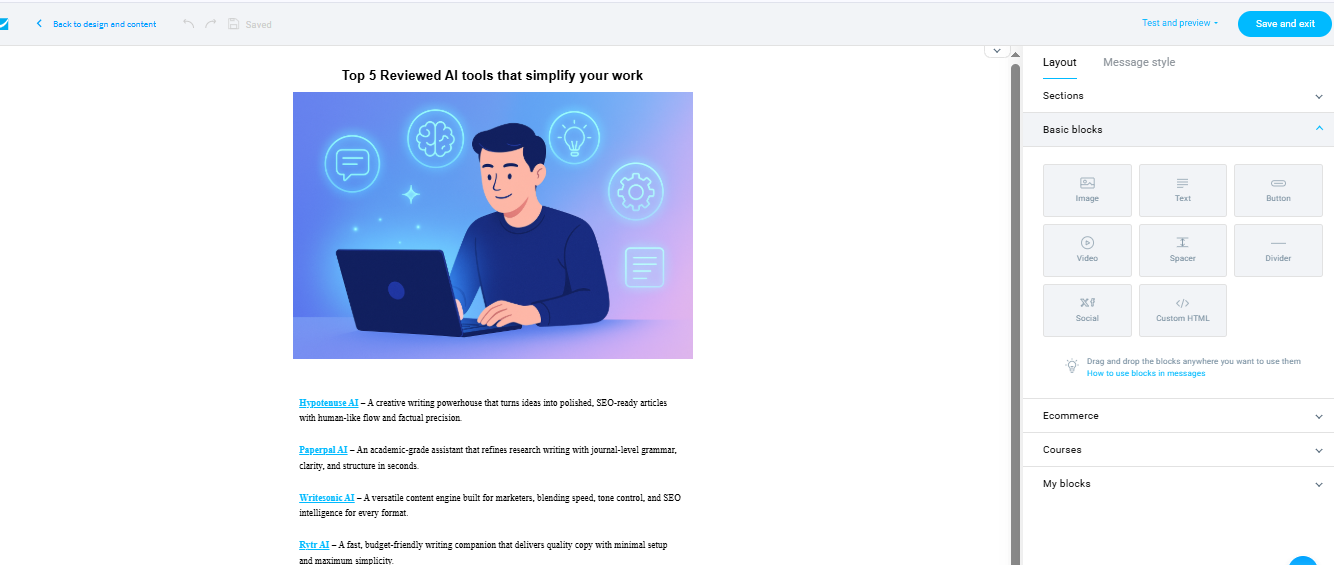
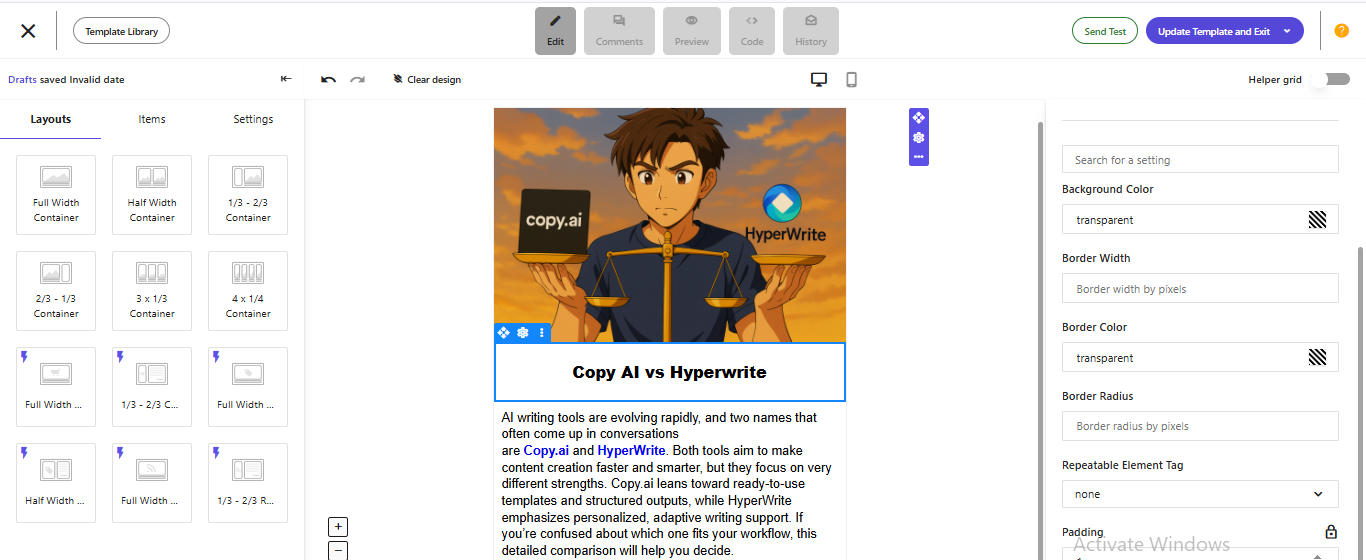
GetResponse puts strong emphasis on its template ecosystem, offering 150+ professionally designed templates, mobile-ready layouts, and editor-level flexibility. Users can tweak blocks, adjust spacing, modify padding, insert reusable sections, and even use custom HTML/CSS for advanced branding. The editor adapts flawlessly across mobile screens and ensures consistent formatting. Their reusable content blocks and saveable design elements enable faster campaign creation for returning users. Media uploads remain smooth, and embeds like videos or GIFs maintain formatting without distortion.

Moosend

Moosend’s editor is clean, minimal, and built for beginners. It provides drag-and-drop control, organized blocks, and an intuitive layout flow. While simpler, it still offers strong execution with 130+ real-time customizable templates including product promos, newsletters, seasonal creatives and more. Moosend allows saving reusable blocks, supports responsive rendering, and ensures mobile-ready formatting automatically. Its library is impressive for a budget-friendly platform.

Contact List Management

GetResponse

GetResponse streamlines list imports through CSV, TXT, and direct integrations, offering audience grouping, tagging, engagement scoring, and segmentation based on demographics, behavior, and custom fields. It detects invalid and hard-bounced addresses automatically, ensuring list hygiene. Personalization fields enhance tailored messages, and the system supports multiple segmentation layers

Moosend

Moosend provides CSV, TXT, and Excel imports, plus direct opt-in collection through forms and landing pages. It automatically flags invalid, spam-risk, or duplicate emails during imports using built-in hygiene checks. Its segmentation tools categorize contacts by behavior or campaign interaction, and personalization capabilities support name fields, custom data, and merge tags.

Campaign Execution

GetResponse

GetResponse supports dependable deliverability with spam feedback, DKIM/SPF support, and stable sending performance. Send speeds remain consistent, generally landing emails within 8–10 minutes at scale. It includes a structured message builder, multi-step campaign flows, and language-specific customization. The workflow builder visualizes triggers from sign-ups and purchases to click events making even complex flows understandable. Once configured, dispatch reliability is consistently strong.

Moosend

Moosend also performs reliably, reaching inboxes quickly with strong sender reputation handling. Its drag-and-drop builder provides fast execution, and the system automates mobile optimization. Moosend includes A/B testing (in paid plans), behavioral triggers, segmentation-driven sends, and personalization blocks. It handles bounces, blocklists, and domain verification efficiently.

Reports & Analytics

GetResponse

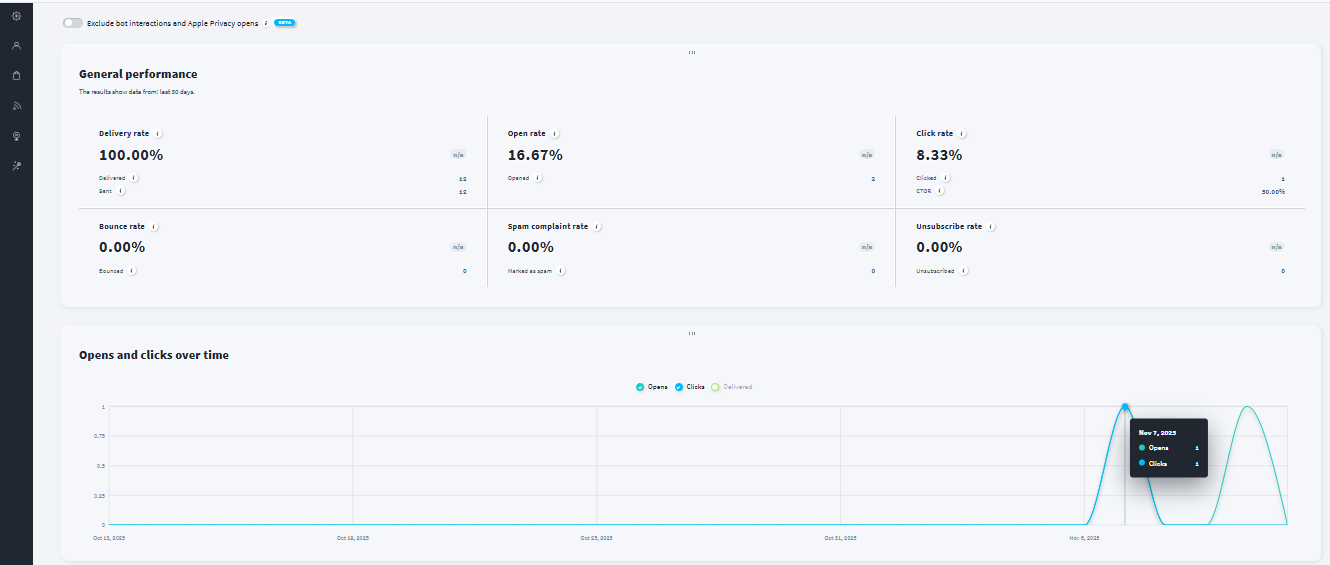
GetResponse provides an advanced analytics dashboard, with heatmaps, engagement metrics, downloads of PDF or CSV, and integration with external tools like Google Analytics or Data Studio. Users can track open rates, clicks, unsubscribes, and identify the highest-performing segments and devices. The analytics prioritizes clarity and optimization insights that help refine future campaigns.

Moosend

Moosend includes performance data covering opens, clicks, unsubscribes, bounces, and link tracking. Reports can be downloaded as PDF or CSV, and its engagement insights detail which buttons or links drive results. Deliverability reports highlight bounce reasons and spam-risk signals, while campaign comparison reports support multi-campaign analysis.

Pricing & Value

GetResponse

GetResponse pricing includes Starter, Marketer, and Creator plans, each scaling by features like automation, landing pages, webinars, and advanced analytics. It offers flexible plan depth for solopreneurs, creators, educators, and digital marketers needing funnels, webinars, and multi-step workflows.

Moosend

Moosend offers Free, Pro, Moosend+, and Enterprise tiers. The free plan is suitable for beginners, while the Pro plan unlocks automations and essential tools for small to mid-sized teams. Moosend+ and Enterprise deliver custom capabilities for brands needing transactional email, deeper automations, and multi-user management.

ScenarioBest Choice
Testing before payingMoosend — Free plan with generous credits ideal for early exploration.
Most budget-friendly starter useMoosend — Lower entry cost with simple, effective capabilities.
Scaling with growing subscriber listGetResponse — More structured analytics and funnel-ready tools.
Advanced customization & detailed reportingGetResponse — Strong funnel analytics, heatmaps, and exportable insights.
Teams needing structured workflowsGetResponse — Multi-step automations and deeper segmentation.
Simple newsletters + quick deploymentsMoosend — Faster builds and beginner-friendly template flow.

Final Verdict

Both platforms serve different audiences extremely well. GetResponse is the stronger choice for creators, marketers, and businesses needing layered automation, funnel-building, deep analytics, and professional-grade customization. Moosend, meanwhile, is ideal for beginners, freelancers, and budget-conscious teams looking for ease of use, fast execution, and essential automation at an accessible price point.

If you want a platform that grows into a full marketing ecosystem, GetResponse is the better match. If you value simplicity, affordability, and smooth execution, Moosend delivers exceptional practical value.

On this page

Winner Snapshot: Getresponse vs Moosend

ScenarioBest Choice
Fast, beginner-friendly setupMoosend
Clean UI and minimal learning curveMoosend
Deep automation + segmentationGetResponse
High-detail analytics & reportingGetResponse
Best value for very small businessesMoosend
Best for scaling teams needing funnels + advanced workflowsGetResponse

Tags:

We will be happy to hear your thoughts

Leave a reply

Diztel
Logo