Choosing the right email marketing tool depends heavily on how you design campaigns, manage contacts, execute automation, and measure results. MailerLite focuses on simplicity, clean design, and an extremely beginner-friendly experience that allows small businesses, creators, and new marketers to build campaigns without much hassle. Omnisend, on the other hand, is built for ecommerce brands that rely on multi-channel communication, quick campaign execution, and revenue-focused workflows.
Both tools offer strong value but in completely different ways, making this comparison essential for anyone deciding between minimalistic ease and ecommerce-rich capability
Who Should Use Which?
- MailerLite is Best For:
- Beginners needing a simple, intuitive, and extremely beginner-friendly email editor
- Creators, small businesses, and solopreneurs wanting clean templates and easy campaign setup
- Users who prioritize an affordable, minimal-learning-curve platform with fast execution
- Brands focused on basic email campaigns without advanced ecommerce triggers or multi-channel workflows
- Omnisend is Best For:
- Ecommerce stores and DTC brands relying on fast-moving, conversion-focused email campaigns
- Shopify/WooCommerce merchants wanting seamless store integrations
- Retail businesses that need email + SMS + push notifications for multi-channel execution
- Brands requiring product-based automation, abandoned-cart triggers, order-linked workflows, and revenue tracking
Quick Comparison
| Criteria | MailerLite | Omnisend |
|---|---|---|
| Ease of Use | Clean drag-and-drop editor with guided onboarding | Fast setup with intuitive workflows |
| Template Variety & Design | 100+ customizable templates; professional-quality layouts | Over 250 templates optimized for ecommerce brands |
| Automation & Workflows | Built-in automation with simple setup | Automated workflows for ecommerce journeys, cart recovery, and product triggers |
| Deliverability | Strong deliverability with reliable performance | Excellent inbox placement; fast dispatch times |
| Reporting & Analytics | Real-time metrics for opens, clicks, sales tracking, and conversions | Real-time metrics for opens, clicks, sales tracking, and conversions |
| Free Plan | Email Sends: 500 emails per month Contacts: Up to 250 | Email Sends: 12000 emails per month Contacts: Up to 500 |
| Price | Starts at ~$10/month | Starts at ~$11.20/month |
| Best For | Small businesses, creators, and marketers wanting simple design + sending | Ecommerce stores needing multi-channel execution (email + SMS + push) |
| Key Strength | Ease of use + balanced usability, value, and templates | Ecommerce-focused automation + omnichannel capabilities |
| Key Limitation | Limited niche template variety; no advanced list validation tools | Less advanced segmentation depth compared to behavior-heavy tools |
Evaluation Criteria (How We Compare)
We compared Mailerlite and Omnisend across five essential parameters that define how well an email marketing platform performs in real-world use:
- Email Designing & Templates – The creative flexibility, template variety, and customization depth each platform offers.
- Contact List Management – The efficiency and depth of managing subscribers, including segmentation, tagging, imports, and behavioral targeting.
- Campaign Execution – How quickly and reliably each platform sends campaigns, the ease of automation setup, and overall consistency in deliverability.
- Reports & Analytics – The quality, visualization, and actionability of data each platform provides from open and click tracking to conversions, heatmaps, and exportable reports; and how easily marketers can derive insights to improve performance.
- Pricing & Value – Affordability, plan transparency, and the balance of included features at each tier.
Email Designing & Templates
MailerLite
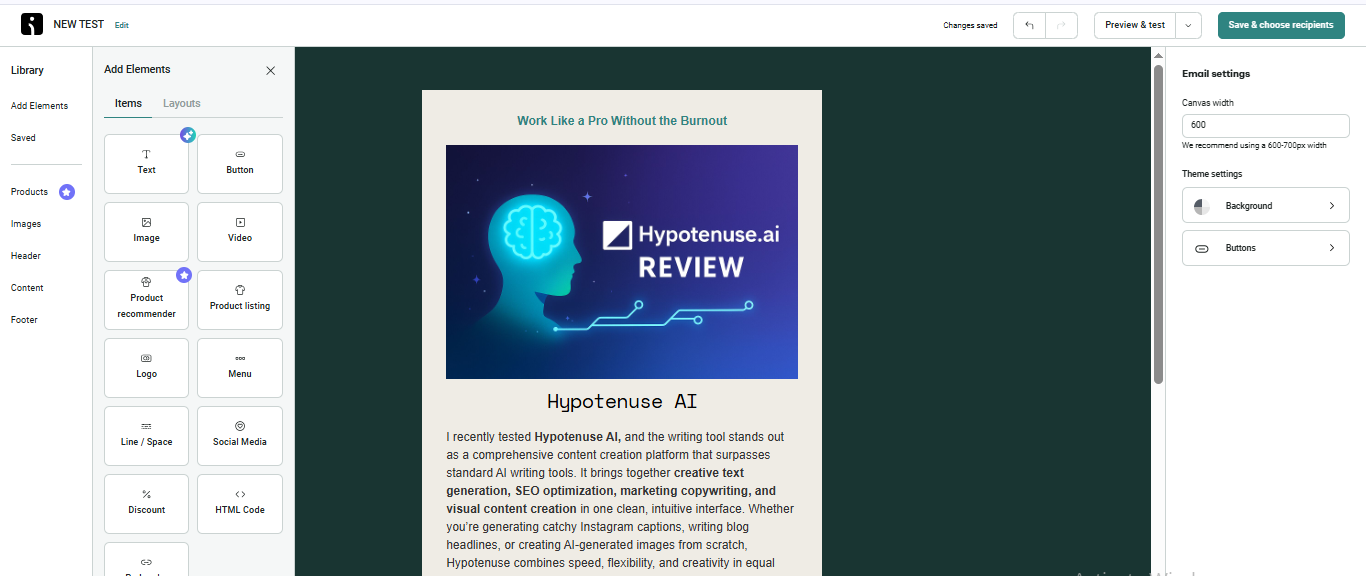
MailerLite emphasizes a clean, distraction-free editor that feels straightforward and beginner-friendly. The drag-and-drop builder allows quick customization, and its minimal layout makes designing newsletters simple even for non-technical users. Templates are modern and neatly structured, well suited for creators and small businesses that prefer simplicity over complexity. The workflow focuses on clarity, making the process feel approachable at every step
Omnisend
Omnisend places stronger emphasis on ecommerce-ready templates and multi-channel design assets. Templates include product-focused layouts, recommendations, and visually rich blocks tailored for online stores. The editor is responsive, mobile-optimized, and designed to help ecommerce brands launch promotional campaigns quickly. During testing, it felt optimized for speed and campaign-ready visuals.
Contact List Management
MailerLite
MailerLite keeps list management streamlined with an easy interface that supports fast importing, tagging, and organizing contacts. Its system is built for simplicity, helping small teams maintain clean subscriber lists without overwhelming controls. Segmentation remains straightforward, focusing on essential filters creators and small businesses typically rely on.
Omnisend
Omnisend provides a more advanced segmentation and tagging experience aimed at ecommerce users. It handles duplicate removal automatically and maintains list hygiene efficiently, ensuring accurate reporting and better personalization. Its segmentation workflow supports behaviour-based grouping, and purchase triggers, making it suitable for dynamic customer journeys in retail environments.
Campaign Execution
MailerLite
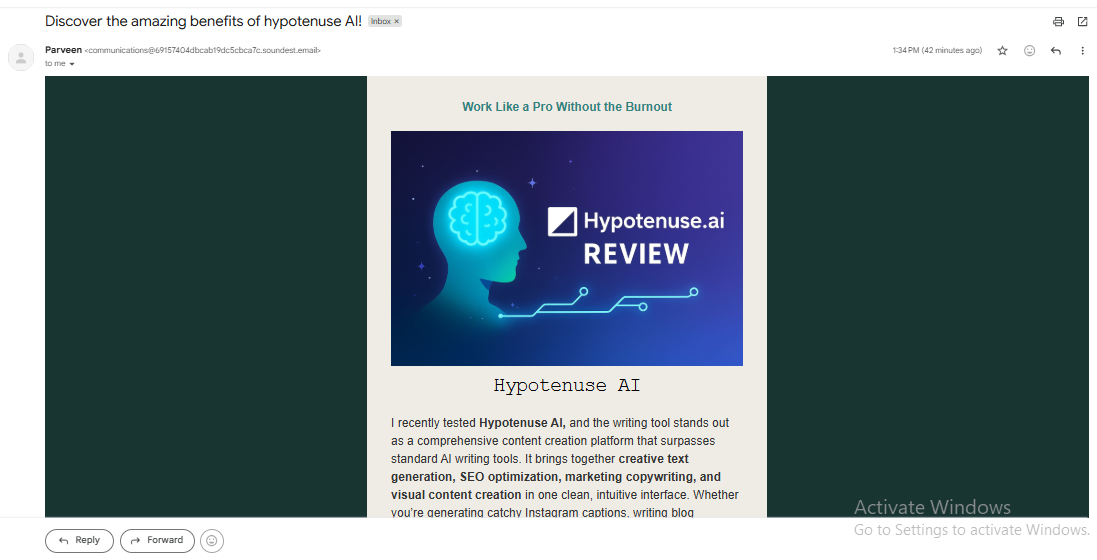
MailerLite streamlines the campaign workflow with a simple setup that focuses on ease of use. Creating a campaign requires adding the campaign name, subject line, and choosing the email type such as regular, A/B test, or auto-resend. Before sending, you can edit any section of the email or adjust the audience. Delivery is generally quick, and the tool supports scheduled and time-zone–based sending, ensuring messages reach global audiences at the right moment. However, free-plan campaigns include MailerLite branding unless upgraded.
Omnisend
Omnisend also offers a smooth sending workflow but adds a cleaner, more beginner-friendly setup screen that simplifies the entire process. It supports regular and automation-triggered sends and allows replacing media, adjusting layouts, or changing the audience easily. Sending speed is consistently fast during testing, with emails reaching inboxes within 5–10 minutes. Scheduled sending is available on paid plans, with options to target precise times and global time zones.
Reports & Analytics
MailerLite
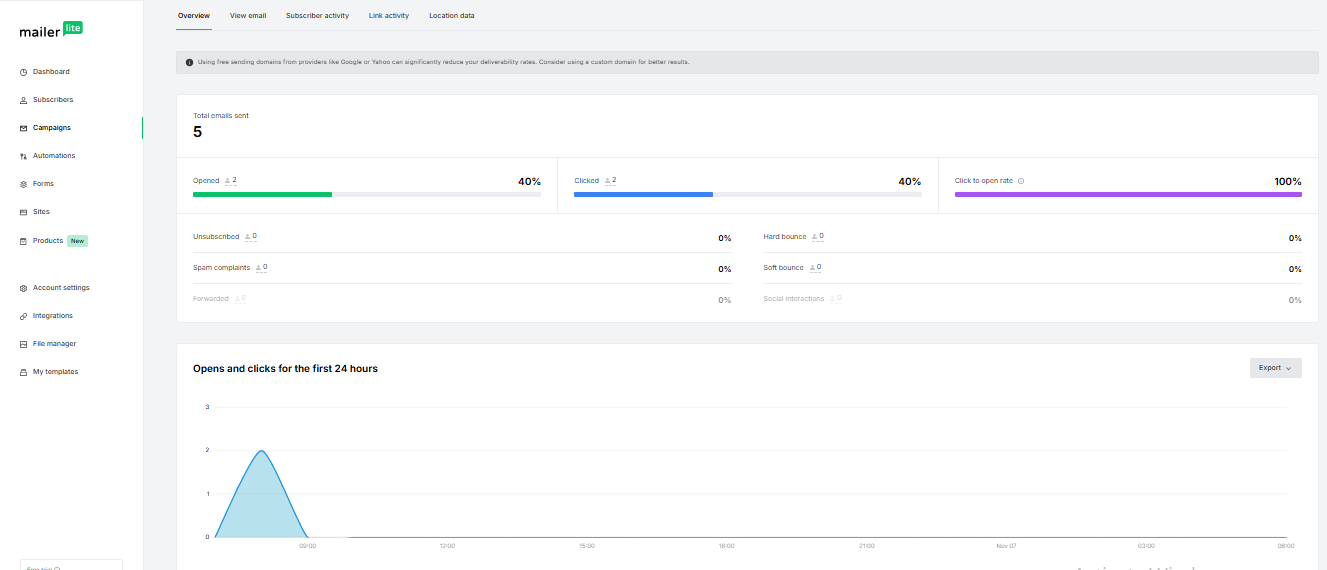
MailerLite gives access to basic analytics that is perfect for beginners – open rates, click rates, subscriber activity, and general engagement insights. The reporting interface focuses on clarity, helping new marketers understand their campaign performance without needing complex data breakdowns. It’s suitable for creators monitoring audience behaviour at a simple level.
Omnisend
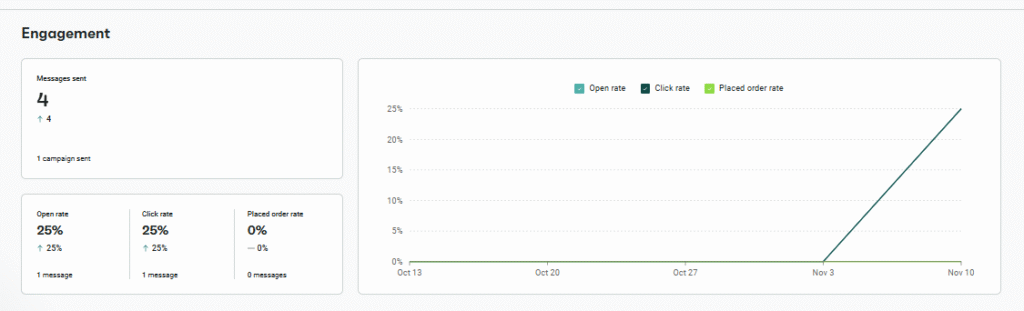
Omnisend provides a highly detailed analytics environment that tracks all essential performance indicators such as opens, clicks, unsubscribes, bounces, and conversions in real time. Metrics load quickly and are displayed in a clean, easy-to-read layout, helping users evaluate campaign performance immediately after sending. Users can export reports in PDF or XLSX format and filter results by individual campaigns or automation workflows. Link-tracking highlights which buttons and content blocks drive the most engagement, while deliverability insights categorize spam complaints and bounces for reputation clarity.
Pricing & Value
MailerLite
MailerLite delivers strong value for beginners and small businesses. Its pricing structure aligns with simplicity, providing an affordable entry point with essential features included. For users who primarily need email campaigns and straightforward automation, the cost-to-feature balance is highly favourable. It is built to accommodate individuals and smaller teams without pushing them toward advanced tiers.
Omnisend
Omnisend is designed to support ecommerce growth at multiple stages. Its plans accommodate heavier sending volumes, multi-channel messaging, and revenue-focused automation. The structure is predictable and aligned with ecommerce scaling. Brands gain value from SMS, automation enhancements, promotional templates, and product-level insights, making Omnisend more suitable for online stores prioritizing multi-channel communication
| Scenario | Best Choice |
|---|---|
| Fast, beginner-friendly email creation | MailerLite |
| Clean UI with simple learning curve | MailerLite |
| Ecommerce-optimized templates and layouts | Omnisend |
| Multi-channel execution (email + SMS + push) | Omnisend |
| Simple automations for creators and small teams | MailerLite |
| Revenue-focused reporting for ecommerce | Omnisend |
Final Verdict
MailerLite shines as a beginner-friendly platform built for creators, bloggers, educators, and small teams who want clean design workflows, simple list organization, and a low learning curve. It fits users who value clarity and ease over complexity.
Omnisend stands out for ecommerce-centric brands needing multi-channel execution, advanced list hygiene, and revenue-driven reporting. Its templates, automation depth, and product-focused analytics make it ideal for online stores managing dynamic customer journeys.
Ultimately, MailerLite is the right choice for simplicity-first users, while Omnisend provides superior value for ecommerce businesses aiming for growth and multi-channel performance.
On this page
Winner Snapshot: MailerLite vs Omnisend
| Scenario | Winner |
|---|---|
| Easy, beginner-friendly email building | MailerLite |
| Ecommerce-ready templates | Omnisend |
| Smooth drag-and-drop workflow | MailerLite |
| Real-time sales-linked analytics | Omnisend |
| Best value for small teams & creators | MailerLite |
| Best for stores running email + SMS | Omnisend |
Tags: comparison