HyperWrite positions itself as more than just another AI writing tool. It’s an AI workspace with 100+ tools for writing, business, marketing, and education. During my testing, what stood out immediately was its rendering speed (outputs appear within seconds), the ability to download work in DOCX format, and the convenience of sharing content directly via email or access links. With re-editing options, word limits, and flexible prompts, HyperWrite feels like a practical assistant for students, professionals, and content creators alike.
Who is it Best For?
- Students & Academics – Perfect for research-heavy work thanks to Scholar AI and Discussion Board Response, which deliver peer-reviewed references and academic-style outputs.
- Freelancers & Writers – Great for rewriting, paraphrasing, and auto-writing blog paragraphs with speed and fluency.
- Business Professionals – Tools like Email Responder and Resume Tailor make it easy to draft professional communications and job-ready resumes.
- Marketers & Content Creators – With AI-driven copy, flexible rewriting, and sharing features, HyperWrite helps create engaging marketing material fast.
- Casual Users – Even if you just want to experiment with AI tools, the free plan offers plenty of functionality to explore.
What Makes it Stand Out
- Diverse AI Toolset – Unlike most writing platforms, HyperWrite comes with 100+ specialized AI tools covering writing, business, marketing, and education, making it an all-in-one assistant.
- Practical Academic Features – Tools like Scholar AI and Discussion Board Response are unique and especially useful for students, producing peer-reviewed outputs and structured academic responses.
- Business Productivity Boosters – Features such as the Email Responder and Resume Tailor go beyond content creation, helping professionals save time and improve communication.
- Flexible Output Management – The ability to set word limits, re-edit prompts, and download outputs in DOCX or share via link makes it practical for collaboration and document handling.
- Speed & Accuracy – Across all tools tested, outputs were generated in seconds, with strong accuracy and natural, human-like tone.
HyperWrite stands out for its breadth of functionality, offering tools for rewriting, research, resumes, and more. While advanced integrations sit behind paid tiers, its fast outputs, intuitive interface, and flexible content controls deliver clear value across writing and productivity tasks.
Ease of Use 9 Writing Quality & Output Accuracy 8.5 Customization & Control 8 Features & Functionality 9 AI Capabilities 8.5 Language & Format Support 8 Speed & Performance 9 Integrations & Compatibility 6.5 Pricing & Value for Money 7.5 Customer Support & Community 7How We Rate? Our ratings reflect hands-on testing and comparison across key parameters such as usability, features, pricing, support, and overall value.
Performance Breakdown: Pros and Cons
- Seamless and quick output
- Strong, human-like writing output
- Easy to use with smooth onboarding and clean interface.
- Stable performance with fast outputs for most tools
- Free plan is restrictive with strict daily caps.
- Some tools (Article Writer, Humanizer) are slower.
- Limited export options and team collaboration in free version
- Support limited to email, no live chat or active community.
Ease of Use (UI/UX)
The platform is designed with simplicity in mind. Signing up is quick, and the dashboard is clean and intuitive. Onboarding is smooth, with tutorials guiding you through key tools. Even non-technical users can start writing instantly without confusion.
Writing Quality & Output Accuracy
The outputs are accurate, coherent, and grammatically sound. Text feels natural and “human-like,” not robotic. In testing, HyperWrite maintained context across long passages and produced engaging paragraphs with minimal editing required.
Customization & Control
You can easily adjust tone of voice (casual, professional, persuasive) and set conditions for rewriting, expanding, or shortening content. While brand voice guidelines are available, they feel more basic compared to premium tools like Jasper. Still, for most users, it offers plenty of flexibility.
Hyperwrite.ai Top Features
HyperWrite’s strength lies in its diverse range of AI tools. Here’s a closer look at some I tested:
- For Writing
- Rewrite Content → Quick and effective, it transforms text into more engaging, accurate sentences.
- Flexible Autowrite → Generates blog paragraphs or posts in seconds with impressive flow and clarity.
- For Education
- Scholar AI → A standout feature that pulls peer-reviewed articles on a given topic, lets you set word limits, and produces well-structured academic outputs.
- Discussion Board Response → Great for students—produces thoughtful responses to questions, allows re-editing, and supports word limits for precision.
- For Business
- Email Responder → Paste an email, and it generates professional responses instantly. Very practical for busy professionals.
- Resume Tailor → Adjusts your resume wording based on the job you’re targeting, making resumes feel more role-specific.
Overall, HyperWrite has a tool for nearly every use case, from poems and resumes to marketing emails and academic essays.
Rewrite Content
This tool is fast and effective for improving readability. I entered a clunky paragraph, and HyperWrite produced a more engaging, accurate, and fluent version within seconds. It’s not just a paraphraser, rather it improves clarity while maintaining context. This is one of the features I’d use most often for editing blog posts or reports

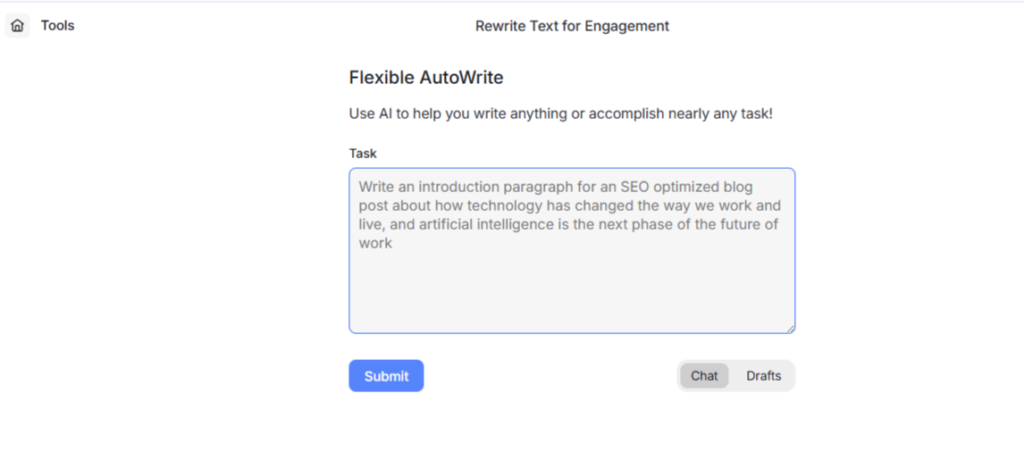
Flexible Autowrite
This feature is great for blogging and content drafting. I gave it a simple prompt, and HyperWrite generated coherent, engaging paragraphs that could easily serve as blog intros or supporting sections. The content flowed well, and the ability to adjust tone made it adaptable for different contexts. While it’s not a full article writer, it’s perfect for building blog sections quickly
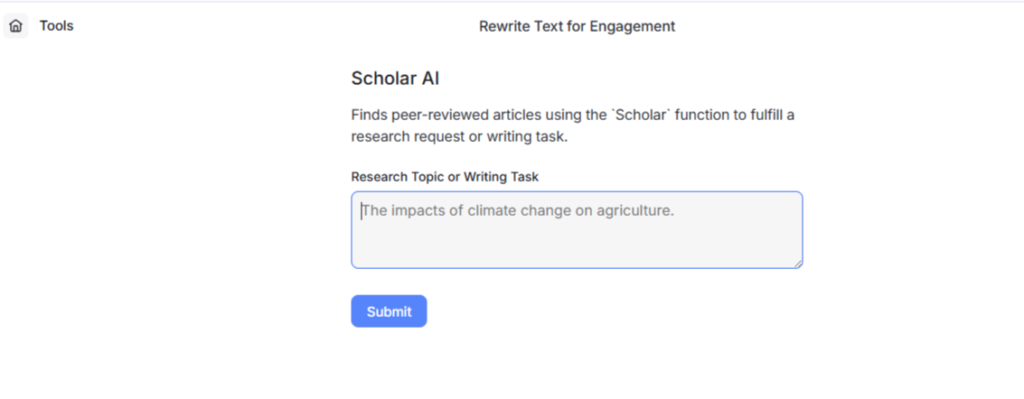
Scholar AI
One of HyperWrite’s most impressive features for academic use. When I provided a research topic, it pulled from peer-reviewed articles and generated a concise, well-structured write-up. I could set a word limit, and it adapted accordingly. While it doesn’t replace doing your own research, it’s a strong companion for drafting academic essays or getting a head start on scholarly writing.
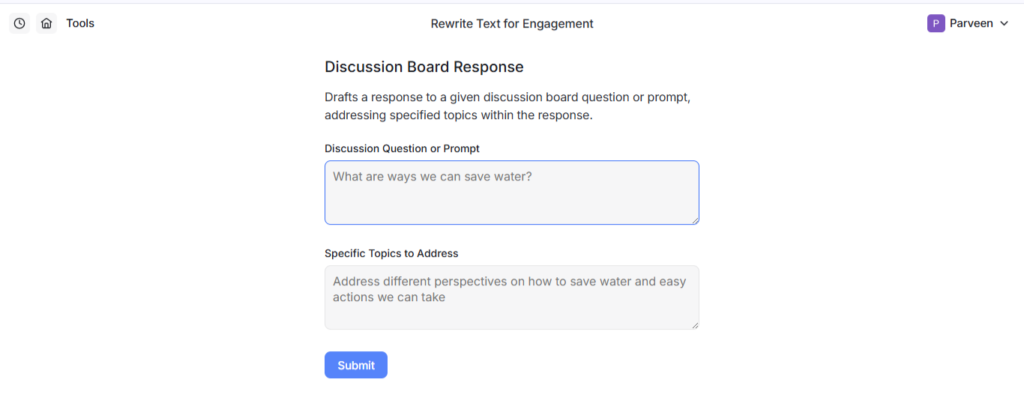
Discussion Board Response
This tool is clearly designed with students in mind. When I entered a question, HyperWrite generated a well-structured, thoughtful response that not only addressed the prompt but also added supporting details. What I liked most is the ability to set word limits and re-edit if the answer wasn’t exactly what I needed. It saves time for coursework or online learning discussions by producing outputs that sound natural and academically relevant.
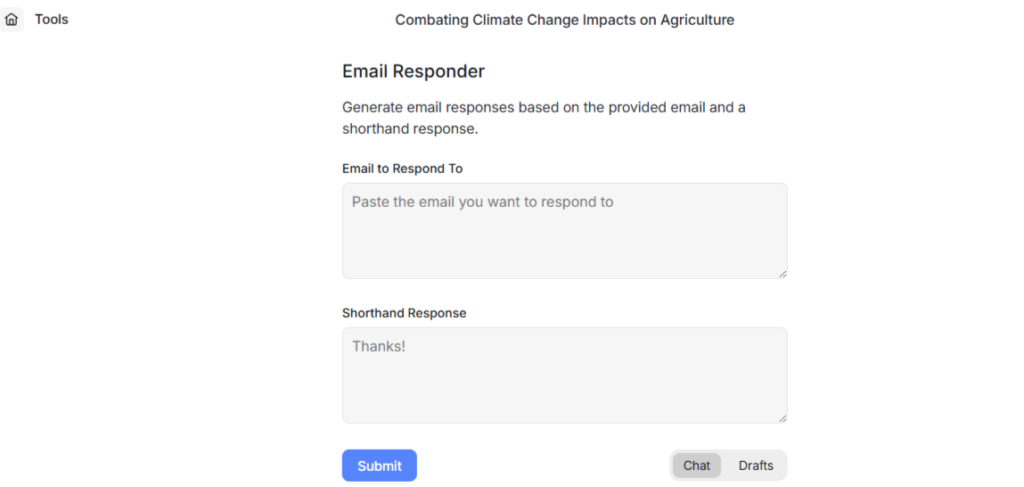
Email Responder
The Email Responder is simple but highly practical. I pasted an incoming email, and within seconds, HyperWrite drafted a polished and professional reply. The tone was accurate yet formal when needed and casual when requested. The grammar was spot-on. For professionals handling multiple messages daily, this tool feels like a genuine productivity booster.
AI Capabilities
HyperWrite understands prompts well and adapts to different needs, from business emails to scholarly research. It shows creativity in rewriting and storytelling but, like other AI tools, occasional minor inaccuracies or repetition can appear.
Language & Format Support
The tool supports multiple languages and even regional dialects. What’s particularly useful is the option to export outputs directly into DOCX or share via link, which makes collaboration easier. However, advanced export formats (Markdown, PDF) are missing in the free version.
Speed & Performance
Outputs are generated within seconds, whether for short prompts or longer research articles. Performance doesn’t lag with lengthier inputs, and stability is excellent. No errors or downtime during my usage.
Integrations & Compatibility
Integrations with Google Docs, WordPress, and Notion are available, but only in paid plans. Similarly, browser extensions, mobile apps, and APIs require upgrading. Free users are mostly limited to standalone usage.
Pricing & Value for Money
he free plan allows access to basic tools, making it useful for casual or occasional users. Paid plans unlock advanced tools like plagiarism checks, grammar correction, and broader integrations. Compared to competitors, HyperWrite offers a large variety of tools for the price, but serious users will likely need to upgrade quickly.
Free Plan:
- Limited daily credits
- Access to basic AI writing tools
- Core features like rewriting, outlines, paraphrasing
- 1 seat only
Best For: Beginners, students, and casual users testing AI writing without cost.
Why: Gives just enough access to essential tools (rewrite, outlines, paraphrasing) so you can explore how HyperWrite works before committing to a subscription.
Premium Plan – $19.99/month
- 250 AI messages per month
- Citations + Real-Time Info (adds credibility for research or fact-heavy content)
- 3 Custom Personas (personalize the AI’s style & tone)
- Access to 100s of AI tools
- Powerful AI Document Editor
Best For: Freelancers or professionals needing reliable AI output with research capabilities.
Why: Affordable entry plan for serious users. The addition of citations + personas makes it more than just a text generator. It’s tailored to your style.
Ultra Plan – $44.99/month
- Unlimited AI messages
- 10 Custom Personas
- Priority access to experimental features
- Full AI Document Editor
Best For: Content creators, bloggers, and marketing teams who need constant AI support.
Why: Removes message limits, offers greater customization, and gives early access to new tools—perfect for power users running content-heavy workflows
Professional Plan ($199/month, billed annually):
- For mid-sized brands
- Full SEO + AI search visibility
- High content output capacity
- 5 seats
Best For: Mid-sized businesses or brands that require full SEO tracking and AI search visibility.
Why: Ideal for those handling multiple campaigns and needing consistent, higher-volume content.
Genius Plan – $199.99/month
- 500 Genius Generations per month (exclusive model)
- Unlimited AI messages
- 10 Custom Personas
- Advanced AI Document Editor
Best For: Agencies, enterprises, and professionals working at scale.
Why: Designed for high-volume output with advanced personalization. The “Genius” model provides a premium AI experience for businesses that want cutting-edge performance.
Customer Support & Community
Support is available via email, and while responses are helpful, live chat would improve the experience. Tutorials and guides appear during onboarding, and the blog offers helpful resources. A stronger user community could make the platform more engaging.
Best Alternatives of Hyperwrite.ai
- Writesonic
A versatile writing tool offering blog generation, marketing copy, creative content, and features like carousels and humanizing text.
Why It’s an Alternative: It covers many of the same domains (writing, business, marketing) with polished UI and tone flexibility.
Best For: Freelancers, content marketers, creators needing multi-format outputs. - Jasper AI
Strong in long-form content, content strategy, and brand voice control.
Why It’s an Alternative: Delivers more advanced workflows and better scalability compared to HyperWrite’s tool-range.
Best For: Agencies, teams, or brands needing consistent, high-volume content. - Copy.ai
Great at short-form content like emails, captions, product copy, etc.
Why It’s an Alternative: Complements HyperWrite’s broad toolset with strong marketing and social content capabilities.
Best For: Social media managers, eCommerce, small businesses wanting punchy, creative text fast. - Rytr.ai
Budget-friendly, supports many tones and use cases, with good quality outputs.
Why It’s an Alternative: Offers a broad range of templates and customization at a lower cost, matching many of HyperWrite’s writing tools.
Best For: Students, solopreneurs, or anyone who needs effective AI writing without heavy expense. - LongShot AI
Focused on content marketing, SEO, and structured content planning.
Why It’s an Alternative: Offers stronger content research, SEO optimization, and topic planning - areas where HyperWrite is less focused.
Best For: Content marketers or bloggers wanting research + writing in one tool.
Final Verdict
HyperWrite impressed me with its speed, versatility, and variety of tools across writing, business, and education. Features like Scholar AI, Email Responder, and LinkedIn-style rewriting stand out, and the ability to export in DOCX or share via link makes it practical. While integrations and some advanced features are locked in paid tiers, it remains a powerful and flexible AI assistant for students, professionals, and content creators.