We may earn affiliate commissions for the recommended tools. Learn more.

Rytr vs HyperWrite (2025): A detailed comparison

AI writing tools are everywhere in 2025, but not all serve the same purpose. Rytr has built a name for itself as a fast, simple, and affordable content generator, especially for individuals and small businesses. HyperWrite, on the other hand, positions itself as an adaptive writing assistant that feels more like a creative partner than just a template tool. So, which is the better fit for your needs? Let’s break it down.

Who Should Use Which?

Quick Comparison

FeatureRytr AIHyperWrite AI
Ease of UseClean, beginner-friendly interface. Quick to learn.Intuitive, adaptive UI; more exploratory but can feel unstructured.
Core FeaturesTemplates for ads, blogs, emails, SEO tools.Personalized writing assistant, autocomplete, custom personas, adaptive prompts.
Output QualityFast, creative copy; good variety but sometimes less polished.Natural, human-like flow; engaging text, but factual accuracy can vary.
PricingFree plan + paid tiers (~$9–$29/mo). Budget-friendly.Free plan available; Premium $16/mo, Ultra $29/mo. Pricier but adaptive.
Best ForFreelancers, bloggers, small businesses.Creatives, solo professionals, adaptive writing enthusiasts.

Evaluation Criteria (How We Compare)

We compare Rytr and HyperWrite across four key parameters:

  • Ease of Use – How simple and intuitive it is to start creating content.
  • Features – The strength of AI tools, including bulk generation, adaptive prompts, and integrations.
  • Output Quality – Consistency, creativity, and accuracy of generated content.
  • Pricing & Value – Affordability of plans, free offerings, and long-term value for individuals or teams.

Ease of Use

Rytr
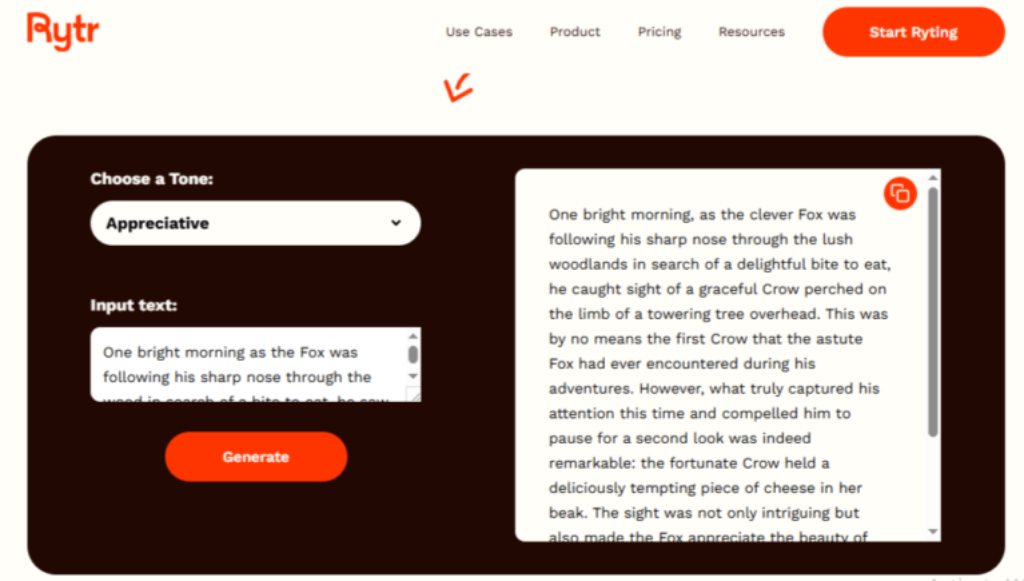
Rytr is built with a beginner-friendly design that emphasizes simplicity and speed. The dashboard is clean, and pre-built templates guide users through different writing needs such as blog posts, product descriptions, or ad copy. The process feels intuitive—choose a template, enter your prompt, and the AI delivers results within seconds. This makes Rytr especially suitable for users who don’t want to spend time learning complex workflows or fine-tuning endless settings. Minimal onboarding is required, so even first-time AI users can start creating content almost immediately

HyperWrite
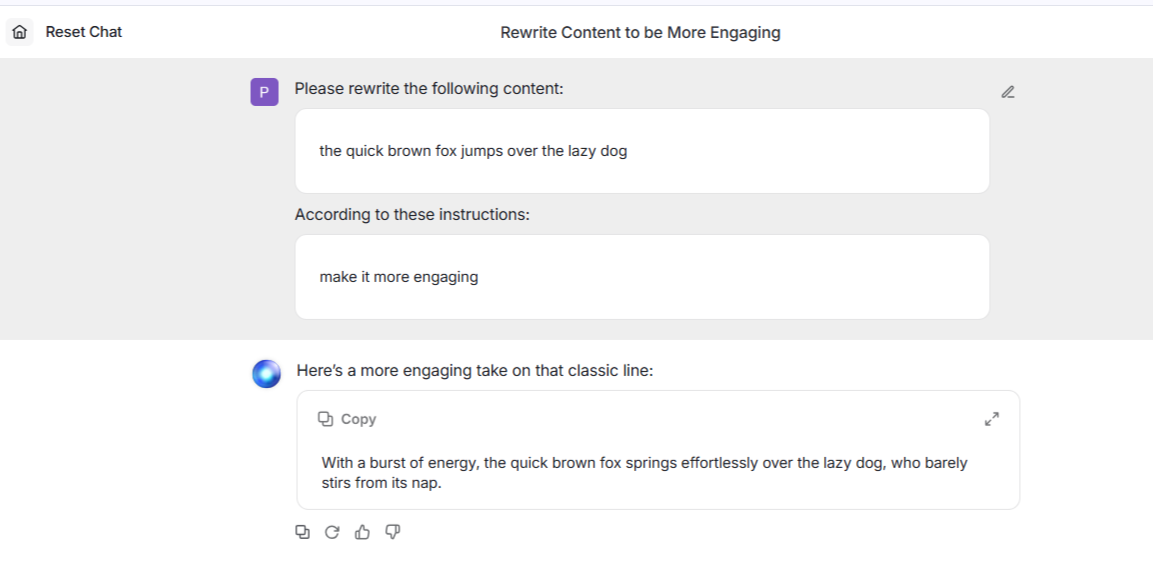
HyperWrite, on the other hand, takes a more free-form approach. Instead of rigid templates, it positions itself as a writing assistant that grows with you. Features like smart autocomplete, adaptive prompts, and AI-driven rewriting suggestions give users the flexibility to shape content in real time. While this creative freedom is powerful, it also comes with a slight learning curve. Beginners may feel overwhelmed at first, as the tool leaves more choices in the user’s hands compared to Rytr’s guided approach. Once mastered, however, HyperWrite feels less like filling out forms and more like collaborating with a partner who adapts to your style.

Output Quality

Rytr
Rytr delivers fast, reliable drafts that are well-suited for everyday content needs. Its outputs are usually concise and on-topic, making it a solid choice for emails, short blogs, and marketing copy. However, when it comes to long-form articles or highly nuanced writing, Rytr can feel a bit limited. While you get speed and clarity, you may need to edit and refine for depth or originality if your goal is high-quality publication-ready text.

HyperWrite
HyperWrite excels in generating text that feels natural and human-like. Its adaptive engine goes beyond just filling templates—it helps brainstorm, expand ideas, and refine tone mid-draft. This makes it particularly valuable for creative writing, storytelling, and exploratory content. However, because of its free-flow style, the consistency in structure isn’t always as strong as Rytr’s more templated outputs. For professional, structured formats like reports or campaigns, some extra editing may be needed.

Features & Functionality

Rytr
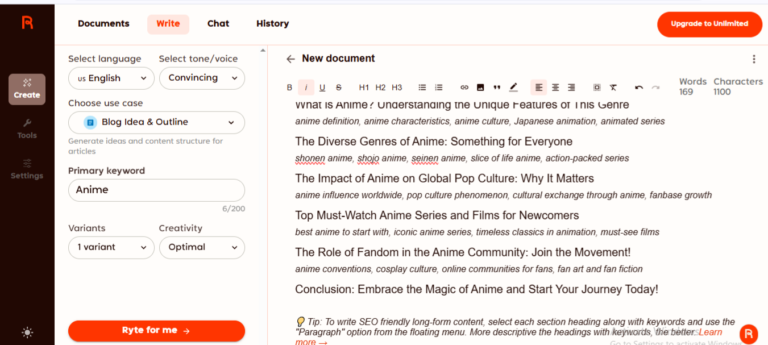
Rytr offers a toolkit focused on accessibility. It comes with 40+ templates across use cases, tone customization, and a plagiarism checker. Its simplicity is its strength—everything is streamlined for speed, making it easy to scale everyday writing. That said, its features are relatively straightforward, so advanced users looking for personalization or team collaboration may find it restrictive.

HyperWrite
HyperWrite’s feature set is built around adaptability and personalization. With custom personas, smart autocomplete, rewriting tools, and access to experimental features, it feels like a forward-looking AI assistant rather than a static content generator. Its biggest strength is how it learns and adjusts to your style over time. However, this flexibility can overwhelm users who just want a structured process.

Pricing & Value

Plan / ToolRytr AIHyperWrite AI
Free Plan✅ Available (limited credits)✅ Available (basic AI tools & suggestions)
Entry Tier~$9/month (budget starter)$16/month (Premium – 250 messages, 3 personas)
Pro Tier~$29/month (Unlimited plan)$29/month (Ultra – unlimited messages, 10 personas, experimental features)
Enterprise❌ Not offered✅ Custom pricing for volume users
Best ForFreelancers, bloggers, SMBsCreatives, individuals, adaptive workflows
Overall Value💡 Budget-friendly and scalable💡 Pricier, but advanced personalization
*Pricing Plans if billed Annually

Rytr
Rytr is one of the most budget-friendly writing tools on the market. Its pricing structure is straightforward, making it attractive for freelancers, beginners, and small teams who want reliable value without breaking the bank.

HyperWrite
HyperWrite is slightly pricier, but its focus on personalization, personas, and advanced features justifies the cost for users who rely heavily on adaptive writing help. It feels more like an investment in a creative partner than just a content tool.

ScenarioBest Choice
Testing before payingBoth (Free plans available)
Budget-friendly starter useRytr (cheapest entry tier)
Adaptive, personalized writingHyperWrite (custom personas + adaptive AI)
Team collaboration & scalingRytr (unlimited plan supports bulk use)
Creative brainstorming & flowHyperWrite (strong autocomplete + experimental features)
Long-term cost efficiencyRytr (more affordable for sustained use)

Final Verdict

Both Rytr and HyperWrite are strong AI writing tools, but they serve different needs. Rytr is the go-to for individuals, freelancers, and small teams who want clarity, affordability, and quick results without a steep learning curve—perfect for structured short-form outputs and everyday writing. HyperWrite, on the other hand, is ideal for professionals, creatives, and writers who prefer a flexible AI partner that adapts to their style and supports deeper, more exploratory work. Final Takeaway: Choose Rytr for speed, simplicity, and affordability, and HyperWrite for adaptability, creativity, and long-term personalization.

On this page

Winner Snapshot: Copysmith vs Hyperwrite

ScenarioWinner
Simpler onboarding, beginner-friendly dashboard.Rytr
More natural, human-like flow for creative work.HyperWrite
Custom personas, adaptive prompts, experimental tools.HyperWrite
One of the most affordable tools with scalable plans.Rytr

Tags:

We will be happy to hear your thoughts

Leave a reply

Diztel
Logo