During our hands-on testing, GetResponse stood out for its intuitive drag-and-drop editor, clear onboarding tutorials, and clean interface that helps even first-time users create professional campaigns without coding.
Beyond the editor, GetResponse proves its depth through strong automation tools, granular analytics, and smart audience segmentation. The platform also handles compliance and list hygiene well, with one-click unsubscribe links and built-in validation. While we found the drag-resize controls a bit rigid, the overall experience is fast, reliable, and scalable..
Quick Summary Snapshot
- Perfect For: Small businesses, creators, and marketing teams looking to design, automate, and track high-converting emails without technical complexity. Ideal for users who want both simplicity and professional-level control.
- Why It Stands Out: GetResponse combines an intuitive drag-and-drop editor, 150+ customizable templates, and powerful automation workflows with segmentation, making it one of the most complete and scalable email marketing platforms for growing brands.
With 150+ customizable templates, smooth automation, advanced segmentation, and detailed revenue tracking, GetResponse strikes the perfect balance between ease of use, analytics depth, and scalability. Its clean editor, strong deliverability, and flexible pricing make it a complete solution for creators, marketers, and growing businesses.
Performance Breakdown: Pros and Cons
- Clean drag-and-drop editor with guided onboarding
- 150+ professional-quality templates and mobile-friendly layouts
- Effortless contact imports, intuitive segmentation, and personalization
- Reliable automation and scheduling
- Occasional email landing in spam without clear report visibility
- Drag-and-drop resizing for text and images can be restrictive
- Some advanced automation and e-commerce tools require higher tiers
Email Designing & Templates
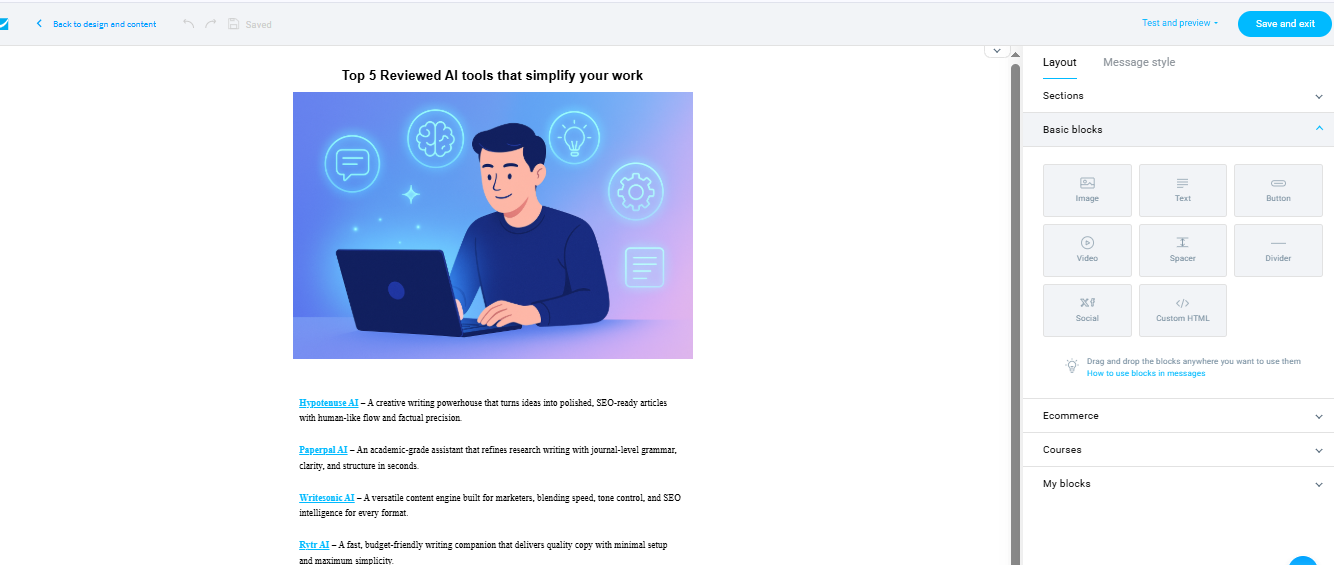
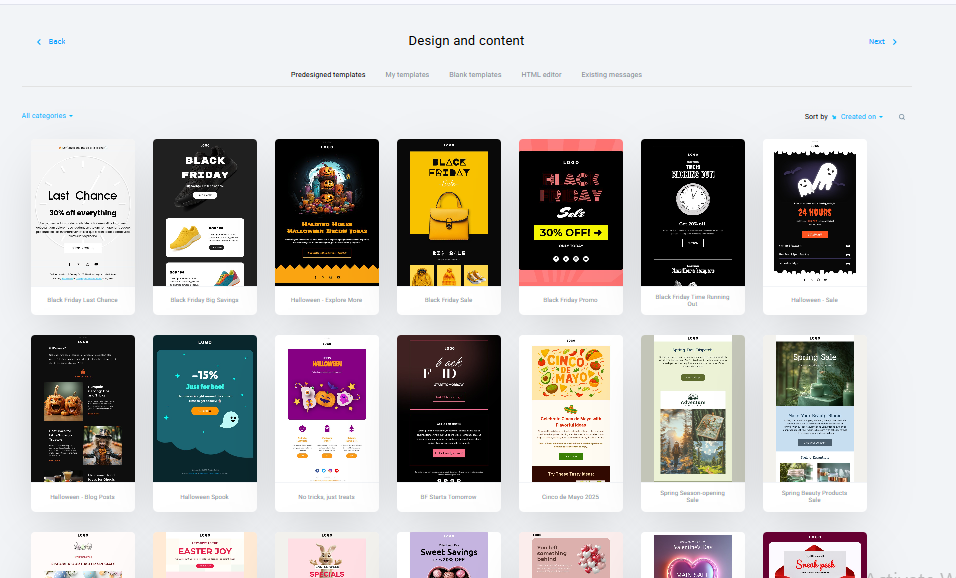
GetResponse makes a strong first impression with its frictionless onboarding. Users can log in quickly using Google, and first-time creators are guided through short, helpful tutorials that explain what each feature does. The drag-and-drop editor is clean, responsive, and requires no coding knowledge at all. Even beginners can create professional-looking newsletters or promotional emails in minutes.
Template Variety
GetResponse delivers an extensive range of creative options, offering 150+ pre-built email templates designed for more than 20 industry niches including e-commerce, SaaS, travel, education, fitness, and hospitality. Each template feels modern and thoughtfully structured, designed to balance creativity with conversion focus. In our hands-on testing, it took around 40–45 minutes to build a complete email template from scratch, which shows how practical and beginner-friendly the workflow is. The layouts are visually distinct yet flexible, allowing easy personalization while maintaining brand consistency.
Every design follows responsive HTML standards, ensuring that emails look equally polished on desktop, tablet, and mobile screens.
Customization & Flexibility
Customization in GetResponse is smooth, intuitive, and versatile. Each content block – be it text, image, video, button, or divider – can be edited by simply clicking on it, and the drag-and-drop system allows users to reposition sections effortlessly. You can modify fonts, text size, background colours, or call-to-action styles, helping maintain a consistent brand identity across campaigns.
For experienced users, the editor supports custom HTML and CSS insertion, enabling complete design freedom for brands that prefer tailored layouts or advanced styling. Additionally, users can save their custom sections or full templates for later use, which is ideal for maintaining consistent branding across multiple campaigns.
Media Handling & Reusability
Every GetResponse template automatically adapts to mobile devices, ensuring your emails display cleanly across different screen sizes. The built-in mobile preview mode lets you test how designs render before hitting send. The responsiveness is seamless, with no need for manual adjustment or alternate versions, saving both time and effort.
The drag-and-drop interface makes inserting images, GIFs, or embedded videos incredibly simple. The image library supports compression and alignment settings that maintain quality while ensuring quick load times, which is vital for mobile optimization. Users can even create comparison sections by splitting layouts into multiple image boxes which is an excellent feature for showcasing product variations or before-and-after visuals.
In testing, the rendering consistency across email clients (Gmail, Outlook, Apple Mail) remained stable, with no noticeable distortions or formatting issues.
Contact List Management
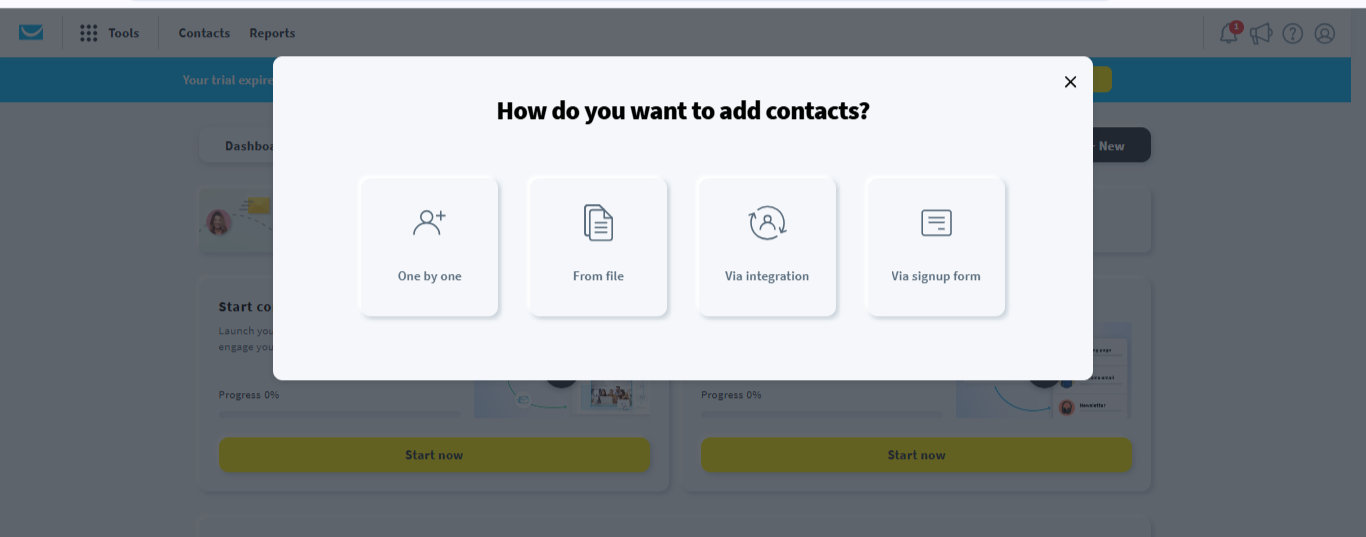
Managing audiences in GetResponse feels streamlined and practical. You can import contacts from CSV, TXT, or Excel files, or even copy and paste data manually. Integration with CRM tools, Shopify, or WordPress is equally smooth. Once contacts are imported, segmentation becomes effortless. Marketers can group subscribers based on behaviours, demographics, or engagement patterns, all through a visual, no-code tagging system that feels natural to use.
Segmentation & Tagging
Segmentation is one of the most powerful aspects of GetResponse’s contact management suite. The platform allows users to divide audiences based on demographics, engagement history, purchase behaviour, location, or custom tags, all through a clean, no-code visual interface. This means even non-technical marketers can create complex audience rules without writing a single formula.
For example, you can easily create segments like “Users who opened last week’s campaign but didn’t click” or “Contacts who purchased within the last 30 days.” These filters enable precise targeting, ensuring your messages are contextually relevant to each recipient. Tags can also be added dynamically during automations, helping marketers refine and personalize communication over time.
Personalization & List Hygiene
Maintaining a clean and deliverable list is critical to any email campaign’s success and GetResponse handles this with quiet efficiency. The system automatically detects and removes duplicate entries, inactive subscribers, and bounced emails, helping to protect your sender reputation and improve deliverability rates.
Users can also view reports of invalid or hard-bounced addresses and take immediate action. This continuous background validation ensures that campaigns are being sent to real, engaged users rather than dead contacts, which is a key factor in avoiding spam filters.
Campaign Execution
Deliverability & Reliability
Email delivery is generally strong, but some test messages landed in spam during our internal evaluation and this isn’t flagged in the reports, which can mislead new users. Authentication (SPF, DKIM) setup helps improve results once configured.
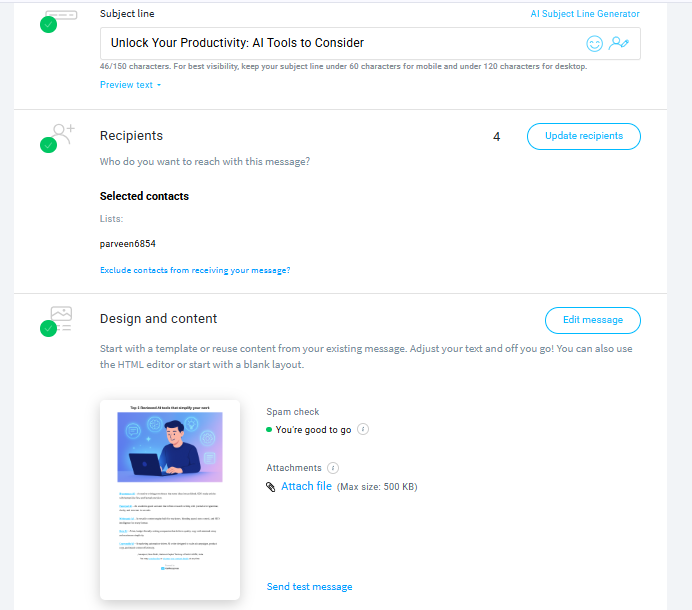
Email dispatch speed is impressively fast. During testing, it took around 8–10 minutes to send messages to 100 subscribers, which is efficient for a platform of this scale.
Send Limits & Scalability
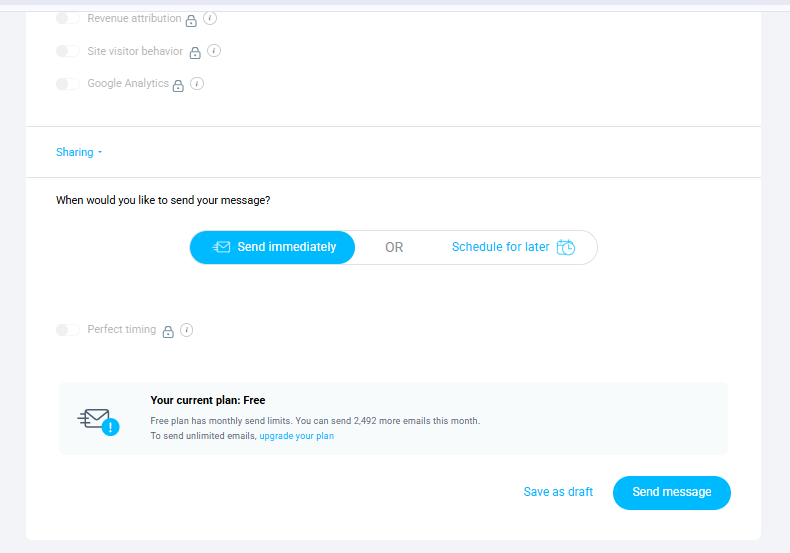
- Free Plan: 2,500 messages/month, up to 500 contacts
- Paid Plans: Unlimited emails/month, tiered by contact list size (1K–100K+)
Upgrading is seamless when your subscriber base grows.
Compliance (Opt-in/Opt-out)
One-click unsubscribe links and multi-language footer customization ensure full GDPR and CAN-SPAM compliance.
Reports & Analytics
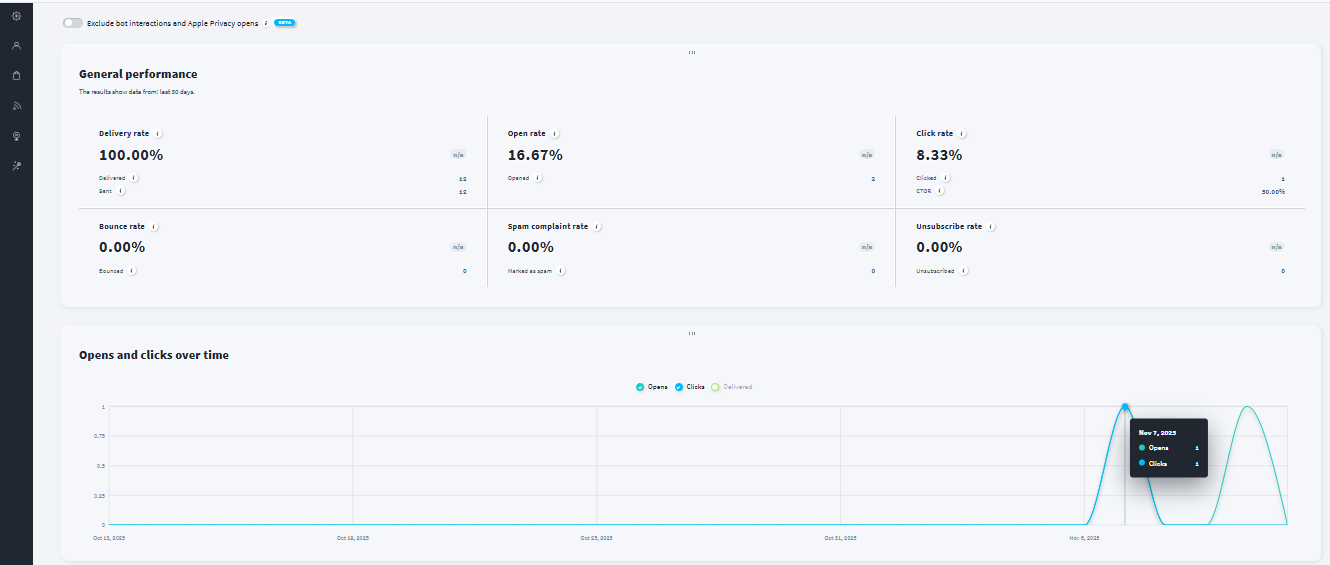
Analytics in GetResponse go far beyond basic open and click rates. The dashboard provides a comprehensive view of key performance metrics such as engagement trends, bounce rates, unsubscribes, and click-through data. Visual heatmaps help identify which parts of an email attract the most attention, making it easier to refine content placement and call-to-action design.
Users can easily export reports in PDF, CSV, or XLSX formats for sharing and deeper analysis, or integrate them directly with Google Analytics or Data Studio to track broader marketing performance.
Overall, GetResponse’s analytics suite delivers a strong balance between simplicity and depth, turning campaign data into actionable insights that help refine strategy and improve engagement over time.
Pricing & Value
GetResponse’s pricing is structured to grow with your business, offering a free entry point for beginners and flexible paid plans that scale with your audience size. Each plan adds more automation, analytics, and integration depth, making it easy to find the right balance between affordability and marketing power. The Email Marketing Plan suits most small businesses, while Marketing Automation and E-commerce Marketing Plans unlock professional-grade tools for advanced campaigns and sales funnels.
Starter Plan — Best for Beginners and Solo Creators
- Price: $15.58/month (billed annually, save $41.04/year)
- Email Sends: Unlimited
- Subscribers: Up to 1,000
- Automation: 1 custom workflow
- AI Tools: AI-powered content generators
- Support: Standard email support
- Extras: Landing page builder, signup forms & popups, free custom domain with yearly plan
What You Get: The Starter plan provides all the essentials to kickstart your email marketing journey. It’s ideal for small lists and creators who want to send unlimited emails without worrying about message caps. The inclusion of one automation workflow and AI-powered content generation tools makes campaign creation both quick and effective.
Best For: Freelancers, solopreneurs, and new businesses launching their first campaigns or growing their early audience.
Marketer Plan — Best for Small Businesses and Growing Brands
- Price: $48.38/month (billed annually, save $127.44/year)
- Email Sends: Unlimited
- Automation: Unlimited workflows
- AI Tools: AI content and design generation
- Support: 24/7 live chat
- Extras: Sales funnels, promo codes & revenue reports, advanced audience segmentation, landing page builder, web push notifications, abandoned cart recovery, free custom domain
What You Get: This plan is tailored for small to mid-sized businesses that rely on consistent engagement. It adds unlimited automation workflows and e-commerce-ready tools like cart recovery and promotional code tracking. The AI-powered tools assist with campaign optimization, while segmentation ensures each audience receives the most relevant message.
Best For: Growing marketers, small businesses, and e-commerce brands seeking automation depth and measurable campaign insights.
Creator Plan — Best for Educators and Digital Entrepreneurs
- Price: $56.58/month (billed annually, save $149.94/year)
- Email Sends: Unlimited
- Automation: Unlimited workflows
- AI Tools: AI-powered content generation and templates
- Support: Priority live chat
- Extras: Everything in Marketer plan + course creator, up to 500 students, premium newsletters, and advanced sales funnels
What You Get: Built for creators, coaches, and educators, this plan goes beyond marketing automation. It includes all Marketer features, plus tools to create and sell online courses directly through GetResponse. Users can manage students, build course pages, and integrate email campaigns for nurturing and upselling — all in one place.
Best For: Digital creators, educators, and online coaches who want to combine marketing automation with monetization tools.
Best Alternatives of GetResponse
Here are five strong alternatives to GetResponse with its own unique strengths, so you can match your needs and budget accordingly.
1. MailerLite
- Why consider it: A beginner-friendly and clean email marketing platform offering intuitive drag-and-drop design, quick setup, and excellent deliverability. Perfect for users who want simplicity without sacrificing professional output.
- Best for: Freelancers, small businesses, and creators who need straightforward newsletters and automation on a budget.
- Key edge: Sleek editor, responsive templates, solid free plan, and reliable inbox placement.
- Minor hiccups: Automation depth is limited compared to advanced tools like GetResponse or ActiveCampaign.
2. Brevo
- Why consider it: A multi-channel powerhouse that combines email, SMS, chat, and CRM in one platform. Ideal for users expanding beyond just email.
- Best for: Businesses focusing on integrated marketing and customer engagement across multiple channels.
- Key edge: Affordable pricing, built-in CRM, and strong automation with advanced triggers.
- Minor hiccups: Interface can feel slightly more complex for beginners due to its multi-channel nature.
3. Moosend
- Why consider it: An affordable alternative offering advanced automation and detailed analytics, often matching tools double its price.
- Best for: Marketers or small businesses that want deep workflow customization without high costs.
- Key edge: Visual automation builder, segmentation, A/B testing, and excellent value-for-money pricing.
- Minor hiccups: The email editor isn’t as polished, and template variety is narrower than GetResponse’s.
4. Omnisend
- Why consider it: Built specifically for e-commerce brands, Omnisend automates personalized campaigns like abandoned cart reminders, product recommendations, and order follow-ups.
- Best for: Online stores using Shopify, WooCommerce, or BigCommerce that need sales-focused email and SMS automation.
- Key edge: E-commerce automation workflows, product feed integration, and multi-channel campaigns.
- Minor hiccups: Less suitable for non-ecommerce businesses or general newsletter creators.
- Why consider it: A robust marketing automation and CRM platform for users who want complete control over customer journeys and sales funnels.
- Best for: Mid-sized to large businesses that need advanced automation, lead scoring, and CRM integration.
- Key edge: Industry-leading automation builder, predictive sending, and sales tracking capabilities.
- Minor hiccups: Steeper learning curve and higher cost than beginner-oriented tools like GetResponse or MailerLite.
Final Takeaway:
If you prioritize simplicity and affordability, MailerLite or Moosend are great options. For multi-channel communication, Brevo stands out. E-commerce brands should explore Omnisend, while ActiveCampaign remains the go-to for automation-heavy professionals.
| Feature / Criteria | GetResponse | MailerLite | Brevo (Sendinblue) | Moosend | Omnisend | ActiveCampaign |
|---|---|---|---|---|---|---|
| Ease of Use | Beginner-friendly drag-and-drop editor, guided onboarding and AI-tools. | Extremely clean, simple UI built for ease. | User-friendly but added complexity due to multi-channel features. | Simple and straightforward interface with fewer features. | Easy for ecommerce flows but may require setup. | More complex, built for advanced workflows rather than simplicity. |
| Template Variety & Design | Offers 150+ email templates and many landing page/website layouts, all responsive. | 100+ modern templates, mobile-ready. | Good customization options though somewhat smaller template library. | Smaller template set but good layout flexibility. | Strong e-commerce-specific templates (cart-abandon, product recs). | Extensive customization and dynamic content options; steeper curve. |
| Automation & Workflows | Visual workflow builder, advanced triggers, multichannel support built-in. | Basic automations suitable for small campaigns. | Strong automation across email + SMS + chat but adds complexity. | Robust automation triggers at lower cost. | Automation key for ecommerce (e.g., abandoned cart) but narrower scope. | Industry-leading automation, CRM + lead scoring, full journey building. |
| Deliverability | Delivers reliably; unlimited sends but some users report spam-landings without flagged feedback. | Excellent inbox placement and consistent performance. | Good deliverability once configured (SPF/DKIM) but free tier limitations. | Reliable but slightly less high-end compared to top tools. | High deliverability for ecommerce-centric use. | Among the best deliverability when finely tuned; requires expertise. |
| Reporting & Analytics | Comprehensive metrics (opens, clicks, bounces), heatmaps, exportable data. | Basic analytics with strong clarity and less complexity. | Real-time analytics + campaign tracking across channels. | Solid metrics and conversion reports, fewer advanced features. | Built-in sales tracking for ecommerce; less deep for general marketers. | Deep analytics, goal tracking, predictive reporting; steeper learning curve. |
| Integrations | Integrates with CRM, ecommerce, landing-pages, multichannel tools. | Integrates easily with WordPress, Shopify, WooCommerce, Zapier. | Multi-channel: email + SMS + chat + CRM integrations. | Supports major CMS/CRM; lower integration depth compared to enterprise tools. | Seamless Shopify/WooCommerce, product feeds, carts. | Hundreds of integrations: CRM, ecommerce, data tools; best for complex ecosystems. |
| Free Plan | Free plan available; up to 500 contacts, limited features. | Free plan up to 500 subscribers and 12,000 emails/month. | Free tier allows contacts + limited sends; good value for starting. | Free plan available with limited features but good cost-entry. | Free plan includes basic ecommerce flows; limited by contact count. | No true free plan; only free trial then paid. |
| Starting Price (Paid Plan) | From about $19/month (annually) for up to ~1,000 contacts. | From ~$10/month for 500 subscribers. | From ~$9-15/month depending on sending volume. | From ~$9/month for up to 1,000 contacts. | From ~$16/month for up to ~500 subscribers (ecommerce-entry). | From ~$49/month for 1,000 contacts and standard features. |
| Best For | Businesses that want a full-feature email & automation suite that scales. | Small businesses, creators, beginners looking for simplicity and affordability. | Businesses wanting email + SMS + chat + CRM in one platform. | Users wanting advanced automation at a lower cost. | Ecommerce stores, D2C brands needing sales-driven email automation. | Mid-sized to large companies needing deep automation, CRM, and lead workflows. |
| Key Strength | Balanced mix of usability, automation, design, and scalability. | Simplicity, strong deliverability, excellent value for beginners. | Multi-channel marketing capability at affordable price. | Strong automation value, good for budget-conscious marketers. | E-commerce focused with specialized workflows like cart recovery. | Best-in-class automation, segmentation, and CRM integration. |
| Key Limitation | Pricing jumps can be high as list grows; some UI/customization aspects less refined. | Advanced automation depth is limited compared to enterprise tools. | Template variety and feature updates lag behind top tools. | Smaller template library and fewer enterprise-level integrations. | Not optimal for non-ecommerce use cases; less general-purpose. | High cost and complexity; overkill for simple campaigns or small teams. |
Final Verdict
GetResponse stands out as a powerful and versatile email marketing platform that scales impressively from solo creators to mid-sized businesses. Its blend of intuitive drag-and-drop design, extensive template library, and advanced automation capabilities offers a rare combination of ease and depth. Whether you’re building simple newsletters or complex customer journeys, GetResponse gives you the tools to execute effectively and measure your results.
On this page
Tags: review