GetResponse and Mailchimp are two of the most popular email marketing platforms, both trusted by creators, small businesses, and growing brands. While Mailchimp is known for its beginner-friendly interface, stable deliverability, and large template selection, GetResponse positions itself as a more advanced marketing suite with deeper automation, funnel-building tools, and flexible design control.
Comparing them is essential because both tools address overlapping needs such as newsletter creation, segmentation, analytics, and campaign automation, but serve different types of marketers based on complexity, scale, and creative control. This article helps identify which platform supports your workflows better, depending on whether you need simplicity or advanced scalability.
Who Should Use Which?
- Getresponse is Best For:
- Creators, educators, and digital marketers
- Businesses wanting deep analytics, exportable reports, and detailed engagement insights to refine strategy.
- Users who need high customization with reusable blocks, flexible layouts, and optional HTML/CSS editing.
- Brands looking for a single all-in-one marketing platform
- Mailchimp is Best For:
- Creators, freelancers, and small teams who want a simple, stable, beginner-friendly editor
- Users who prefer a large template library, quick design output, and responsive layouts
- Businesses that value excellent deliverability, reliable inbox placement, and smooth everyday campaign execution.
- Marketers wanting clear reporting, link-click heatmaps, and essential analytics without needing complex data tools.
Quick Comparison
| Criteria | GetResponse | Mailchimp |
|---|---|---|
| Ease of Use | Beginner-friendly dashboard; guided onboarding; smooth drag-and-drop editor. | Extremely easy drag-and-drop editor; simple for new users; very stable during editing. |
| Template Variety & Design | 150+ templates; 40–45 mobile-responsive layouts; reusable design blocks; strong customization options. | 250+ templates; fully mobile-responsive; easy image, button, and text placement; instant preview updates. |
| Customization & Flexibility | Custom HTML/CSS; strong layout control; reusable content blocks for branding. | Easy customization, clean section controls; advanced options available only on paid plans. |
| Deliverability | Reliable sending; device-based optimization; bounce & invalid-email detection. | Excellent inbox placement; 100% inbox rate during testing; stable sending to 100 contacts. |
| Reporting & Analytics | Detailed engagement insights; behavioral metrics; bounce analysis; exportable PDF/CSV/XLSX. | Comprehensive dashboard; open/click/bounce tracking; link-click heatmap; CSV exports. |
| Free Plan | Free up to 500 contacts (limited features). | Free up to 1000 E-mails per month (limited features). |
| Paid Plans (Starting) | From ~$19/month (up to 1,000 contacts). | Essentials starts at ~$13/month; Standard ~$20/month. |
| Best For | Marketers needing automation depth & advanced workflows. | Creators, freelancers, small businesses needing simplicity & stability. |
| Key Strength | Automation, funnels, analytics depth. | Strong deliverability, template variety, beginner-friendly UI. |
| Key Limitation | Pricing increases with list growth. | Automation and advanced reporting mostly paid-tier only. |
Evaluation Criteria (How We Compare)
We compared GetResponse and Mailchimp across five essential parameters that define how well an email marketing platform performs in real-world use:
- Email Designing & Templates – The creative flexibility, template variety, and customization depth each platform offers.
- Contact List Management – The efficiency and depth of managing subscribers, including segmentation, tagging, imports, and behavioral targeting.
- Campaign Execution – How quickly and reliably each platform sends campaigns, the ease of automation setup, and overall consistency in deliverability.
- Reports & Analytics – The quality, visualization, and actionability of data each platform provides from open and click tracking to conversions, heatmaps, and exportable reports; and how easily marketers can derive insights to improve performance.
- Pricing & Value – Affordability, plan transparency, and the balance of included features at each tier.
Email Designing & Templates
GetResponse
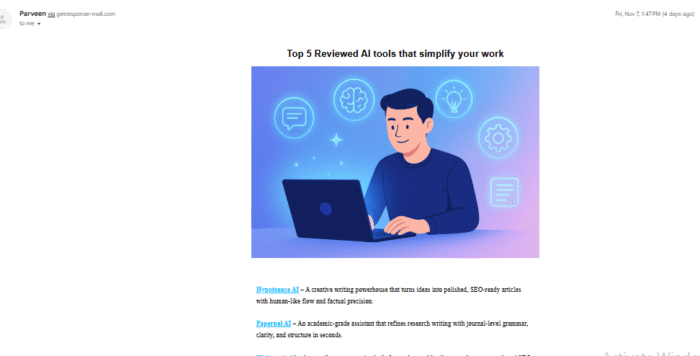
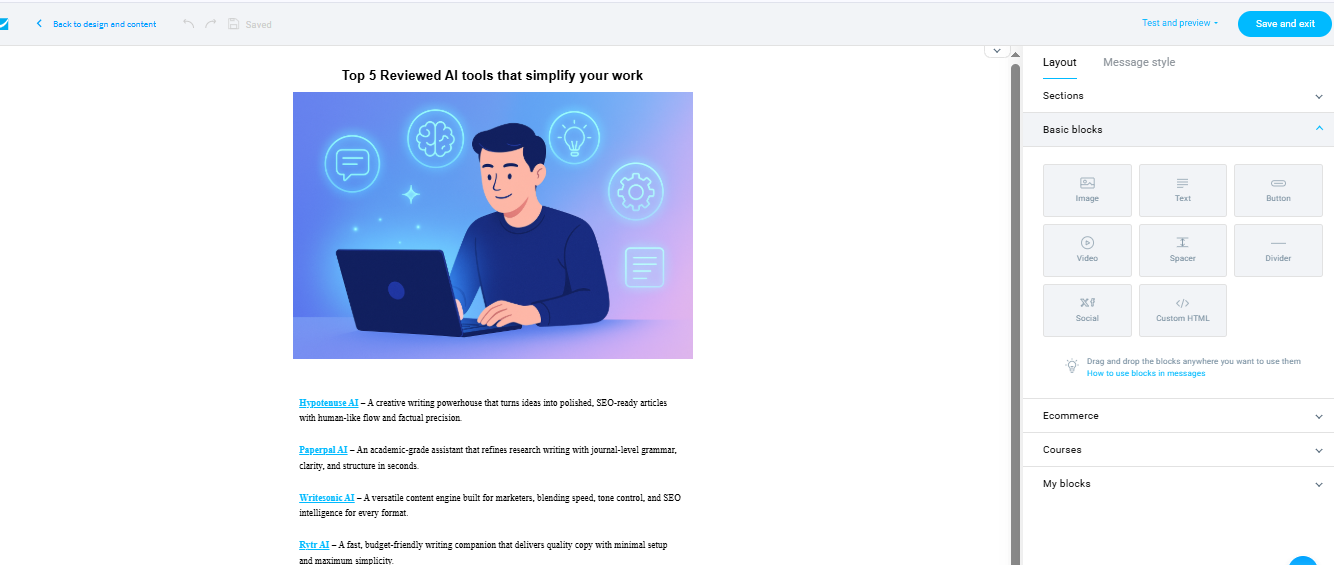
GetResponse offers a polished, guided design experience with a drag-and-drop editor, 150+ built-in templates, and more than 40–45 mobile-responsive layouts. Customization is flexible, allowing users to modify sections, styles, and element placement without any coding. Saved content blocks make branding consistent across campaigns, and even embedded videos and media adapt easily across devices. The platform consistently outputs visually clean and polished emails.
Mailchimp
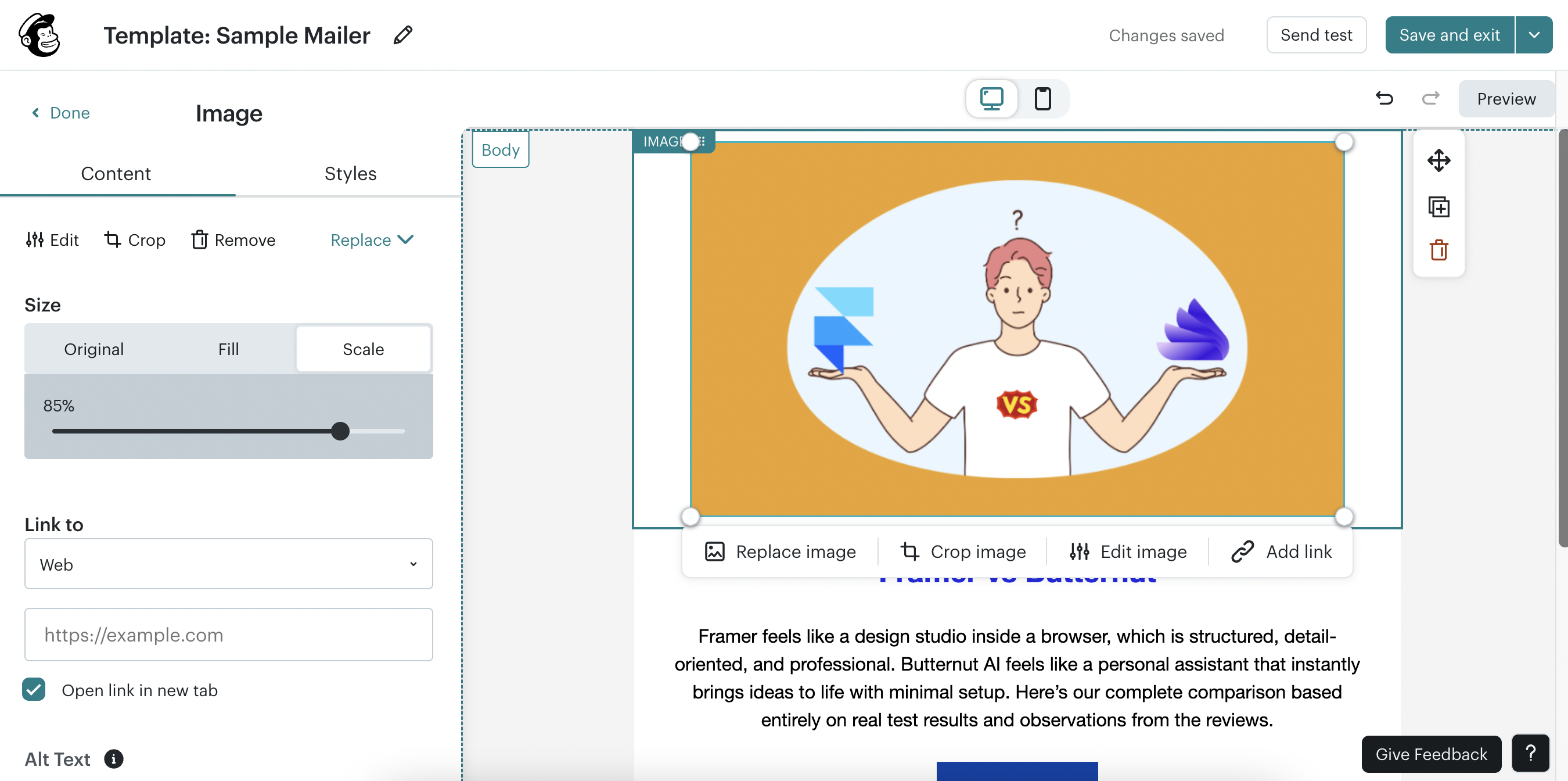
Mailchimp also delivers a smooth and intuitive editing experience. Its drag-and-drop editor allows users to build designs quickly, and the platform offers over 250 templates across multiple styles. Elements adapt responsively on both desktop and mobile, and design updates reflect instantly. Mailchimp simplifies adding CTAs, images, and product sections while keeping layouts stable during editing.
Contact List Management
GetResponse
GetResponse makes contact management structured and efficient. It supports importing via CSV, TXT, or Excel files and allows segmentation based on demographics, behavior, purchase history, tags, or custom fields. Users can create dynamic segments like “opened last week’s email”, in a single step. The platform also helps maintain list hygiene by flagging invalid or hard-bounced addresses and ensuring deliverability consistency.
Mailchimp
Mailchimp also makes list management simple. It supports importing contacts from CSV or tab-delimited text files and allows users to add contacts manually. Tagging and segmenting are straightforward for recurring campaigns. It automatically removes duplicate emails during upload and flags those that bounce or appear invalid. Its interface makes it easy to group audiences and maintain list quality over time.
Campaign Execution
GetResponse
GetResponse provides strong deliverability and allows users to build multi-step workflows, send newsletters, or create automated journeys with purchase or sign-up triggers. While delivery is generally strong, the platform notes occasional delays during internal testing. Templates adapt quickly, and bulk-sending performance is reliable across large lists. The system offers multiple send-time personalization and scheduling capabilities.
Mailchimp
Mailchimp demonstrated excellent deliverability in testing, with most emails landing in the Promotions tab but avoiding spam folders. The free plan lacks advanced automation, but paid tiers support triggered emails. Mailchimp handles send delays well and maintains a stable inbox rate and high reliability. It also includes useful features like unsubscribe links, compliance tools, and scalable sending options.
Reports & Analytics
GetResponse
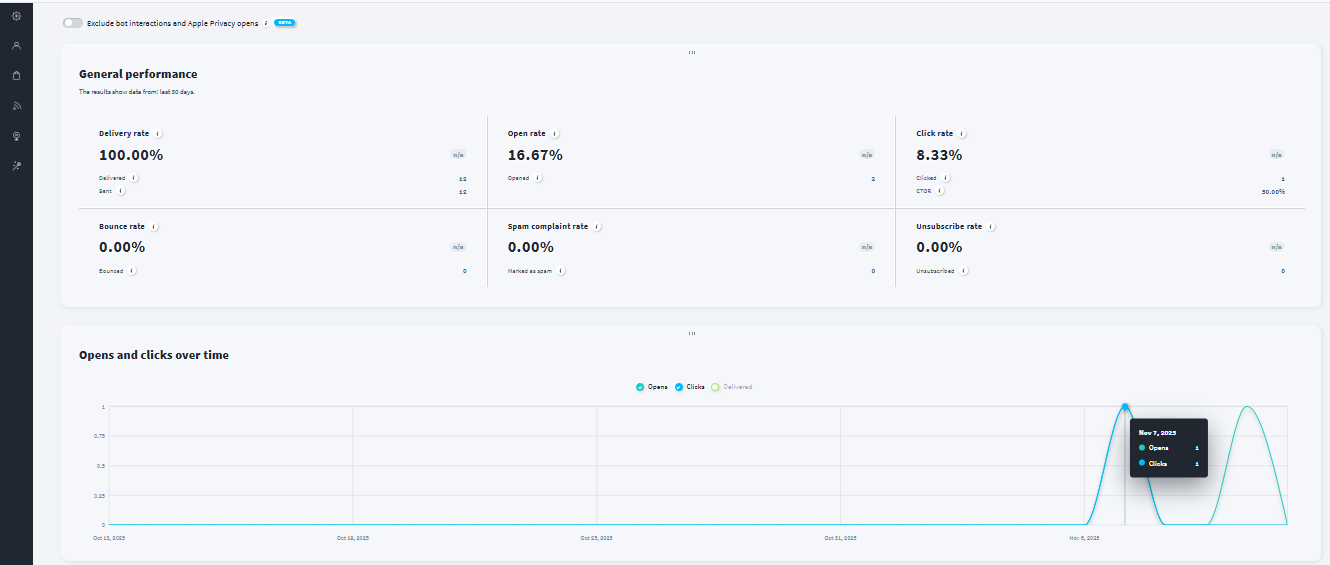
GetResponse provides a detailed analytics environment that moves beyond opens and clicks. It includes bounce behavior, unsubscribe reasons, device-based insights, and visual charts that help identify where content performs best. Reports can be exported in PDF, CSV, or XLSX formats or integrated with analytics dashboards for deeper analysis.
Mailchimp
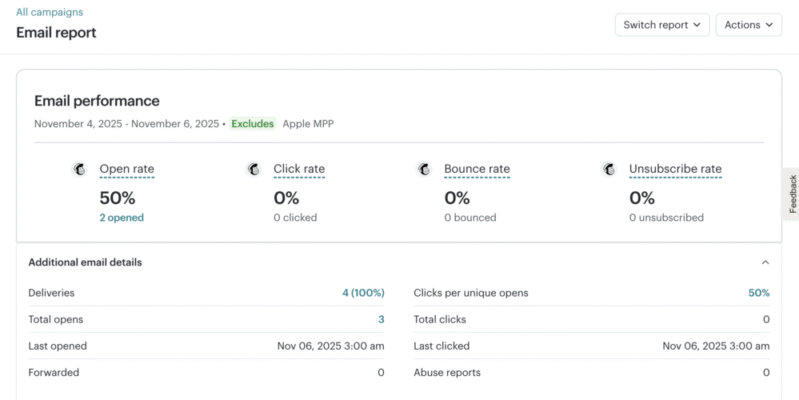
Mailchimp offers one of the most comprehensive dashboards among mainstream platforms. Users can track open rate, click-through rate, bounce rate, and revenue tied to campaigns. Its link-click heatmap identifies engagement hotspots, helping refine placement and CTA structures. The export-to-CSV function works smoothly, though advanced reporting and comparative analytics require higher-tier plans.
Pricing & Value
GetResponse
GetResponse offers tiered plans for different user types including beginners, growing businesses, educators, and professionals. Each plan adds capabilities like automation builders, landing pages, funnels, webinars, and advanced segmentation. Pricing scales with list size, allowing businesses to pay only for what they need. The platform balances affordability with high functionality at each level.
Mailchimp
Mailchimp offers a free plan with basic sending and essential features alongside Standard and Premium paid plans. The Standard plan adds automations, behavioural targeting, A/B testing, and advanced segmentation. Premium unlocks deeper personalization, comparative reporting, unlimited audiences, and extensive design options. Mailchimp prices higher at scale but provides strong overall stability and dependable execution.
| Scenario | Best Choice |
|---|---|
| Testing before paying | Mailchimp — Free plan with accessible editor & strong deliverability. |
| Most budget-friendly starter use | Mailchimp — Lower-cost entry-level plans for creators & small teams. |
| Scaling with a growing subscriber list | GetResponse — More structured automation, funnels, and segmentation as lists grow. |
| Advanced customization & reporting | GetResponse — Stronger analytics, export options, and behavioral insights. |
| Teams needing structured workflows | GetResponse — Multi-step automation, purchase triggers, segmentation tools. |
| Simple everyday campaigns | Mailchimp — Smooth editor, stable sending, quick setup. |
| Reliable inbox placement | Mailchimp — Excellent deliverability performance. |
| Content-rich or multi-format campaigns | GetResponse — Flexible design, reusable blocks, dynamic content layouts. |
Final Verdict
GetResponse stands out as a scalable, flexible email marketing solution with advanced automation, in-depth analytics, and strong design freedom. It is ideal for growing businesses, educators, and marketers who need structured workflows and multi-step journeys. Mailchimp excels in simplicity, smooth execution, and excellent deliverability, making it perfect for creators, small teams, and marketers wanting quick, polished campaigns without complexity.
Both tools are powerful, but the better choice depends on your needs. Subscribe GetResponse for depth and scalability, or choose Mailchimp for its user-friendly design, polished templates, and dependable performance.
On this page
Winner Snapshot: Getresponse vs Mailchimp
| Scenario | Best Choice |
|---|---|
| Fast, beginner-friendly email creation | Mailchimp |
| Clean UI with quick learning curve | Mailchimp |
| Most flexible design & advanced customization | GetResponse |
| Deep reporting & analytics insights | GetResponse |
| Reliable, stable deliverability across campaigns | Mailchimp |
| Best for growing businesses needing automation | GetResponse |
| Best for creators & small teams | Mailchimp |
| Best for marketers building multi-step journeys | GetResponse |
Tags: comparison