Choosing between Mailchimp and Brevo often comes down to how each platform behaves in real-world usage, how smooth their editors feel, how reliably they handle contact management, how quickly campaigns go out, and how practical their pricing structure is as your audience grows. Both tools focus on making email marketing accessible, but their approach differs noticeably in templates, segmentation options, workflow efficiency, reporting depth, and the way each platform scales with your sending needs.
This comparison breaks down their hands-on performance across essential categories to help determine which platform aligns better with everyday marketing tasks and long-term growth requirements.
Who Should Use Which?
- Mailchimp is Best For:
- Users who prefer a structured email editor with polished, visually appealing templates
- Marketers who want clean dashboards and an easy-to-follow workflow for campaign creation
- Teams that rely on clear segmentation options and organized subscriber fields
- Anyone who values simple yet informative reporting for everyday performance tracking
- Brevo is Best For:
- Users who want a clean, practical editor with straightforward content elements
- Marketers who prefer simple contact handling and fast segmentation workflows
- Teams that need efficient campaign setup focused on clarity and targeted delivery
- Businesses that benefit from easy-to-read analytics with essential performance metrics
Quick Comparison
| Criteria | Mailchimp | Brevo |
|---|---|---|
| Ease of Use | Clean interface with guided prompts; clear navigation; simple setup for campaigns and automation. | Straightforward dashboard; easy-to-follow workflows; practical layout designed for quick execution. |
| Template Variety & Design | Large library of modern, customizable templates; flexible editor with drag-and-drop layout blocks. | Pre-built templates with clean layouts; editor supports quick design adjustments and structured formatting. |
| Deliverability | Stable performance; inbox-focused testing indicators such as opens, bounces, and complaints helping optimize sender reputation. | Consistent deliverability with clear reporting on sends, opens, bounces, and device-level interactions to maintain list health. |
| Reporting & Analytics | Detailed reports covering opens, clicks, conversions, audience growth, and revenue insights across campaigns and automation. | Strong data visualization with performance metrics, click maps, geography and device insights, and contact-level behavioral history. |
| Free Plan | Yes — offers limited features suitable for testing core email tools. | Yes — provides access to essential email campaigns and basic features for small send volumes. |
| Starting Price (Paid) | starts ~$13/month | starts ~$9/month |
Evaluation Criteria (How We Compare)
We compared Mailchimp and Brevo across five essential parameters that define how well an email marketing platform performs in real-world use:
- Email Designing & Templates – The creative flexibility, template variety, and customization depth each platform offers.
- Contact List Management – The efficiency and depth of managing subscribers, including segmentation, tagging, imports, and behavioral targeting.
- Campaign Execution – How quickly and reliably each platform sends campaigns, the ease of automation setup, and overall consistency in deliverability.
- Reports & Analytics – The quality, visualization, and actionability of data each platform provides from open and click tracking to conversions, heatmaps, and exportable reports; and how easily marketers can derive insights to improve performance.
- Pricing & Value – Affordability, plan transparency, and the balance of included features at each tier.
Email Designing & Templates
Mailchimp
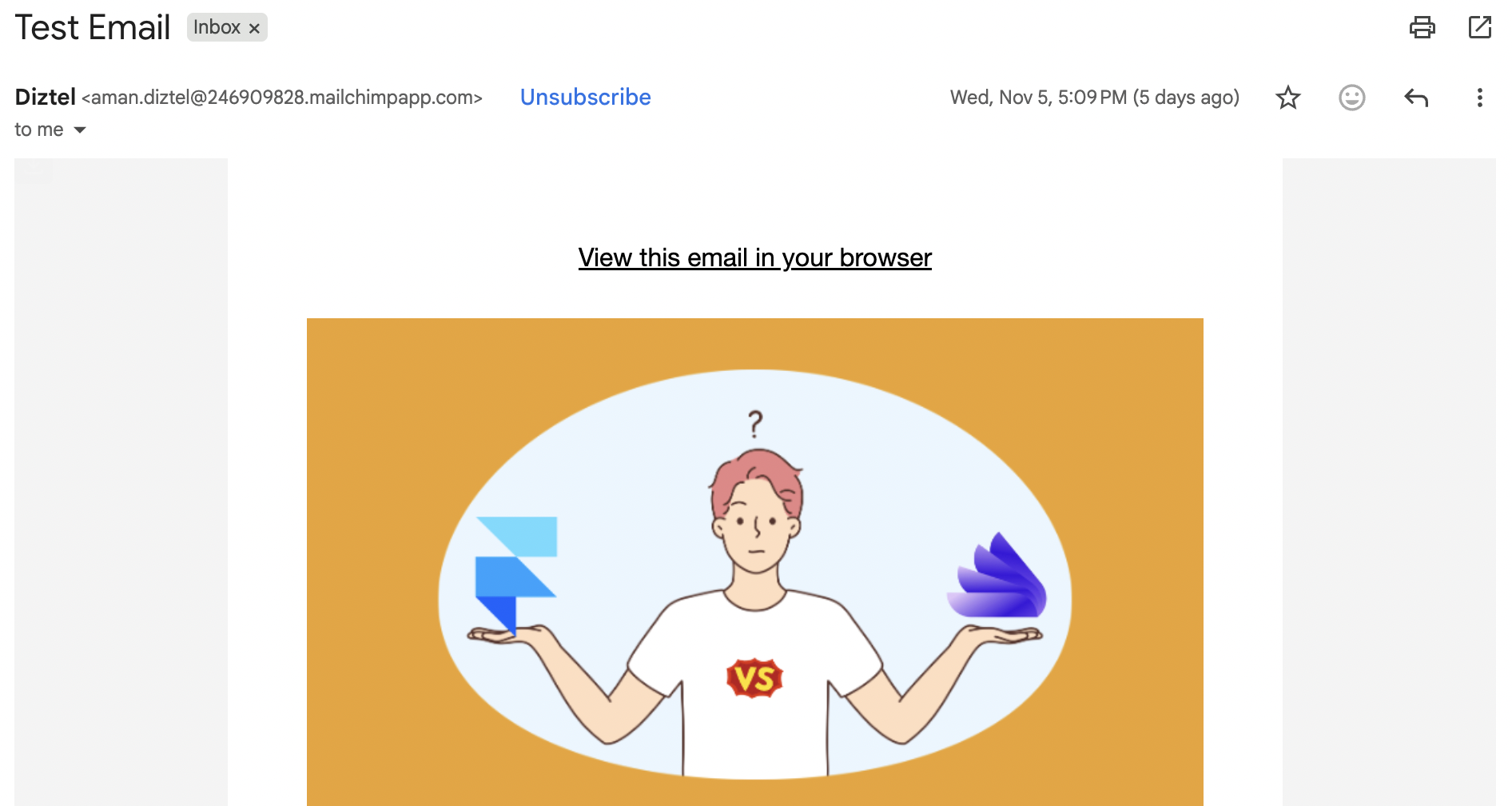
Mailchimp’s editor delivers a more polished and visually refined experience. It includes over 100 industry-specific templates covering niches like ecommerce, travel, hospitality, and health. The UI feels smoother, offering stronger formatting controls, better image integration, and more sophisticated layout flexibility.
Users can build from scratch or customize stock templates which are fully mobile-responsive. Brand kit support and extensive design blocks give users room to craft more visually strategic emails without design limitations.
Brevo
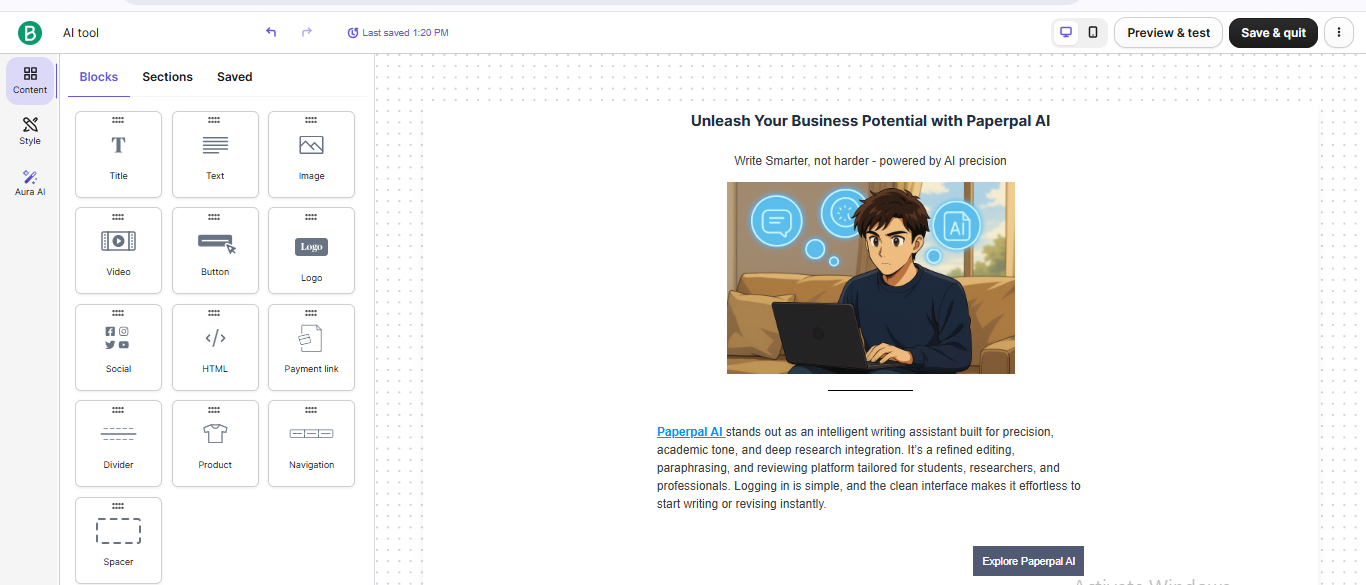
Brevo keeps email designing straightforward with a no-nonsense drag-and-drop editor that lets users build a complete campaign quickly using blocks like hero banners, images, buttons, text, and social modules. It offers 40+ templates across newsletters, promotional layouts, event announcements, and holiday themes.
The editor’s strength lies in simplicity, letting users adjust brand colours, reuse content blocks, and move elements fluidly. Media features support video thumbnails, social icons, and brand assets, and the templates remain clean, responsive, and easy to modify without complexity.
Contact List Management
Mailchimp
Mailchimp’s system includes tags, groups, segments, behavioural activity, and demographic insights. It syncs contact profiles automatically and supports detailed targeting such as purchase history, predicted demographics, and engagement levels. Conditional content and customizable merge tags allow deeper personalization within campaigns. The structure caters well to larger lists where granular segmentation matters, making it suitable for users who need advanced audience breakdowns and multi-layered targeting logic.
Brevo
Brevo’s contact management system is built around simplicity and accuracy. It supports flexible import options, automatically removes duplicates, and enables grouping through segmentation and tagging. Filters include activity-based data like campaign engagement, message count, and demographics. Users can build segments using behavioral metrics and track list performance with clear insights. Automated cleanup and easy-to-use segmentation tools make it effective for maintaining list hygiene and targeting right audiences without complexity.
Campaign Execution
Mailchimp
Mailchimp delivers dependable execution with fast sending speeds and smooth performance across templates and automations. Contacts are verified automatically, and emails are dispatched quickly, even under higher loads. Features include multi-step customer journeys, behavioral triggers, predictive sending, and more detailed workflow customization. Automated campaigns perform consistently, and the editor supports building advanced journeys without slowdown. Mailchimp demonstrates both speed and depth during execution.
Brevo
Brevo focuses on reliable deliverability and straightforward execution. Authentication through DKIM and SPF contributes to strong inbox performance. Automation covers essentials like welcome emails, abandoned cart workflows, and multi-step journeys. Scheduling is flexible with options for regular or optimized send-time selection. The journey builder is intuitive, using visual blocks that make it easy to map the flow of an automated sequence. Overall, execution remains stable, predictable, and user-friendly.
Reports & Analytics
Mailchimp
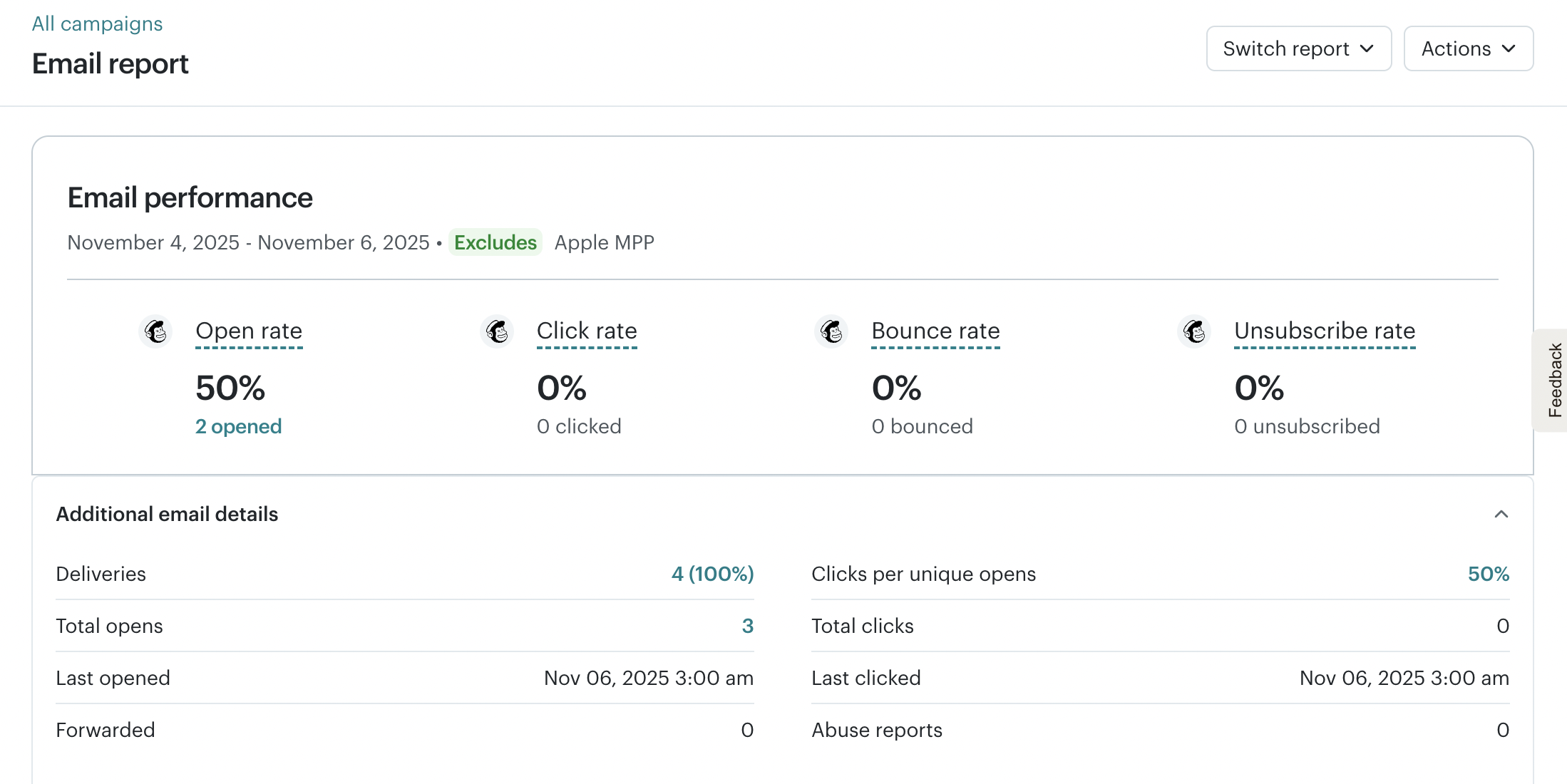
Mailchimp provides a broader analytics suite with detailed dashboards covering subscriber behaviour, benchmarks, device usage, geolocation, and bounce analysis. You can see how their performance compares to industry averages and track automated workflows in depth. Additional metrics like purchase behaviour and engagement prediction provide a more comprehensive analytical perspective, especially useful for teams that rely heavily on data-driven decision-making.
Brevo
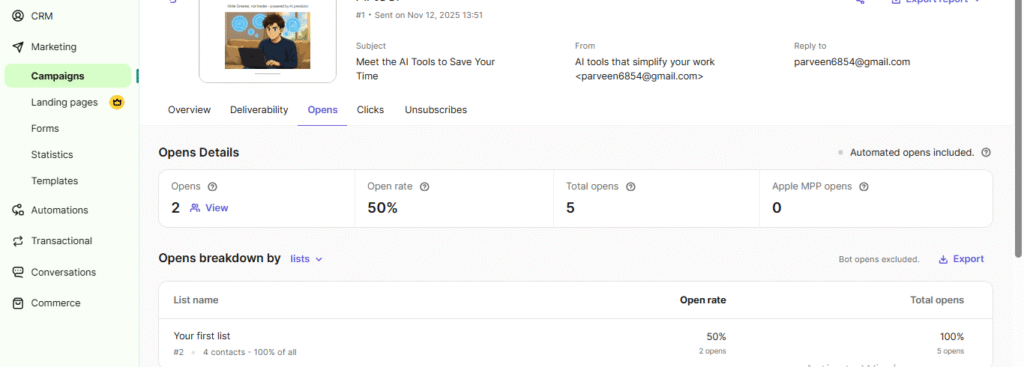
Brevo offers clear reporting with metrics such as opens, clicks, unsubscribes, and device-level data. Heatmaps provide link-level insights, and users can export reports or build segments based on click activity. The platform also displays campaign comparisons, funnel tracking, and automation-step visibility. Its dashboards are clean and easy to interpret, making analytics accessible even for beginners who want straightforward performance insights.
Pricing & Value
Mailchimp
Mailchimp structures its plans across Free, Essential, Standard, and Premium tiers. Essential includes scheduling, A/B testing, and multi-step journeys. Standard adds behavioral targeting, more advanced personalization, and stronger automation tools. Premium offers deeper segmentation, comparative reporting, and expanded analytics. The higher tiers are well-suited for established marketers who need extensive customization and large-scale automation capabilities.
Brevo
Brevo emphasizes affordability and essential feature access at every tier. The Free Plan supports 300 emails per day, while the Starter Plan is suitable for smaller teams needing consistent monthly volumes. The Standard Plan adds A/B testing, landing pages, automation, and expanded analytics. The Professional Plan introduces more advanced automation and team-oriented capabilities. Across all tiers, the pricing stays value-focused and accessible for budget-conscious users.
| Scenario | Best Choice |
|---|---|
| Testing before paying | Both — Each platform offers a free plan suitable for basic experimentation and initial campaign testing. |
| Most budget-friendly starter use | Brevo — Lower-cost entry point with straightforward essentials suited for small teams getting started. |
| Scaling with a growing subscriber list | Mailchimp — More structure for managing larger lists with detailed segmentation and workflow controls. |
| Advanced customization & detailed reporting | Mailchimp — Offers deeper analytics, comparative reporting, and more granular insights for performance tracking. |
| Teams needing structured workflows | Mailchimp — Better suited for multi-step campaigns, structured journeys, and layered audience organization. |
| Long-term omnichannel communication | Brevo — SMS, WhatsApp, and multi-channel delivery options provide long-term flexibility for expanding communication needs. |
Final Verdict
Mailchimp offers deeper capabilities with its advanced automation, richer design options, and more sophisticated analytics. It suits teams needing refined segmentation, faster execution, and expanded reporting. On contrary, Brevo is the better choice for users who want simplicity, affordability, and reliable essential features across designing, automation, reporting, and sending. Its value-focused pricing and beginner-friendly tools make it an excellent option for small teams and straightforward marketing workflows.
On this page
Winner Snapshot: Mailchimp vs Brevo
| Scenario | Best Choice |
|---|---|
| Fast, beginner-friendly email creation | Brevo |
| Clean UI with quick learning curve | Brevo |
| Detailed design control & flexible layouts | Mailchimp |
| Data-focused reporting & deeper analytics | Mailchimp |
| Best value for simple, execution-focused campaigns | Brevo |
| Best fit for teams wanting structured automation & layered workflows | Mailchimp |
Tags: comparison