We may earn affiliate commissions for the recommended tools. Learn more.

MailerLite vs GetResponse: A Complete Comparison Based on Real Testing

MailerLite and GetResponse target users who want beginner-friendly, reliable, and scalable email marketing tools, but they approach the user experience differently. Since both tools excel in design, list management, deliverability, and analytics, comparing them helps determine which platform better supports campaigns that need either simplicity and speed or more complex, high-growth capabilities.

Who Should Use Which?

Quick Comparison

CriteriaMailerLiteGetResponse
Ease of UseExtremely clean, simple drag-and-drop editor; fast onboarding and intuitive controls.Beginner-friendly dashboard with guided onboarding and smooth design experience.
Template Variety & Design100+ ready-to-use templates; smooth media handling; easy customization.150+ pre-built templates, 40–45 mobile-ready layouts; high customization depth; reusable blocks.
DeliverabilityStrong deliverability backed by SPF/DKIM; consistent inbox placement.Reliable sending with detailed spam checks and bounce analysis; strong consistency.
Reporting & AnalyticsTracks opens, clicks, bounces, unsubscribes; clean reporting with CSV exports.Detailed analytics with visual insights, device data, bounce tracking, and exportable reports.
Free PlanUp to 1,000 subscribers; unlimited monthly emails.Free plan for up to 500 contacts with limited features.
Starting Price (Paid)Starts at ~$10/month for 500 subscribers.From ~$19/month for up to 1,000 contacts.
Best ForCreators, bloggers, freelancers needing simplicity and clean execution.Small businesses, growing brands, and marketers needing advanced workflows and deeper controls.
Key StrengthUser-friendly interface, affordable, unlimited monthly sends.Powerful automation, analytics depth, reusable blocks, high-quality templates.
Key LimitationLimited template library and fewer advanced automation tools.Pricing increases with list growth; more complex for beginners.

Evaluation Criteria (How We Compare)

We compared MailerLite and Getresponse across five essential parameters that define how well an email marketing platform performs in real-world use:

  • Email Designing & Templates – The creative flexibility, template variety, and customization depth each platform offers.
  • Contact List Management – The efficiency and depth of managing subscribers, including segmentation, tagging, imports, and behavioral targeting.
  • Campaign Execution – How quickly and reliably each platform sends campaigns, the ease of automation setup, and overall consistency in deliverability.
  • Reports & Analytics – The quality, visualization, and actionability of data each platform provides from open and click tracking to conversions, heatmaps, and exportable reports; and how easily marketers can derive insights to improve performance.
  • Pricing & Value – Affordability, plan transparency, and the balance of included features at each tier. 

Email Designing & Templates

MailerLite

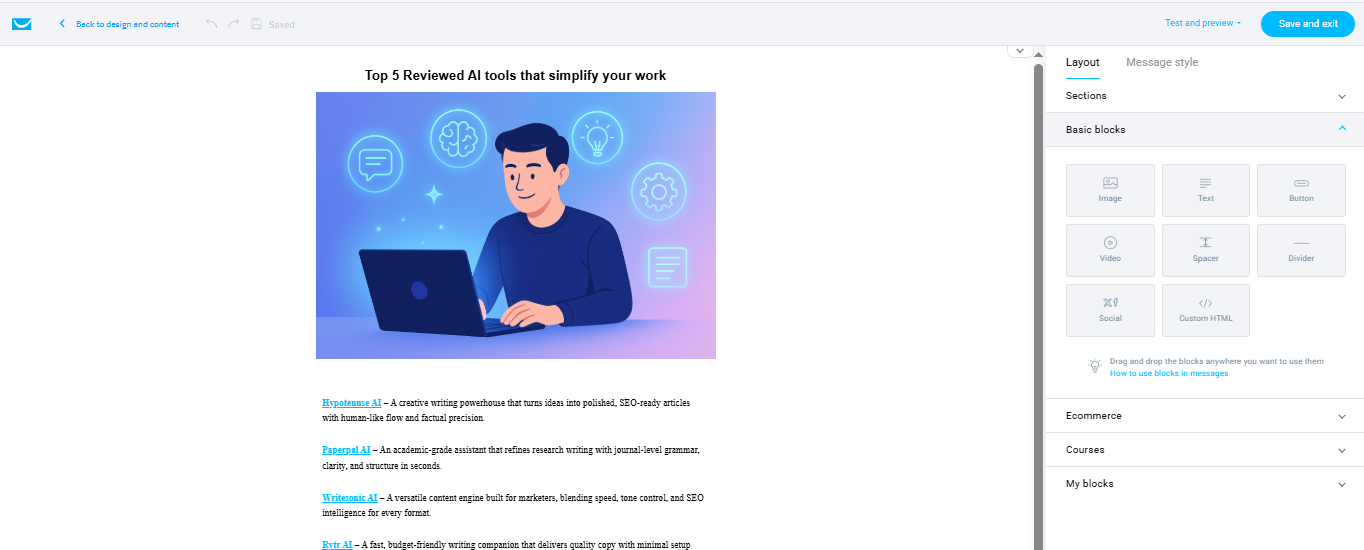
MailerLite has a clean, intuitive visual editor that allows users to build campaigns quickly without design complexity. Its 100+ templates cover newsletters, offers, events, and product promotions, and media handling is smooth with automatic compression for faster loading. Customization is straightforward, too.

GetResponse

GetResponse provides an even stronger first impression with its professional-grade drag-and-drop editor and guided onboarding. Its template library is more extensive, offering 150+ pre-built email designs plus industry-specific layouts. Templates automatically adapt for mobile, and users can reuse saved content blocks to maintain consistent branding across campaigns. Advanced users can also insert HTML/CSS.

Contact List Management

MailerLite

MailerLite keeps contact management simple with CSV, TXT, Excel, or manual imports. Segmentation supports groups based on behaviour, engagement, and interests, while personalization fields such as name, email, and company help tailor messaging. The platform flags duplicates and bounced addresses automatically, improving list hygiene. Users can also integrate contacts from other services or build forms to capture leads efficiently.

GetResponse

GetResponse offers a more advanced segmentation suite. Users can divide audiences by demographics, behaviour, engagement patterns, location, or custom tags. It supports dynamic segments such as “users who opened last week’s email” or “customers with abandoned carts.” The platform also monitors invalid or hard-bounced addresses and removes them to maintain sender reputation.

Campaign Execution

MailerLite

MailerLite streamlines campaign execution from setup to delivery. Users can add content, configure subject lines, preview emails, and schedule or send instantly. Deliverability remains strong with SPF and DKIM authentication, and MailerLite consistently maintains inbox placement. Automation supports scheduled and time-zone-based sending, helping campaigns reach subscribers at the right time.

GetResponse

GetResponse focuses more on advanced execution. Deliverability is strong, but bounce management and authentication improvements offer added reliability. Sending speed is impressive, and the platform handles larger sending loads comfortably. Users can also segment audiences during campaign setup and run multi-step workflows, providing more control over send timing and targeting.

Reports & Analytics

MailerLite

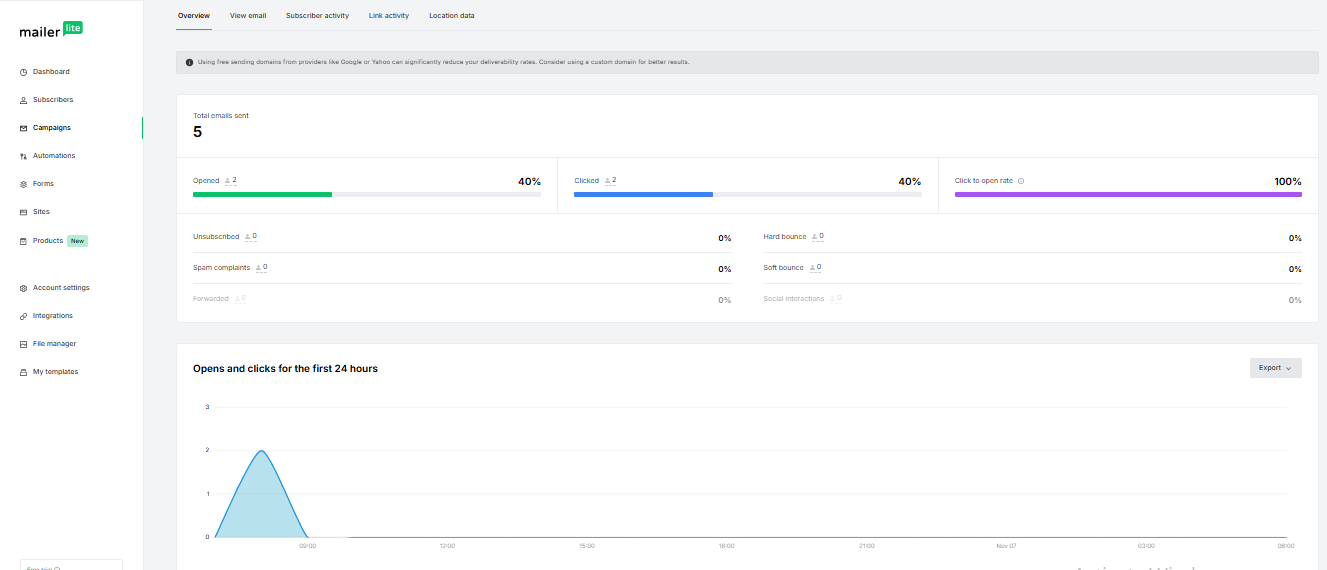
MailerLite tracks essential metrics such as opens, clicks, bounces, unsubscribes, and conversions. Reports load quickly and can be exported in CSV format. Link activity insights reveal which sections receive the most engagement, while automation analytics highlight performance across each triggered step. The results are simple, clear, and suitable for teams needing straightforward tracking.

GetResponse

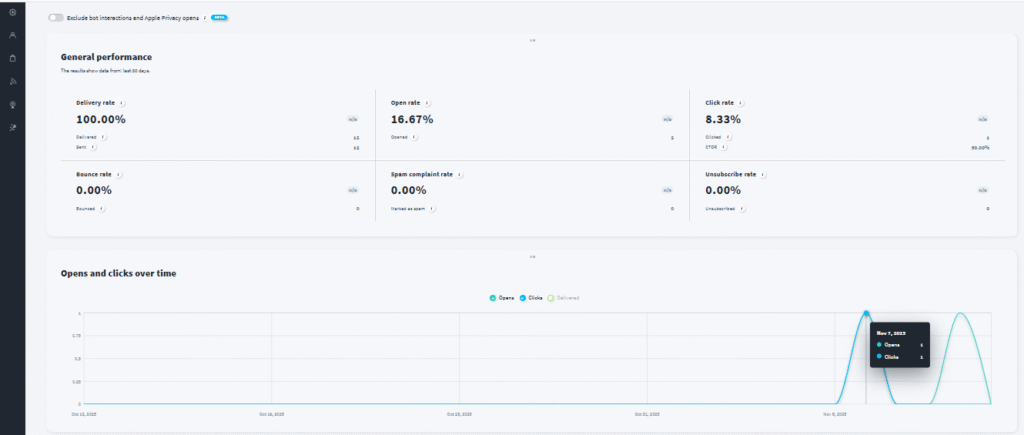
GetResponse offers more advanced analytics. Beyond clicks and opens, it displays deeper engagement insights, bounce behavior, unsubscribe reasons, and device-based activity. Users can export reports in PDF, CSV, or XLSX formats and even push data into Google Analytics or Data Studio. Visual charts make it easier to interpret performance and refine campaign strategy.

Pricing & Value

MailerLite

MailerLite’s pricing is structured around accessible tiers that scale with list size. Free and paid plans provide unlimited monthly emails, transparent billing, and essential features like automation, templates, and landing pages. Higher tiers add dynamic content, priority support, and advanced reporting. Its affordability makes it suitable for creators, freelancers, and small businesses looking for dependable value.

GetResponse

GetResponse offers multiple plan levels tailored to beginners, growing brands, educators, and digital entrepreneurs. Each plan adds new capabilities such as automation builders, sales funnels, webinars, advanced segmentation, and ecommerce-ready workflows. Its structure supports both startups and rapidly scaling businesses and ensures users pay only for what they need at each growth stage.

ScenarioBest Choice
Testing before payingMailerLite — More generous free plan with up to 1,000 subscribers and unlimited monthly emails.
Most budget-friendly starter useMailerLite — Lower starting price and better early-stage value.
Scaling with a growing subscriber listGetResponse — Stronger automation, segmentation, and scalable plans.
Advanced customization & detailed reportingGetResponse — Deeper analytics, export formats, and visual insights.
Teams needing structured workflowsGetResponse — Multi-step campaigns and detailed automation.
Simple day-to-day emailingMailerLite — Clean interface, quick editing, fast layout creation.

Final Verdict

MailerLite stands out for users who prioritize ease, clean workflows, and a predictable design-to-delivery experience. It is ideal for creators, freelancers, and small teams that want reliable email marketing without complexity. GetResponse, however, offers deeper tools with strong automation, richer templates, advanced segmentation, and broad analytics. This makes it better suited for businesses aiming to scale campaigns and handle more complex customer journeys.

Both platforms perform well, but your choice depends on whether you prefer streamlined simplicity (MailerLite) or a feature-rich, scalable system capable of supporting high-growth operations (GetResponse).

On this page

Winner Snapshot: MailerLite vs GetResponse

ScenarioBest Choice
Fast, beginner-friendly email creationMailerLite
Clean UI with quick learning curveMailerLite
Detailed design control & flexible layoutsGetResponse
Data-focused reporting & full-funnel analyticsGetResponse
Best value for growing or professional brandsGetResponse
Best fit for simple, predictable everyday campaignsMailerLite

Tags:

We will be happy to hear your thoughts

Leave a reply

Diztel
Logo