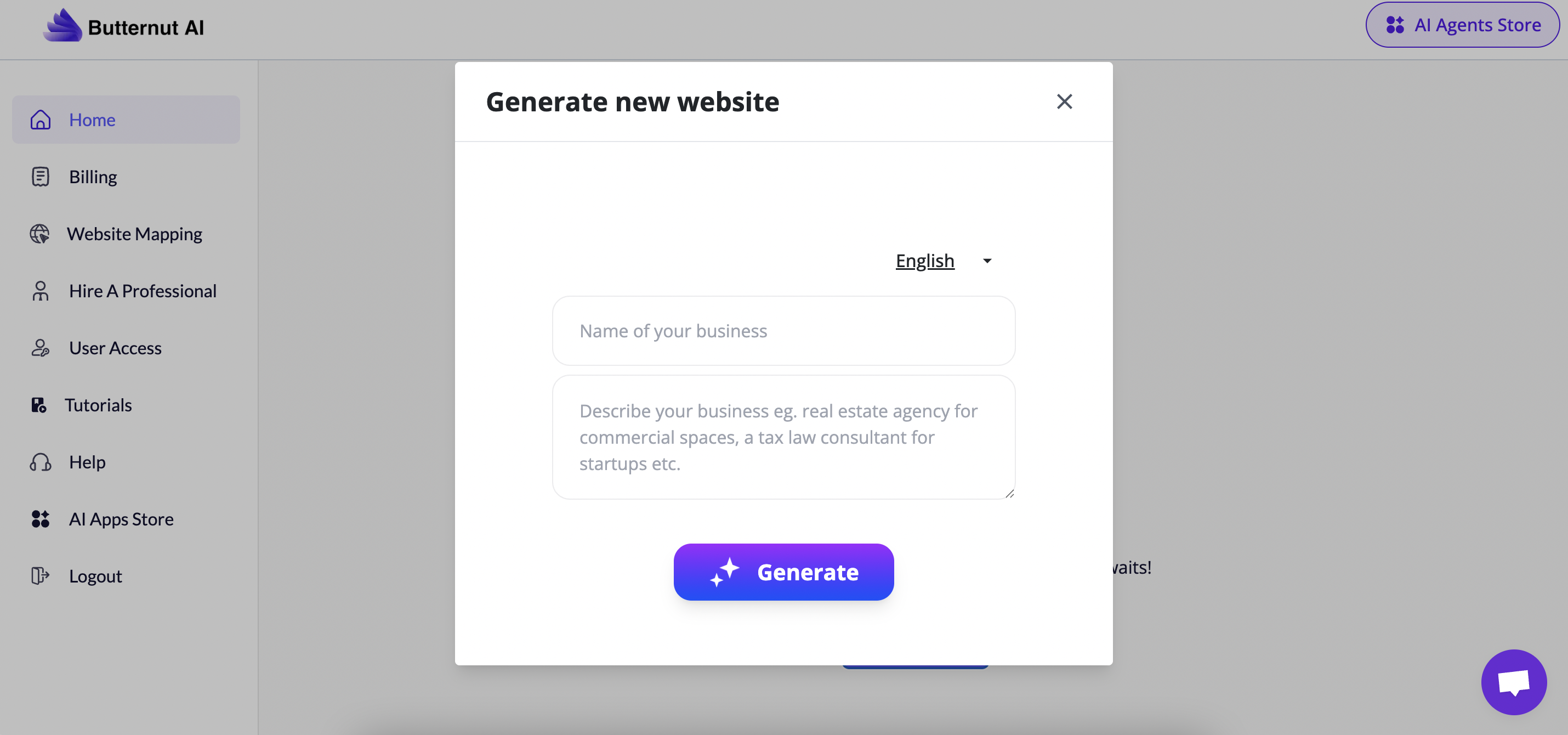
The standout feature of Butternut.ai was just how quickly it turned a short prompt into a fully functional website. Instead of wrestling with templates or layouts, I simply described my idea, and within minutes, I had a draft site ready to edit. The interface feels clean and modern, and making adjustments whether changing text, swapping images, or adjusting sections—was refreshingly simple. Unlike traditional builders, Butternut leans heavily on AI automation, which means you spend less time designing and more time refining content. It’s not the most advanced builder for deep customization, but for anyone looking to get a polished site live without coding or design skills, it’s incredibly practical.
Butternut.ai is an AI-powered website builder designed to generate complete websites from a simple prompt. I found it surprisingly quick. Type in what you need, and it instantly produces a multi-page site that you can tweak with a drag-and-drop editor. While it doesn’t offer hundreds of templates or pixel-perfect control, its strength lies in speed and simplicity.
Who is it Best For?
Small businesses wanting an instant online presence
Freelancers who need quick portfolios
Beginners with no coding or design background
Entrepreneurs testing ideas or landing pages
Users who value speed over deep customization
What Makes it Stand Out
What sets Butternut.ai apart is its prompt-to-website workflow. Instead of choosing templates or dragging blocks for hours, you describe your idea, and AI generates a complete site including pages, layout, and content. This approach is perfect for users who want speed and simplicity, making it one of the fastest ways to get a professional site online.
7Expert Score
Fast & Simple
For freelancers, and startups who want a fast, AI-powered way to get a professional site live. Its strengths are ease of use & affordability, while limitations lie in e-commerce depth and advanced customization.
Ease of Use
9
Templates & Design
6
Ecommerce Capabilities
6
Pricing & Value
7
Customer Support
6
How We Rate? Our ratings reflect hands-on testing and comparison across key parameters such as usability, features, pricing, support, and overall value.
Performance Breakdown: Pros and Cons
Extremely fast setup
Very beginner-friendly UI
Clear, modern-looking layouts
Useful AI-tools included (paid plans only)
No free publishing
Limited customization
Fewer design choices compared to platforms like Wix
Support is weaker on free or lower plans
Who Should Use Butternut.ai?
Small Businesses – Ideal for cafes, salons, consultants, or local shops needing a quick online presence.
Freelancers & Creators – Great for showcasing portfolios or service offerings without spending days designing.
Entrepreneurs & Startups – Perfect for testing new ideas, landing pages, or MVP websites fast.
Beginners – Anyone with no coding or design background who wants a professional-looking site.
Time-Conscious Users – People who want a site live in minutes rather than hours or days.
Who Should Skip This Tool?
Advanced Designers & Developers – If you want pixel-perfect design control or custom coding, Butternut will feel restrictive.
Enterprises & Large Businesses – Not suited for managing complex sites, integrations, or heavy ecommerce operations.
Content-Heavy Bloggers – The CMS features are too basic compared to WordPress or Webflow.
Agencies – Teams delivering fully customized client projects will outgrow its AI-generated layouts.
Users Wanting Template Variety – Since the AI builds layouts from prompts, you won’t find an extensive theme library.
Ease of Use (UI/UX)
Getting started with Butternut.ai was one of the simplest onboarding experiences I’ve tested. Signing up only required an email and password, and once logged in, the tool immediately asked me to describe the kind of website I wanted. After typing a short prompt, Butternut’s AI generated a complete site within minutes including homepage, subpages, layouts, and even placeholder content.
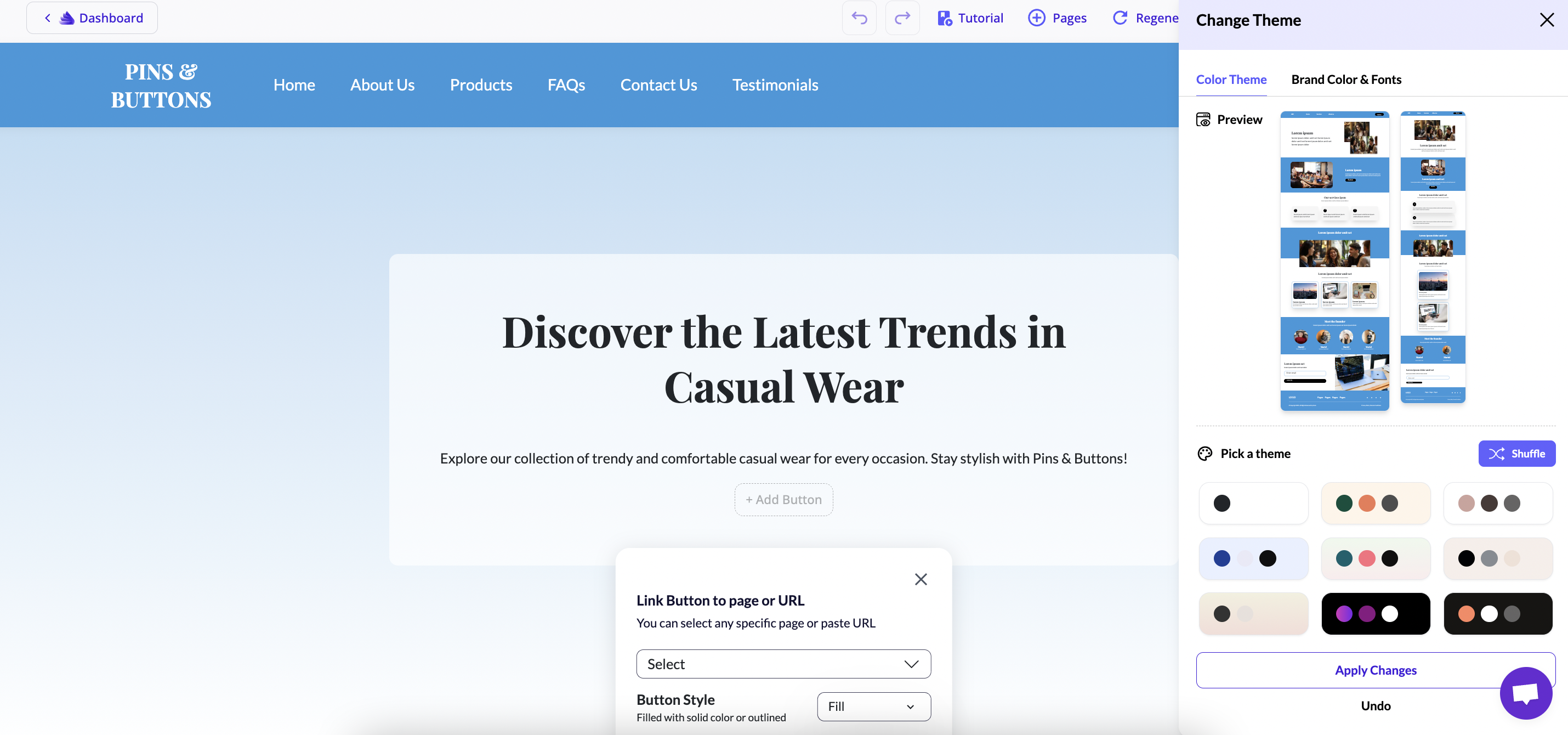
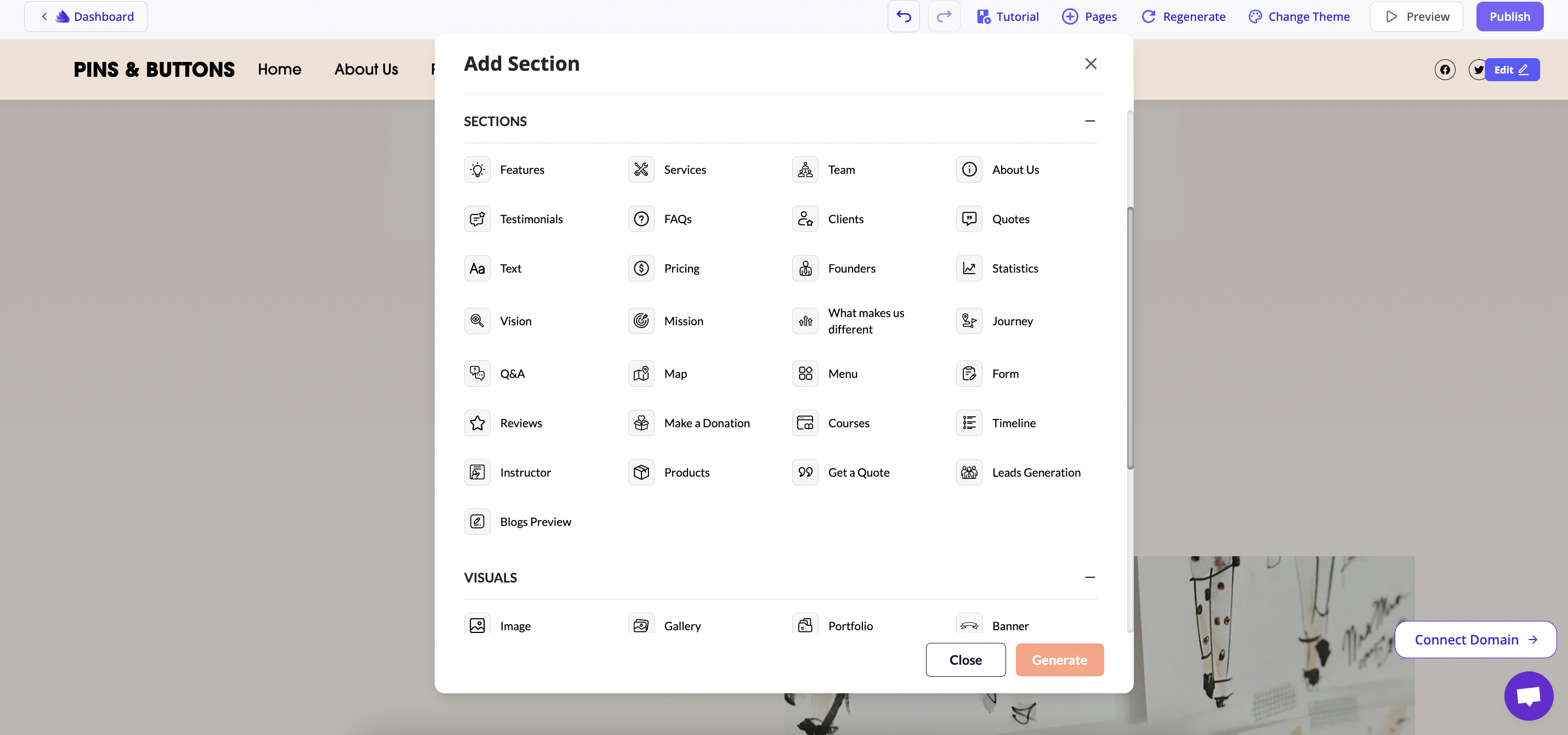
Editing the site was refreshingly straightforward. The interface is clean, and making changes like swapping images, updating text, or rearranging sections felt natural.
For beginners, the learning curve is almost non-existent. You can have a functioning website ready the same day.
For advanced users, the simplicity may feel limiting, as there’s little room for granular control or custom coding.
On mobile responsiveness, the generated websites automatically adapt well to smartphones and tablets. However, there’s no option to toggle between desktop and mobile view inside the editor, which makes it harder to preview and fine-tune designs across devices before publishing.
Butternut.ai is excellent for fast, beginner-friendly setup and responsive layouts, but the absence of a mobile preview switch is a notable drawback for those who want design assurance across devices.
Design & Templates
Unlike traditional builders that offer a large theme library, Butternut.ai skips templates altogether. Instead, it generates designs directly from your prompt. When I tested it, the AI created a full multi-page layout within minutes—clean, modern, and ready to use. While this saves time, it also means you don’t get the luxury of browsing through dozens of pre-made templates like Wix or Squarespace.
Customization is basic but straightforward
You can adjust colors, fonts, and section layouts, but advanced design freedom is limited. There’s no pixel-level editing or drag-and-drop flexibility like Webflow, and users looking for highly unique designs may feel constrained.
Butternut.ai prioritizes speed over variety. You won’t find a rich template marketplace, but the AI-generated layouts are professional and customizable enough for small businesses, freelancers, and quick projects.
Ecommerce Capabilities
When I tested Butternut.ai, it became clear that ecommerce is not its strongest focus. The builder is designed primarily for quick business or portfolio websites, and while it allows you to add product-like sections, it doesn’t yet offer the full suite of ecommerce features you’d expect from platforms like Shopify or even Hostinger AI.
There’s no built-in product catalog, inventory management, or advanced checkout system. Payments rely on embedding external solutions (such as Stripe links or third-party widgets) rather than a native cart and checkout flow. This makes it more suitable for simple one-product sites, service bookings, or lead-generation landing pages rather than running a full online store.
Butternut.ai can work for very basic ecommerce needs, but it lacks advanced store management, payment integrations, and marketing tools. If ecommerce is your priority, platforms like Shopify, YNS, or Genstore AI are much better suited.
Publishing & Hosting
Publishing with Butternut.ai requires a paid plan. There’s no option to publish your site on a free subdomain. During testing, I was able to generate and preview websites, but they remained in draft mode until upgrading. This makes Butternut more of a “try-before-you-buy” tool rather than one you can test live for free.
Once on a paid plan, publishing is seamless. Hosting is bundled in with the subscription, so you don’t need to worry about separate server management. Every site comes with SSL encryption, which ensures security and trust for visitors.
In short, Butternut.ai offers secure, reliable hosting, but you’ll need a paid plan to publish your site. Unlike Wix or YNS, there’s no free subdomain option, which may be a drawback for hobbyists or users wanting to experiment live before committing.
Pricing & Value for Money
Butternut.ai doesn’t offer a free publishing plan. You can try the builder in preview mode, but to publish your site, you’ll need a paid plan. Both plans include hosting, SSL, and AI-powered tools, making it a value proposition compared to some competitors.
Free Plan / Trial
You can explore the builder for free in preview mode. However, publishing requires upgrading to one of the paid plans.
Starter Plan – $20/month
Best For:
Small business owners and solo entrepreneurs
Users who need a professional site with essential features
Features:
Link 1 custom domain
Unlimited edits, customizations, and pages
20M+ stock and AI images
Hosting (10 GB) with SSL, security, backups
Automated SEO
10 AI-generated blogs/month
200 AI agent commands/month (e.g., create sections with plain text)
Mobile-friendly responsive design
Google Analytics integration & embed custom code
Sell products, courses, and services
Pro Plan – $69/month
Best For:
Growing businesses scaling faster
Agencies or advanced users needing extra features and integrations
Features:
Link 2 custom domains
Custom AI chatbot trained on your data (worth $1000)
WhatsApp integration (direct lead capture)
Unlimited AI-generated blogs
Unlimited AI agent commands
200 GB fast hosting
Early access to new AI features (2 weeks ahead)
Personalized SEO guide
1:1 onboarding call & priority support
Free custom domain for the first year
Which Pricing Plan is Best for You?
Choose Starter ($20/month) if you’re an individual, freelancer, or small business owner looking for an affordable AI-powered site with ecommerce and blogging basics.
Choose Pro ($69/month) if you’re scaling fast, need advanced tools like a custom AI chatbot, WhatsApp integration, and want hands-on support with SEO and growth resources.
The Starter plan is cost-effective for most small projects, while the Pro plan is ideal if you want Butternut.ai to double as a growth and automation platform.
Customer Support & Community
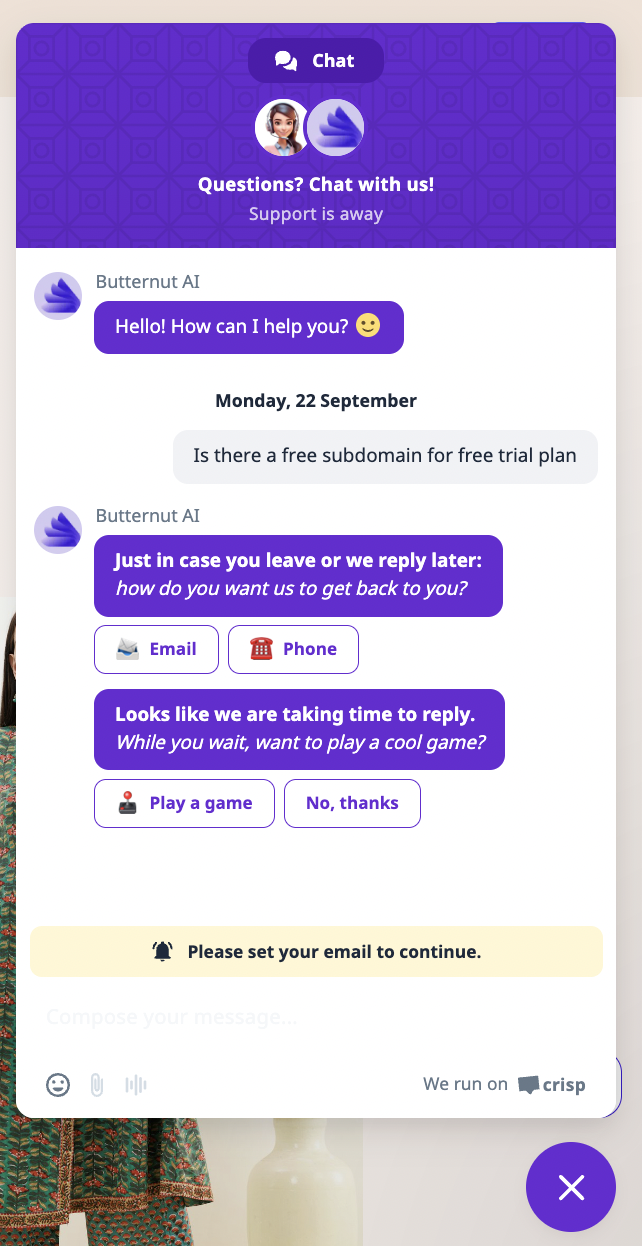
Butternut.ai provides live chat support, but the response time on the free plan can be quite slow. In most cases, the chat bot asks for your email ID or phone number so the support team can follow up later instead of resolving issues instantly. While this setup ensures queries don’t get lost, it isn’t ideal if you’re expecting quick, real-time help.
Email support works reliably for general queries, and Pro plan users get priority support, which significantly reduces wait times. However, there’s no direct phone helpline. Tutorials and guides are available, though limited, and cover only the basics of site building and AI features.
Community-wise, Butternut.ai is still building its ecosystem. There’s no active user forum yet, but Pro users benefit from exclusive webinars and masterclasses. This makes the platform supportive enough for beginners, though more established platforms like Wix or Shopify clearly lead in community strength.
Best Alternatives of Butternut.ai
Wix ADI – A mature AI builder with an extensive template library and polished onboarding. Wix offers more design flexibility out of the box, but it can feel heavier compared to Butternut’s streamlined AI-first experience.
Hostinger Website Builder AI – Affordable and bundled with hosting, Hostinger’s AI builder is budget-friendly. It’s ideal for simple sites but doesn’t match Butternut’s advanced AI automations or chatbot capabilities.
Genstore.ai – Another AI-native builder focused on ecommerce. Genstore.ai guides users step by step (products, payments, shipping), making it more structured for online stores, whereas Butternut is broader, covering both sites and AI-driven content creation.
Feature / Builder
Butternut
Wix ADI
Hostinger AI
Genstore
Ease of Use
Very simple, AI handles setup; minimal manual edits
Beginner-friendly AI setup, with manual editing flexibility
Quick and beginner-friendly; bundled with hosting
Guided step-by-step for ecommerce setup
Templates & Design
Limited templates; heavy reliance on AI layouts
Huge library of templates and designs
Decent but fewer templates than Wix
Ecommerce-focused, limited variety
Ecommerce Features
Basic product selling, payments, AI automations
Strong ecommerce add-ons but less specialized
Standard ecommerce tools included
Built specifically for online stores (catalog, payments, shipping)
AI Features
AI blog generation, AI chatbot (Pro plan), automation
AI site creation only, no deep AI extras
Basic AI builder only
AI-assisted step-by-step setup for stores
Publishing & Hosting
Requires paid plan; no free subdomain
Free subdomain available
Free subdomain included, hosting bundled
Free subdomain with branding
Pricing
$20–$69/month
From $16/month
From $2.99/month (long-term)
Free plan + $20–$300/month tiers
Best For
AI-focused small businesses & entrepreneurs
Beginners wanting flexibility
Budget-conscious users
Ecommerce-first users
Final Verdict
Butternut.ai is a promising AI-powered website builder that focuses on speed and automation. Its biggest strengths are the ability to generate blogs, build sections through AI commands, and even integrate a custom AI chatbot on higher plans. However, it falls short with limited templates, no free publishing option, and a relatively small support ecosystem compared to established players like Wix or Shopify. It’s best suited for entrepreneurs or small businesses who want an AI-driven, hands-off approach, but those seeking deep design flexibility or robust ecommerce features may find alternatives more suitable.