This review is based on hands-on usage, focusing on real usability, pricing clarity, performance consistency, and support responsiveness rather than promotional claims.
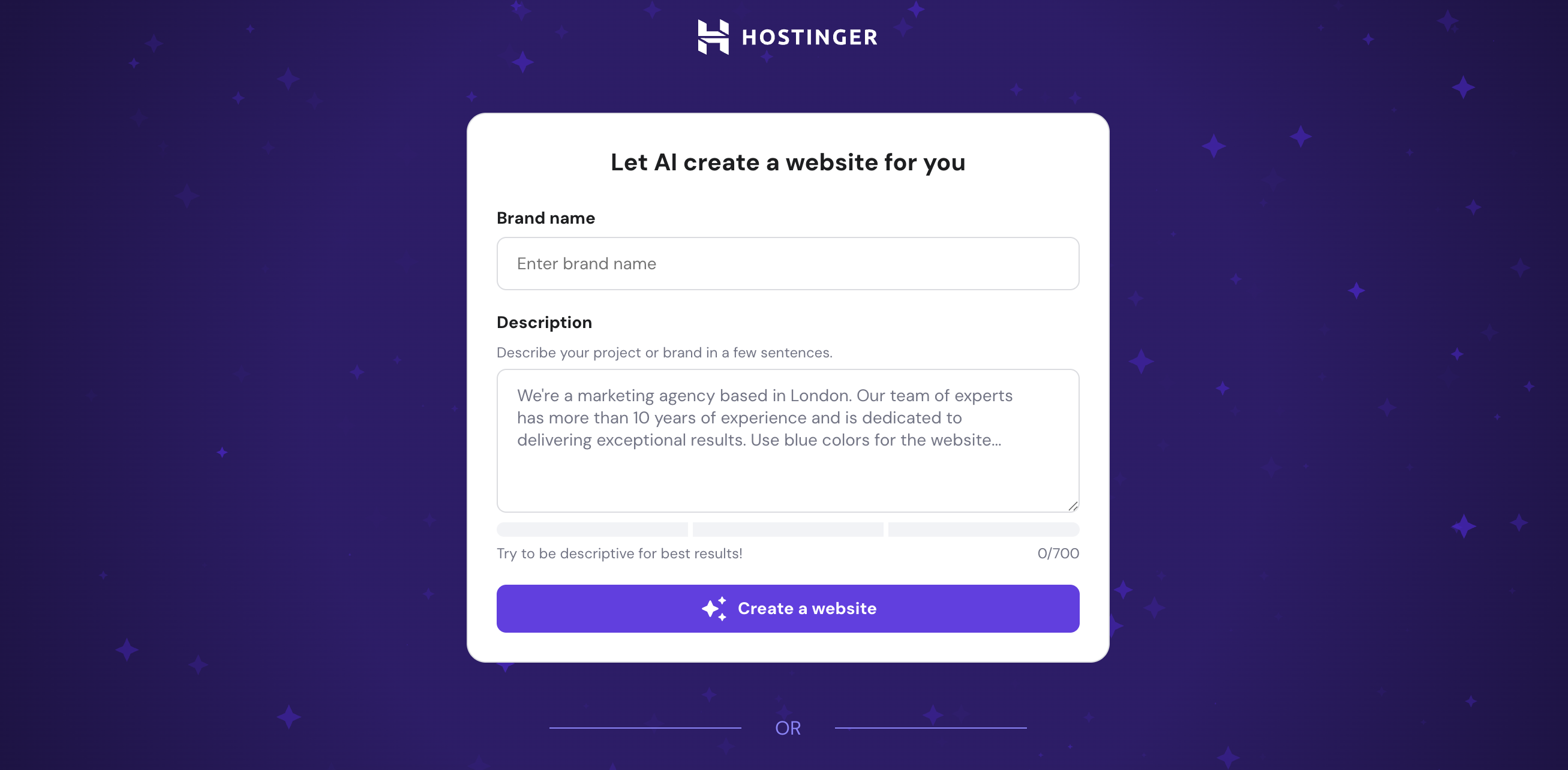
The first thing that stood out after testing Hostinger Website Builder was how effortless it made the setup process. Instead of manually dragging elements or selecting from countless templates, I just described the kind of site I wanted, and the AI generated a ready-to-go layout within minutes. Editing felt straightforward including tweaking text, replacing images, or adjusting colours was intuitive and quick. For someone who doesn’t want to spend hours experimenting, it felt refreshing to have a polished site ready so fast. The AI may not be perfect for very complex sites, but for small businesses, freelancers, or personal projects, it delivers speed and simplicity without compromising on quality.
Who is it Best For?
Small businesses looking for a quick online presence
Freelancers needing simple portfolio sites
Beginners with no coding or design skills
Personal projects and hobby websites
Users who value speed and affordability
What Makes it Stand Out
What makes Hostinger Website Builder AI unique is its AI-driven site creation. Instead of starting from scratch, it builds a full layout in minutes based on your input. Combined with Hostinger’s reliable hosting, built-in SEO tools, and ecommerce options, it’s a true all-in-one solution. The balance of automation and customization makes it stand out among entry-level builders.
8Expert Score
Best Budget Choice
Best for beginners, freelancers & small businesses who want an affordable and quick, way to get online. Its strengths are pricing and ease of use, while design and e-commerce depth remain more limited.
Ease of Use
8
Templates & Design
7.5
Ecommerce Capabilities
7
Pricing & Value
8.5
Customer Support
7
Performance Breakdown: Pros and Cons
Very affordable pricing
Fast and lightweight builder
AI tools like logo maker, content writer, heatmaps
Easy eCommerce setup for beginners
Great uptime and performance using Hostinger’s servers
Fewer design templates and customization options
Not ideal for advanced websites or developers
Limited blogging and content management features
Who Should Use Hostinger?
Small Businesses – Ideal for restaurants, salons, shops, or local services wanting a quick online presence.
Freelancers – Perfect for showcasing portfolios without investing in complex tools.
Beginners – Great for those with zero coding or design background.
Hobbyists & Personal Projects – Simple enough for blogs, personal sites, or event pages.
Budget-Conscious Users – Affordable pricing with hosting bundled in, making it a cost-effective choice.
Who Should Skip This Tool?
Advanced Designers & Developers – If you want pixel-level control, custom coding, or unique animations, this tool may feel limiting.
Large-Scale Businesses – Enterprises with complex site needs or multiple integrations may find it too basic.
Content-Heavy Bloggers – For managing large blogs with advanced CMS features, WordPress is a better fit.
Creative Agencies – Agencies that deliver highly customized client projects may outgrow the AI-generated layouts.
Users Seeking Premium Templates – The design options are good but not as extensive or polished as Webflow or Squarespace.
Ease of Use (UI/UX)
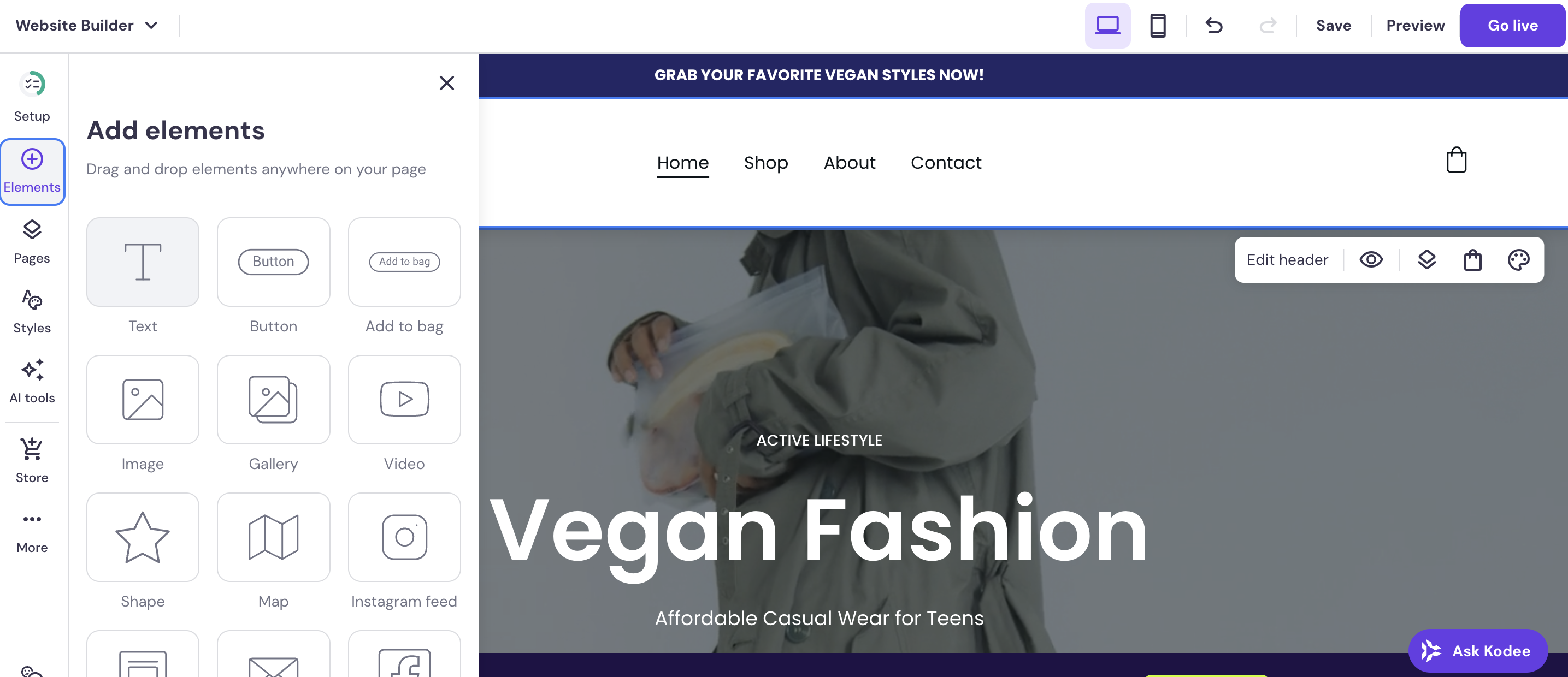
Simple drag-and-drop interface with AI-assisted setup.
Very beginner-friendly. You can publish a site in under an hour.
Limited advanced control compared to Webflow/Wix, but smooth for SMBs and first-timers.
Sign-up process took only a few minutes
Getting started with Hostinger Website Builder AI was refreshingly quick and simple. The sign-up process took only a few minutes. You just need an email, password, and a hosting plan selection. Once inside, the AI kicked in right away, asking me a few simple questions about my site type, style preferences, and goals. Within seconds, it generated a draft website that looked polished and ecommerce-ready.
Setting up a basic online store felt simple. The AI automatically included product pages, a shopping cart, and checkout options. Editing text, swapping images, and adjusting layouts was intuitive through the drag-and-drop editor.
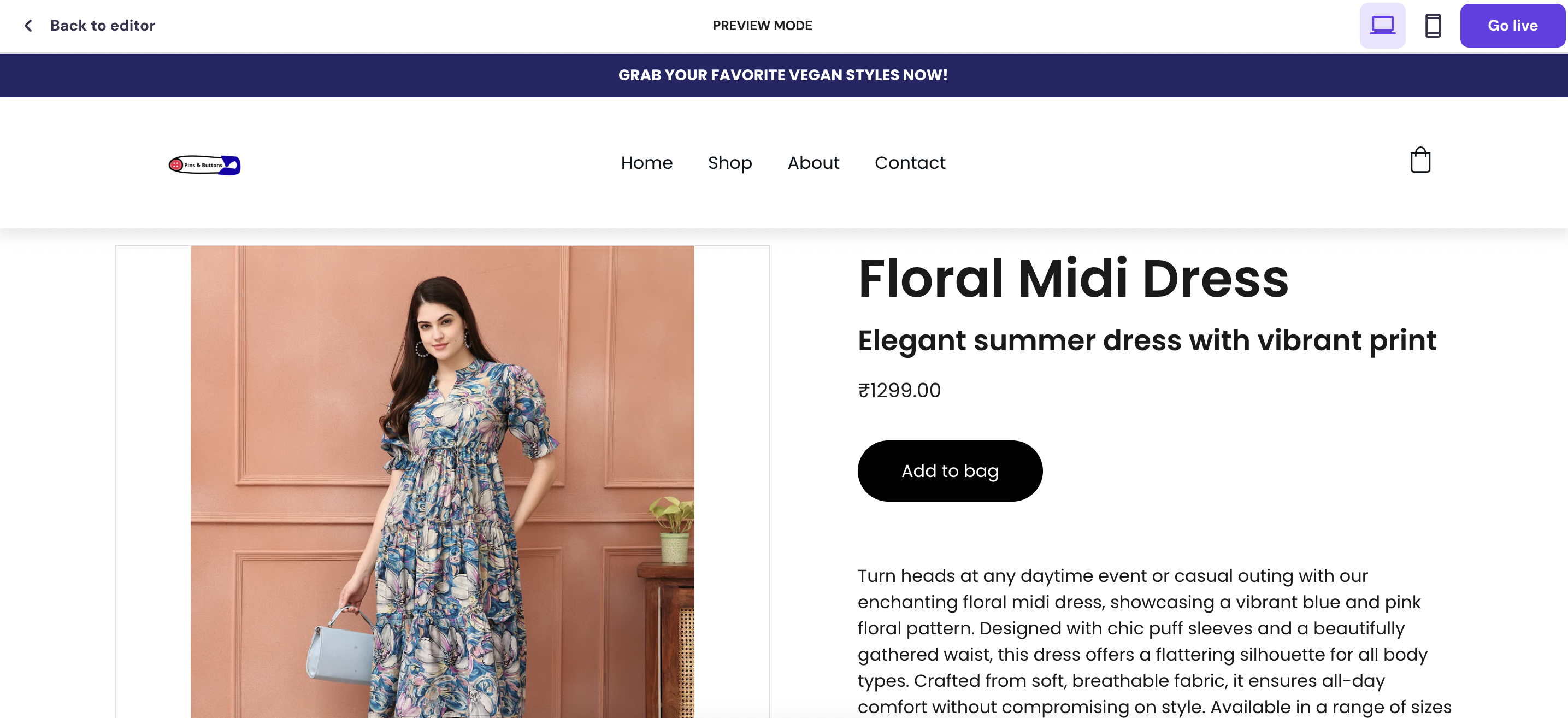
This is the sample website that I created using this tool.
Learning Curve
For beginners, there’s virtually no steep learning curve. You can have a store running the same day.
Advanced users, however, might feel restricted compared to design-heavy tools like Webflow.
Mobile Responsiveness
Every AI-generated layout I tested adapted smoothly to different screen sizes without requiring manual adjustments. For anyone new to site building, this felt like a huge time-saver.
Quick onboarding, beginner-friendly editing, and solid mobile optimization make it an excellent option for users seeking speed and simplicity, though advanced designers may find it limiting.
Design & Templates
150+ modern templates that are mobile-responsive.
Designs look clean but lack the depth and polish of Squarespace or Webflow.
Good customization, though not as flexible as Wix or Framer.
Hostinger Website Builder AI doesn’t overwhelm you with hundreds of templates. Instead, it generates tailored designs based on your inputs. The number of base templates is modest compared to Wix or Squarespace, but the quality is surprisingly high: clean, modern, and professional-looking. When I tested it for an ecommerce store, the AI created a layout that looked polished enough to go live with minimal tweaks.
Customization is simple and beginner-friendly
You can easily change colours, fonts, button styles, and layouts directly from the drag-and-drop editor. While it lacks the pixel-level freedom of Webflow, the balance between automation and flexibility works well for users who want quick results without complexity.
Fewer templates than competitors, but AI-generated designs are sleek, customizable, and reliably responsive.
Includes basics like inventory management and discount coupons.
Missing advanced features like abandoned cart recovery, subscriptions, or POS.
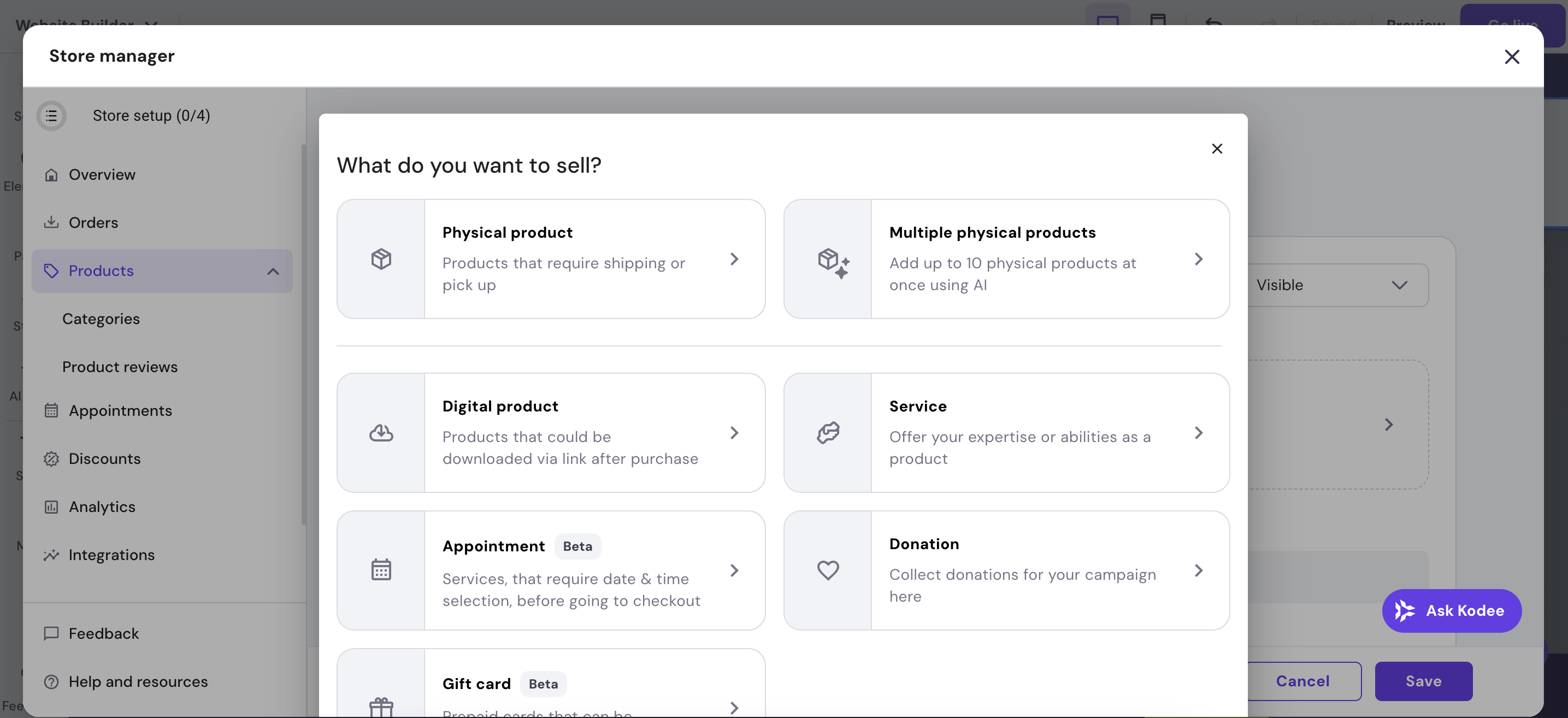
When I used Hostinger’s AI builder to set up a small online store, the process was impressively smooth. The product catalog was easy to manage. You can add products with images, descriptions, prices, and even variants like size or colour. Categories can be created quickly, keeping the storefront organized without much hassle.
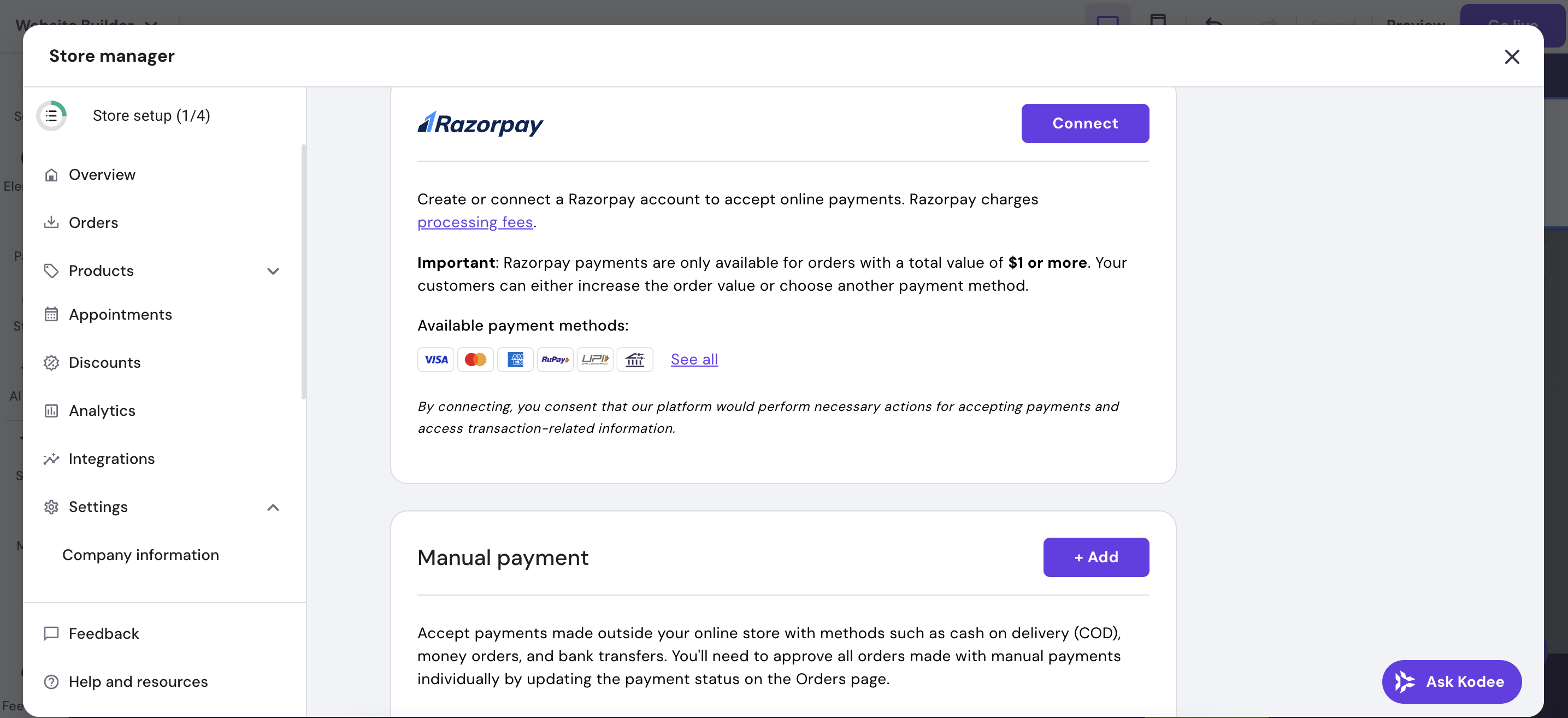
For payments, Hostinger supports major gateways like Razorpay, which cover most small business needs. The checkout process felt reliable and user-friendly. On the backend, shipping rules and tax settings are available, though they’re more basic compared to advanced platforms like Shopify. Inventory management works fine for small to mid-sized catalogs, but may not scale for very large stores.
Marketing tools are a plus, you can set up discount codes, coupons, and even abandoned cart recovery, which isn’t always included in beginner-friendly builders. These features make it practical for turning casual visitors into paying customers.
Strong ecommerce features for small businesses, with essentials like payments, discounts, and cart recovery covered. Advanced sellers may eventually outgrow it, but for most beginners, it’s more than enough.
Publishing & Hosting
With Hostinger Website Builder AI, publishing your site is tied directly to a hosting plan. Unlike other builders such as Wix or Squarespace, there’s no free subdomain option. You’ll need to purchase hosting and connect your own custom domain before going live. This makes it less flexible for hobbyists or users just testing things out.
On the positive side, once you’re on a paid plan, the setup is smooth. Hosting is bundled in with your subscription, so there’s no need to configure servers or worry about SSL. Every site comes with free SSL encryption. Performance is backed by Hostinger’s infrastructure, which generally ensures fast loading, reliable uptime, and CDN support for global audiences.
While it lacks a free publishing option, Hostinger provides a reliable, secure hosting environment once you’re on a paid plan. Best suited for users who are serious about going live with their own domain.
Pricing & Value for Money
Hostinger keeps pricing straightforward, offering just two main plans for its Website Builder AI. Both plans are extremely affordable if you commit to long-term billing, making it one of the most budget-friendly options among modern website builders. Every plan also comes with a 30-day money-back guarantee, so you can test it risk-free.
Free Plan / Trial
Unlike Wix or Squarespace, Hostinger doesn’t offer a free plan or subdomain publishing. You can test the builder during setup, but to publish a live website, you must purchase hosting and connect your own domain.
Premium Plan – $2.99/month (48 months), renews at $10.99/month
Best for personal websites, small blogs, or portfolios.
Includes AI website builder, drag-and-drop editor, free SSL, and basic ecommerce.
Comes with unlimited bandwidth and 100 GB SSD storage.
24/7 customer support included.
Business Plan – $3.79/month (48 months), renews at $13.99/month
Designed for ecommerce stores and small businesses.
Everything in Premium, plus priority performance, marketing integrations, and advanced ecommerce features (like abandoned cart recovery).
More suited for businesses with higher traffic expectations or multiple product catalogs.
Which Pricing Plan is Best for You?
Choose PremiumWebsite Builder Plan if you’re a beginner, freelancer, or hobbyist building a simple personal site, portfolio, or small blog.
The Business Website Builder plan is suitable for those who want to run an online store, manage multiple products, or want added performance and advanced ecommerce features.
Even with renewals, Hostinger remains competitively priced. It offers excellent value for money, especially for long-term users looking for an affordable, all-in-one solution.
Customer Support & Community
Hostinger’s support system is designed with beginners in mind, but it does have some limitations. The platform provides 24/7 live chat and email support, which is responsive and generally helpful. When I tested it, responses came within minutes on chat, and the agents were knowledgeable about both hosting and the AI website builder. However, there is no phone support, which some business users may miss.
The tutorials and documentation are well-structured. Hostinger has a knowledge base that covers setup, AI builder use, and troubleshooting in step-by-step detail. For self-learners, the guides make it easy to resolve most common issues.
The community aspect is smaller compared to Webflow or WordPress. While there isn’t a large forum ecosystem, Hostinger’s in-house resources and direct support compensate for this gap.
Best Alternatives of Hostinger AI Builder
Wix ADI – Wix’s AI builder creates sites from a simple questionnaire. It offers more template variety and design freedom than Hostinger but at a higher cost.
Squarespace – Polished templates and simple setup make it ideal for creatives. It’s more design-driven than Hostinger but lacks AI automation.
Webflow – A professional-grade builder with pixel-perfect control and a powerful CMS. Better for designers and agencies, but with a steeper learning curve and higher pricing.
Genstore AI – Built specifically for ecommerce, it guides users step-by-step (products, payments, shipping, etc.). Stronger than Hostinger for online stores, but less versatile for non-commerce websites.
Hostinger Website Builder AI stands out for affordability and simplicity, but if you need template variety (Wix ADI), sleek creative designs (Squarespace), advanced design control (Webflow), or ecommerce-first features (Genstore AI), competitors may suit better.
Feature
Hostinger AI
Wix ADI
Squarespace
Webflow
Genstore AI
Ease of Use
Very easy (AI-driven, minimal setup)
Very easy (AI-guided, drag & drop)
Easy (template-driven)
Moderate (learning curve)
Easy (guided ecommerce setup)
Templates & Design
AI-generated, limited customization
900+ templates, customizable
Sleek, polished templates
Pixel-perfect, advanced
Limited, ecommerce-focused
Ecommerce
Yes (basic, good for small stores)
Yes (suitable for small to mid-size)
Yes (strong store features)
Yes (scalable CMS + ecommerce)
Yes (designed for online stores)
Pricing (Starting)
$2.99/mo (48 mo)
$16/mo
$16/mo
$14/mo
$25/mo
Free Plan/Trial
❌ None (paid hosting/domain required)
✔️ Free plan available
✔️ 14-day trial
✔️ Free starter plan
✔️ Limited free setup
Support Options
24/7 chat, email, docs
24/7 chat, help center
Chat (limited), email, guides
Email, tutorials, forum
Email, live chat (early stage)
Ideal For
Beginners, budget users, small businesses
Beginners wanting templates
Creatives, small businesses
Designers, freelancers, agencies
Ecommerce-first users, startups
Quick Takeaways
Hostinger AI → Best for affordability and all-in-one simplicity.
Wix ADI → Great for beginners who want lots of templates.
Squarespace → Perfect for creatives wanting sleek, ready-to-go designs.
Webflow → Best for designers and agencies seeking control and scalability.
Genstore AI → Tailored for ecommerce stores with step-by-step guidance.
Final Verdict
Hostinger Website Builder AI is a solid choice for beginners and small businesses that value speed, affordability, and simplicity. Its AI-driven setup makes creating a site quick and hassle-free, while bundled hosting and SSL add convenience. Ecommerce tools are strong enough for small shops, though advanced sellers may eventually feel restricted. The lack of a free plan and limited template variety are drawbacks compared to Wix or Squarespace. Overall, it delivers excellent value for money, especially for users seeking a straightforward, budget-friendly way to get online.