Last Updated: January 2026
Shopify Review
This review is based on hands-on usage, focusing on real usability, pricing clarity, performance consistency, and support responsiveness rather than promotional claims.
8.5 /10 Overall Rating- Why Should You Get:
- 3-day free trial
- World's best checkout
- Best for ecommerce sites
- 24x7 Support
- Starting Price: ₹1,499/mo
When I first tried Shopify, I found it incredibly practical including uploading products, integrating payments, and managing orders took only minutes. Its app ecosystem adds powerful functionality, letting you extend features as your business grows. Unlike simpler online store builders, Shopify balances ease of use with professional-grade ecommerce features. The platform offers everything from product management to shipping, taxes, and marketing tools under one roof. What stood out most was its ability to scale whether you’re running a small boutique or handling thousands of orders, Shopify grows with you. For anyone serious about ecommerce, it feels less like a website builder and more like a complete business platform.
Who is it Best For?
- Entrepreneurs launching new online stores
- Small to medium-sized businesses scaling operations
- Enterprises handling large product catalogs
- Dropshippers and global sellers
- Retailers integrating online and offline sales (POS)
What Makes it Stand Out
What sets Shopify apart is its scalability and all-in-one ecosystem. It’s not just a store builder; it comes with integrated payments, marketing tools, inventory management, and thousands of apps. The ability to sell across multiple channels (online store, social media, marketplaces, POS) makes it unique. Shopify grows with your business, whether you’re selling 10 products or 10,000.
8.5Expert ScoreGold standard for e-commerceUnbeatable for businesses that want to sell online at scale. Its strengths are world-class store features and top support, while drawbacks are pricing and limited design variety compared to all-purpose builders.
Ease of Use 8 Templates & Design 8 Ecommerce Capabilities 10 Pricing & Value 7 Customer Support 9Performance Breakdown: Pros and Cons
- Built for eCommerce
- Supports multichannel selling (social media, marketplaces)
- Built-in payment gateway and shipping tools
- Strong app marketplace for extended features
- Excellent 24/7 support and learning resources
- Monthly fees add up quickly with add-ons
- Limited design flexibility outside themes
- Not ideal for content-focused sites or blogs
- Transaction fees unless using Shopify Payments
Who Should Use Shopify?
- Entrepreneurs & Startups – Perfect for launching a professional online store with minimal setup.
- Small & Medium Businesses – Ideal for scaling operations with inventory, shipping, and marketing tools.
- Enterprises – Suited for handling large catalogs, global selling, and complex ecommerce needs.
- Dropshippers – Seamless integrations with suppliers and apps make it one of the best platforms for dropshipping.
- Retailers with Physical Stores – Excellent for combining online and offline sales through Shopify POS.
Who Should Skip This Tool?
- Hobby Sellers – If you’re only selling a few items casually, Shopify may feel like overkill.
- Budget-Conscious Users – Monthly costs, plus transaction fees and app add-ons, can get expensive quickly.
- Non-Sellers – If your main goal is blogging or showcasing content, simpler builders like WordPress or Squarespace are better suited.
- Beginners Seeking Simplicity – The platform is beginner-friendly but still more complex than Wix ADI or Hostinger AI.
- Businesses Needing Full Design Freedom – While customizable, Shopify isn’t as flexible as Webflow for pixel-perfect design control.
Ease of Use (UI/UX)
Setting up a store with Shopify was quick and guided
The sign-up process only required an email, store name, and password, and within minutes, I was inside the dashboard. Shopify immediately presented a checklist including add products, customize theme, set up payments, and launch (with paid plans only), which made the onboarding feel structured and beginner-friendly.
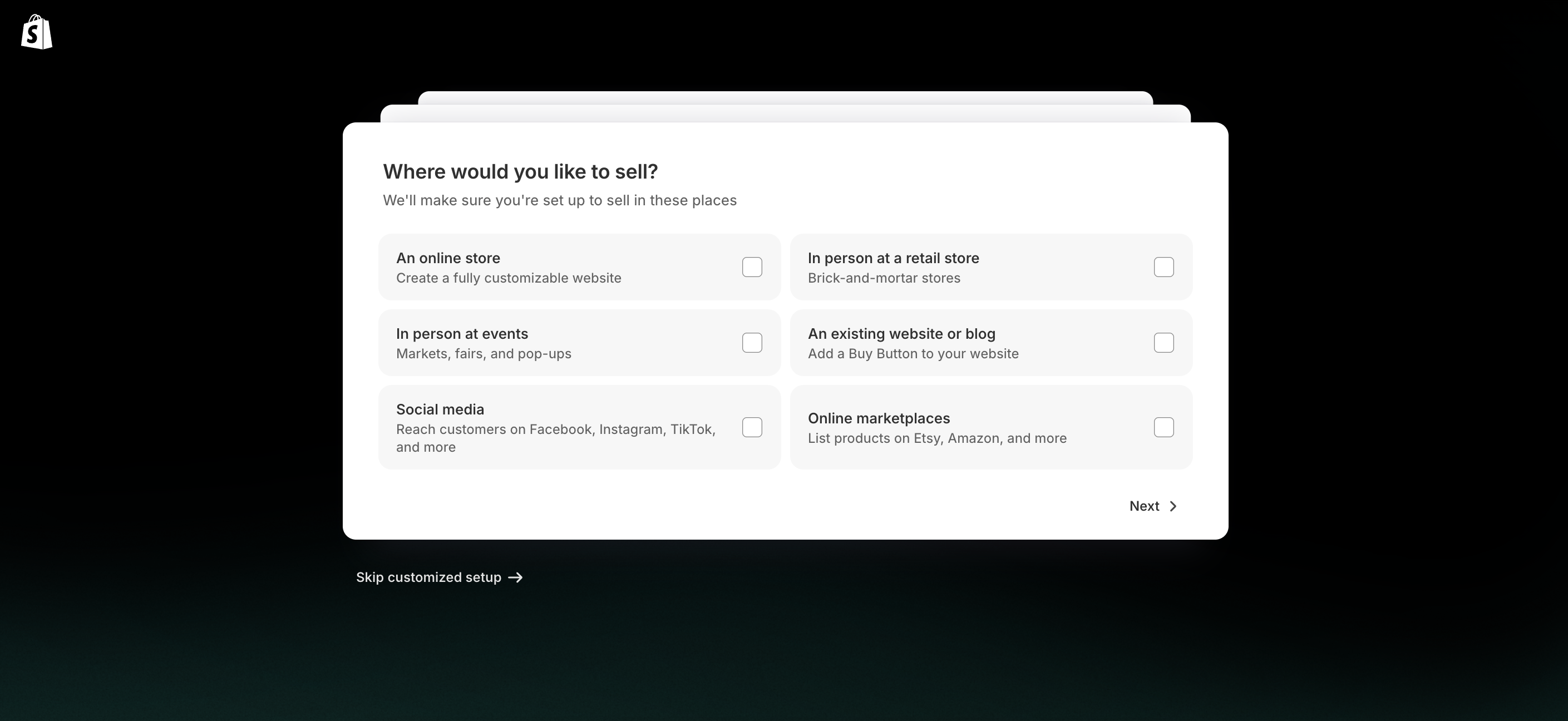
Building a basic ecommerce site felt easy. Adding products was straightforward: titles, descriptions, images, prices, and variants like size or color could be added in minutes. Payment setup was also simple through Shopify Payments or third-party gateways. I used Bogus for testing purposes. Beginners will find the dashboard intuitive, though advanced users may need to explore deeper for more complex features like detailed analytics or advanced shipping rules.
It’s worth noting that during the 3-day free trial, your store remains password-protected and cannot be launched publicly without switching to a paid plan. This makes the trial more of a sandbox than a live launch option.
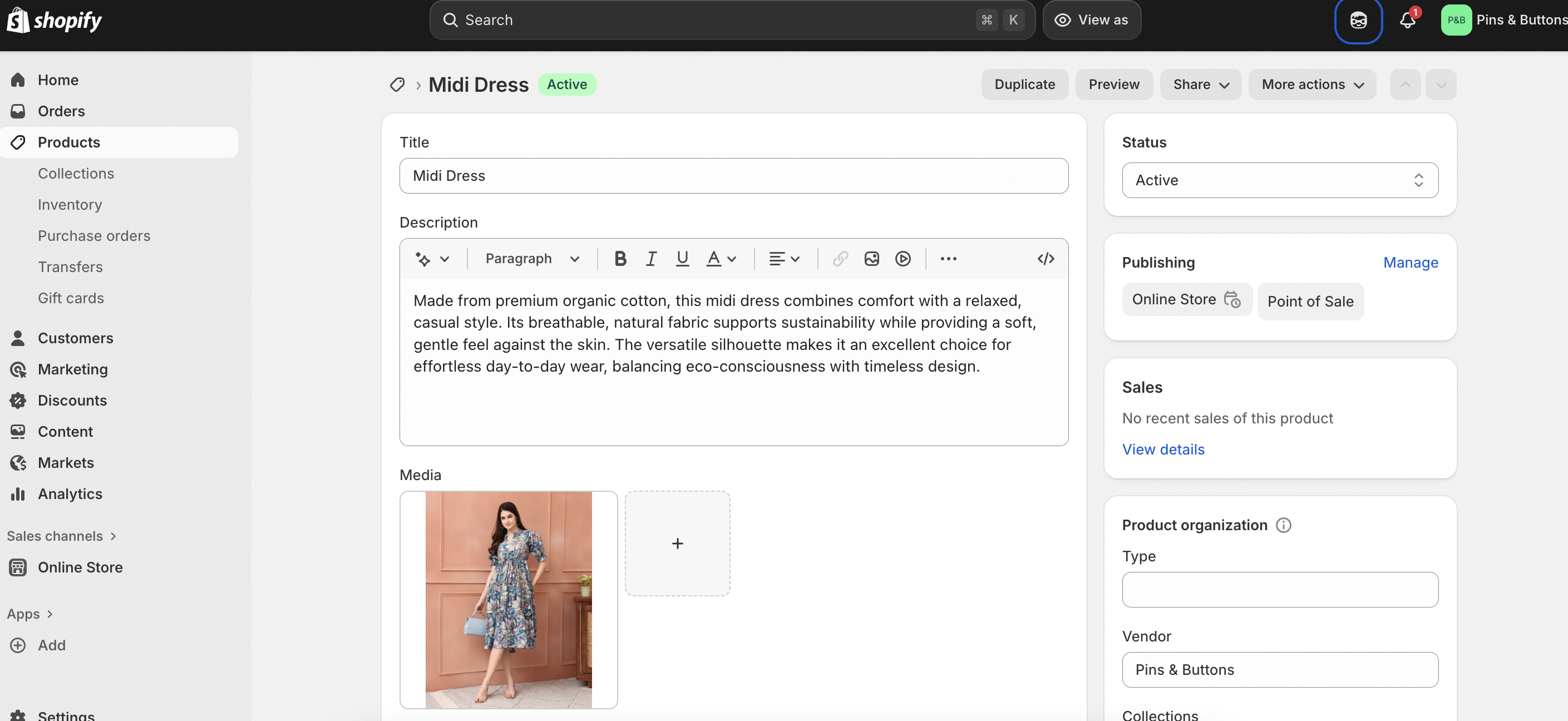
On the learning curve, Shopify strikes a balance - easy for beginners to get started, yet deep enough for advanced users who want to scale. The platform doesn’t overwhelm, but there’s still more complexity than AI-driven builders like Hostinger AI.
Mobile responsiveness is strong. The theme I tested (Horizon) adapted cleanly to smartphones and tablets, with menus, product grids, and checkout pages optimized out of the box. No manual tweaking was required.
In short, Shopify offers a guided setup, easy product management, and reliable mobile responsiveness. Beginners will appreciate the structured flow, while advanced users can dig deeper into customization and scaling tools.
Design & Templates
Over 100 professional templates (Free to Premium)
The first thing I noticed was the variety and quality of themes available. The platform offers over 100 professional templates in its theme store, ranging from free starter designs to premium options built for specific industries like fashion, electronics, or food delivery. The free theme that I used is clean and functional.
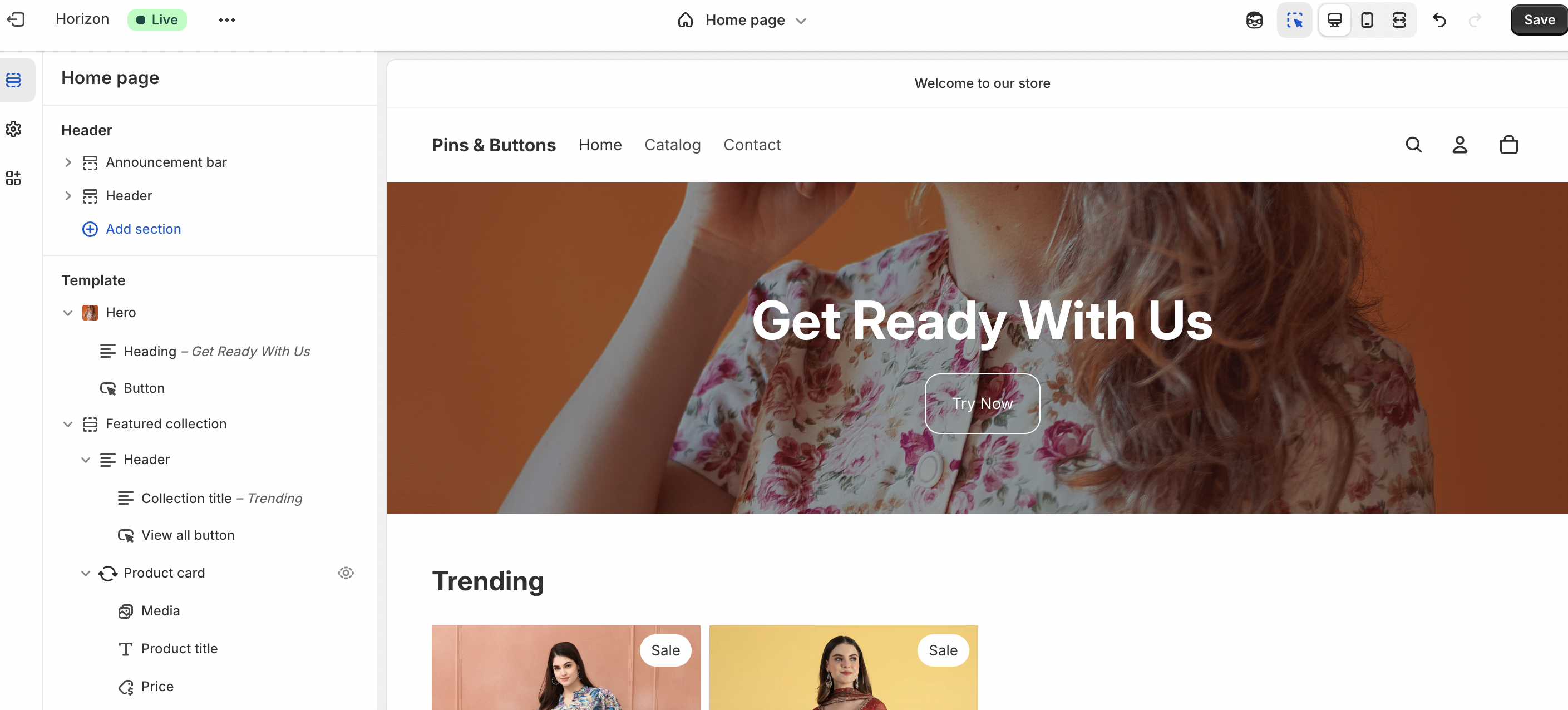
Customization is straightforward
Through the theme editor, I was able to adjust colours, fonts, headers, and layouts without touching code. For more advanced changes, Shopify also supports custom CSS, which developers can use for pixel-level control. Beginners get an easy drag-and-drop feel, while advanced users have the flexibility to go much deeper.
Shopify strikes a good balance between ready-made professional themes and customization freedom. It may not be as design-flexible as Webflow, but it delivers polished, ecommerce-ready templates that work out of the box.
Ecommerce Capabilities
Shopify is one of the most complete ecommerce platforms I’ve tested. The product catalog is robust. You can add unlimited products, set up variants (like size, colour, or material), and group items into collections for easier browsing. Inventory tools help you track stock in real time, and features like purchase orders, transfers, and gift cards are built directly into the system.
When I explored Shopify’s Products section, I found it goes beyond simple product listings by offering powerful management tools that keep the store organized and scalable.
Inventory – The inventory system made it easy to track stock levels in real time. I could set quantity counts, enable low-stock alerts, and automatically mark products as “out of stock” when levels hit zero. This gave me confidence that I wouldn’t accidentally oversell items.
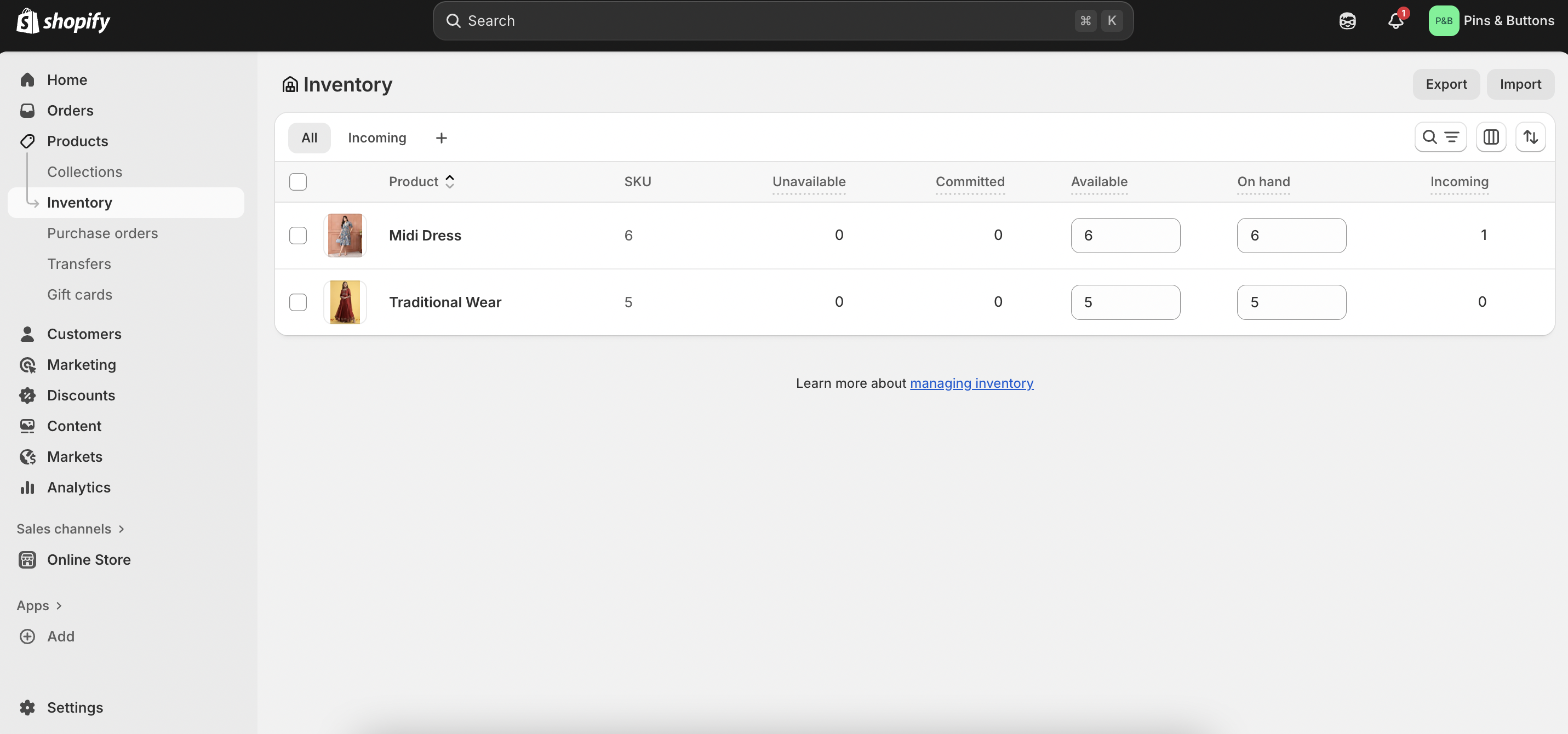
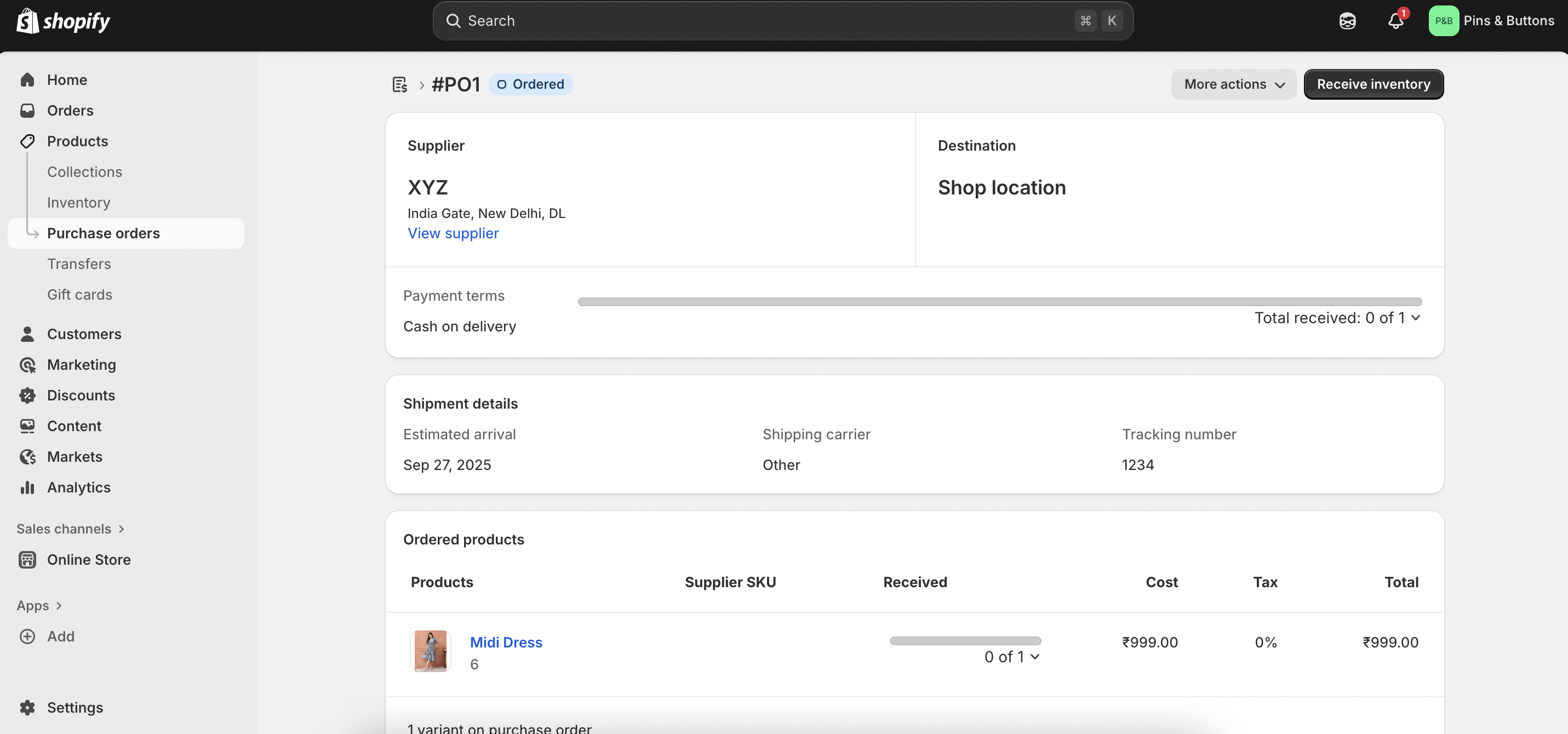
Purchase Orders – Shopify allows you to create and manage purchase orders directly from the dashboard. When testing, I could add supplier details, list items to reorder, and track incoming shipments. It felt particularly useful for businesses juggling multiple suppliers.
Transfers – This feature helped manage stock movement between different locations or warehouses. I tested a transfer by moving a product from one location to another, and Shopify updated the inventory counts automatically. For multi-location stores, this is a big plus.
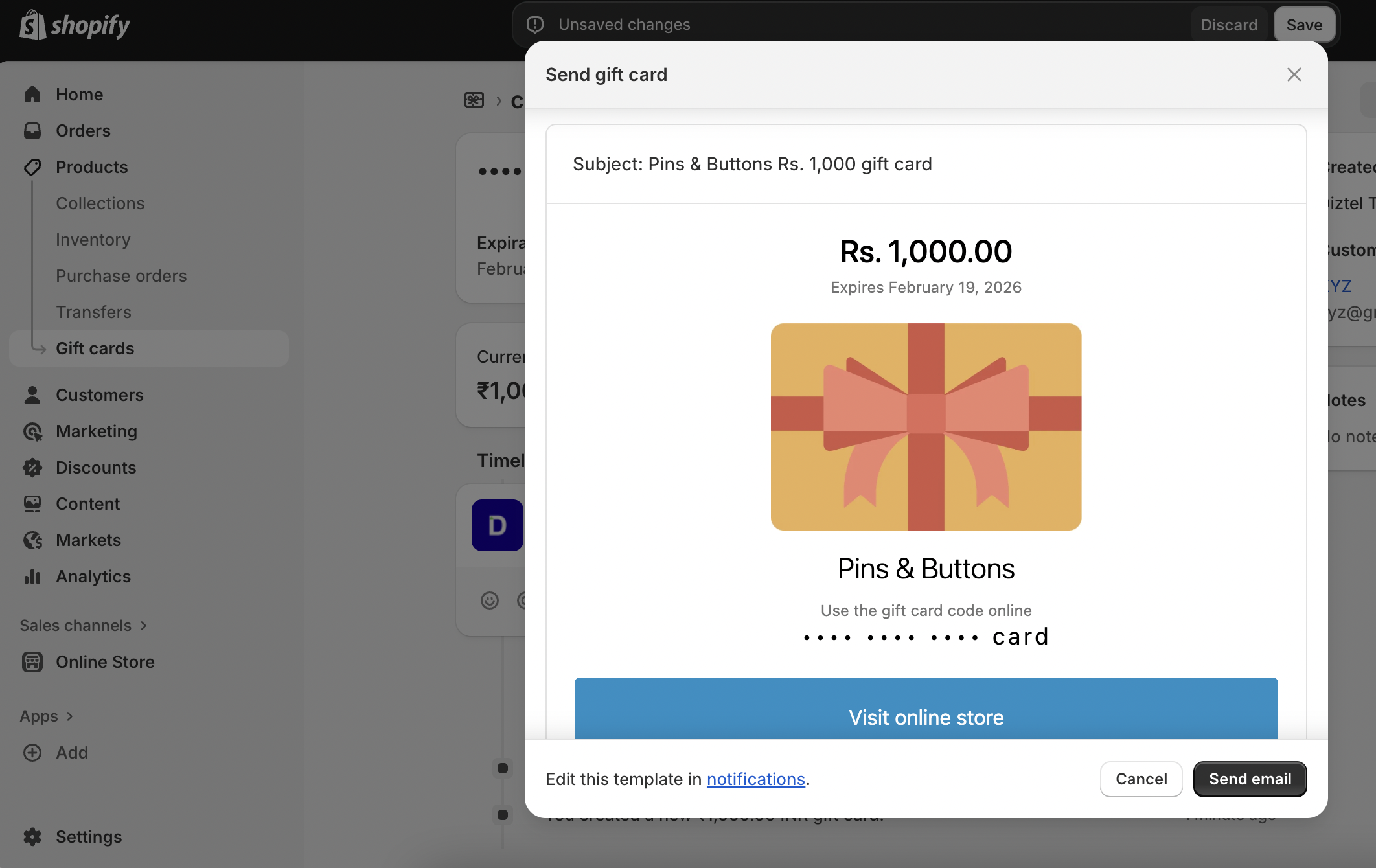
- Gift Cards – Enabling gift cards was seamless. I could create digital gift cards, set denominations, and issue them to customers directly. During testing, checkout accepted the code smoothly, making it a great built-in tool for promotions or customer loyalty.
Shopify makes payment setup simple and flexible
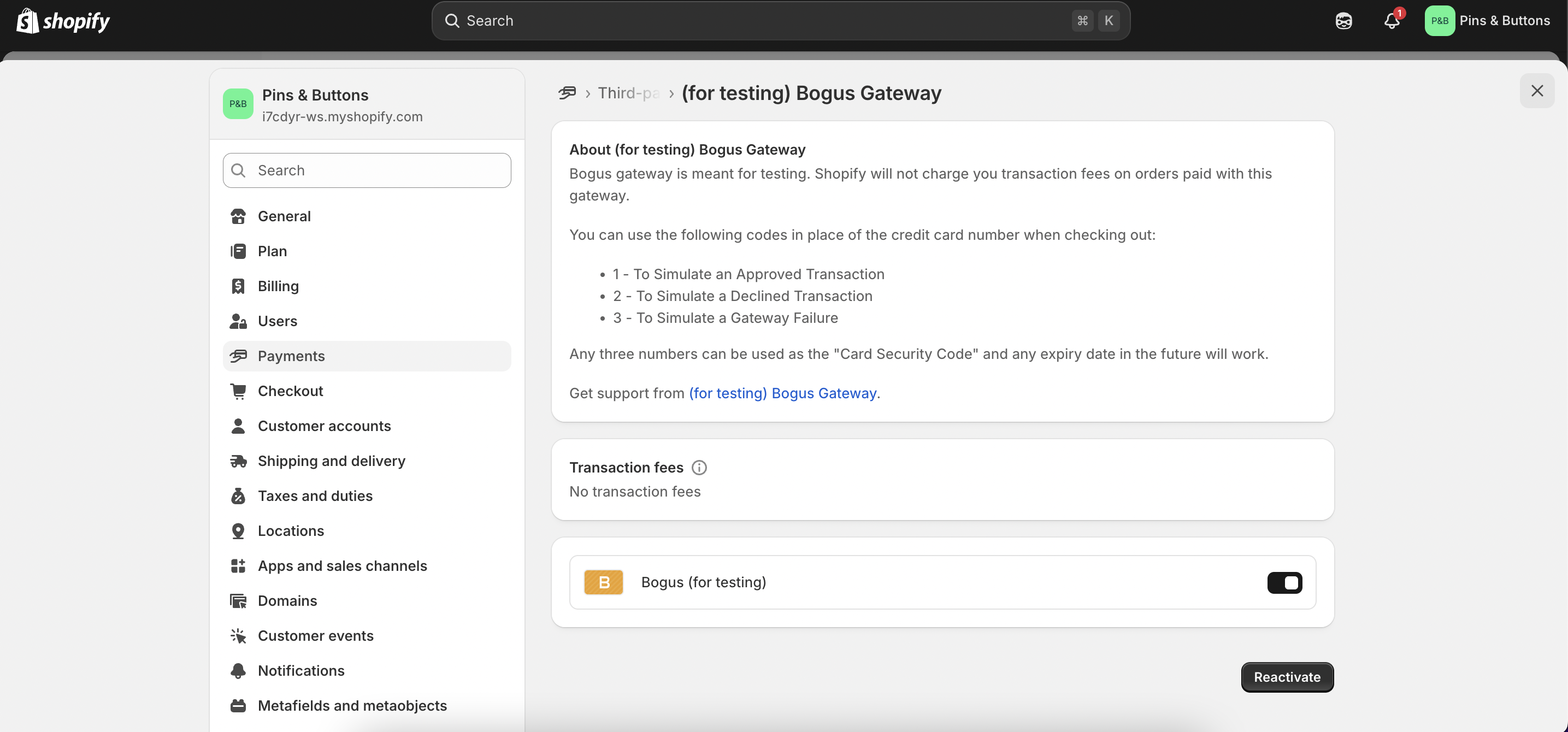
When I tested the platform, I first enabled the Bogus Gateway (Shopify’s testing tool). It allowed me to simulate transactions easily using test codes, I could mimic approved payments, declined transactions, and even gateway failures. This was useful for checking how the checkout flow worked without using real money.
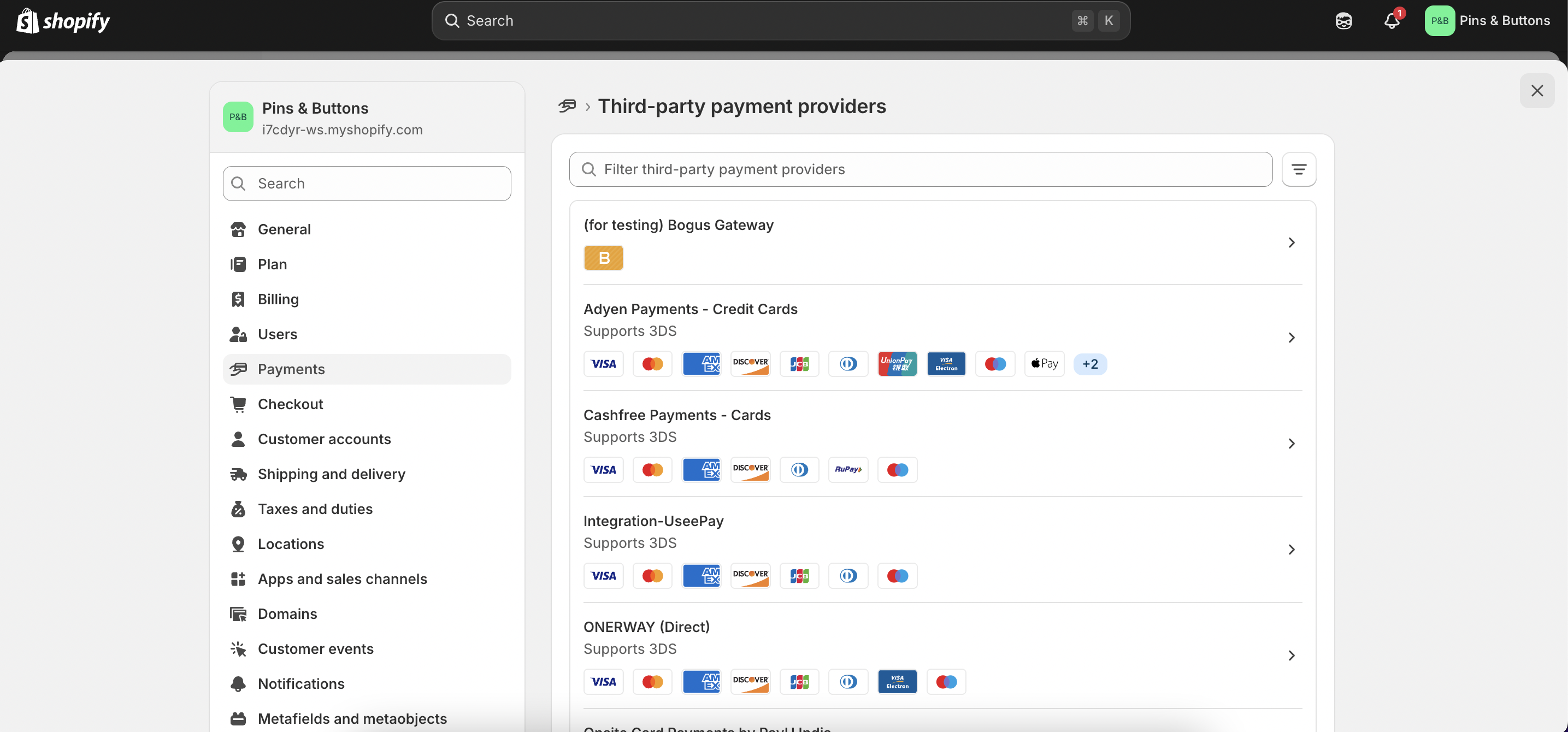
For live transactions, Shopify offers Shopify Payments, its native gateway, which supports all major credit/debit cards and digital wallets with no extra transaction fees. Beyond that, there’s support for 100+ third-party providers like Adyen, Cashfree, PayPal, Stripe, Apple Pay, and Google Pay, depending on region. Setting up a provider was as simple as connecting an account from the payments menu.
Testing with Bogus Gateway was seamless, and going live is just as straightforward. Shopify stands out for its broad payment options, though note that using third-party gateways adds extra transaction fees.
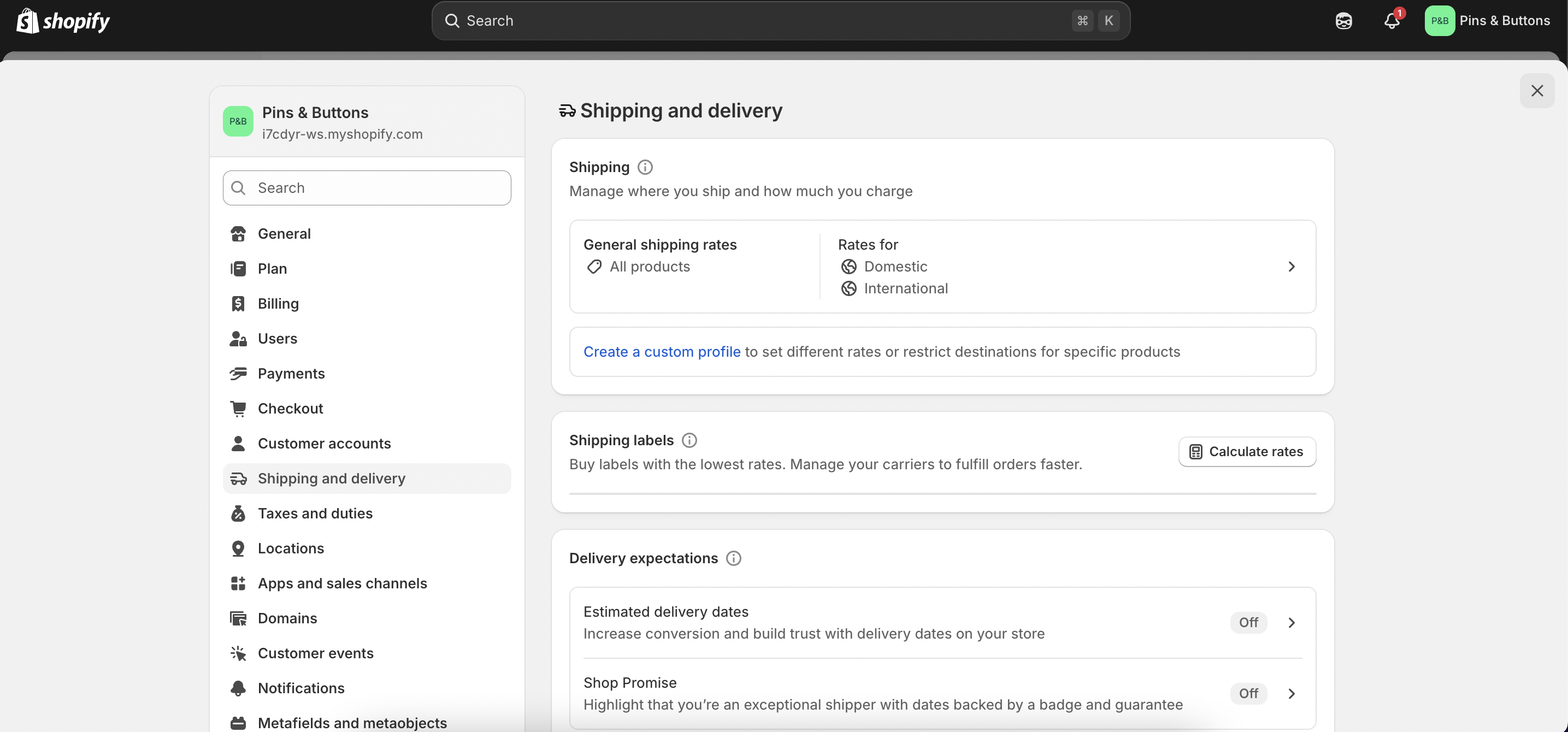
Shipping and delivery settings are structured and flexible
- From the dashboard, I could define shipping zones for local, national, and international, and assign flat rates or weight-based rates to each. This made it easy to create tailored pricing for different regions.
- Shopify also integrates with major carriers like UPS, DHL, USPS, and FedEx, allowing you to display real-time calculated rates at checkout (available in select countries). For my test store, I set up flat-rate shipping and tested a local delivery option. Both appeared cleanly in checkout, and I could also configure free shipping rules for orders above a certain value.
- The platform supports local delivery and pickup, which is handy for retailers running both online and offline stores. Setting these up only required toggling options and entering a delivery radius or pickup instructions.
Publishing with Shopify is straightforward, but there are a few important limitations
When I set up my test store, I noticed that during the 3-day free trial, the store remained password-protected. This means you can’t launch a live site until you subscribe to a paid plan. This makes the trial more of a sandbox to explore features rather than a way to go live.
Once upgraded, publishing is seamless. Shopify includes secure hosting with unlimited bandwidth, free SSL certificates, and automatic updates, so there’s no need to manage servers or security patches yourself. Connecting a custom domain can be done either by purchasing one through Shopify or linking an existing domain from another registrar.
Pricing & Value for Money
Shopify’s pricing is built to support everyone, from entrepreneurs testing a product idea to established enterprises scaling globally. While it’s not the cheapest option on the market, it justifies its cost with robust ecommerce features, security, and scalability. All plans include hosting, SSL, abandoned cart recovery, and access to the Shopify app store.
Free Plan / Trial
- 3-day free trial, followed by a paid plan selection.
- Stores remain password-protected during the trial (you can’t launch publicly).
- Allows you to test the builder, add products, and explore features before committing.
Starter – $5/month (billed annually)
- Best For: Creators and small businesses selling through social media or messaging apps.
- Features: Sell via links, product pages, or social media integrations. Includes basic checkout.
- Fees: Transaction fees apply (unless using Shopify Payments).
Basic – $29/month (billed annually)
- Best For: New online stores starting small but wanting full ecommerce functionality.
- Features: Online store with 2 staff accounts, basic reports, up to 1,000 inventory locations.
- Fees: 2.9% + 30 cents per transaction (lower with Shopify Payments).
Shopify – $79/month (billed annually)
- Best For: Growing businesses that need more advanced reporting and scaling options.
- Features: Includes everything in Basic, plus 5 staff accounts, professional reports, and better shipping/transaction rates.
- Fees: 2.6% + 30 cents per transaction (lower with Shopify Payments).
Advanced – $299/month (billed annually)
- Best For: High-volume sellers and enterprises requiring advanced tools.
- Features: Includes 15 staff accounts, advanced report builder, third-party calculated shipping rates, and 1,000 inventory locations.
- Fees: 2.4% + 30 cents per transaction (lowest rates).
Which Pricing Plan is Best for You?
- Choose Starter if: You’re a creator or solopreneur selling on Instagram, WhatsApp, or via product links.
- Choose Basic if: You’re launching a small online store and want affordable access to Shopify’s full ecommerce suite.
- Choose Shopify if: Your business is scaling, and you need better reports, more staff accounts, and improved transaction rates.
- Choose Advanced if: You’re a large or high-volume seller who needs advanced analytics, third-party shipping integrations, and the lowest fees.
Precisely, Shopify isn’t the cheapest, but its plans scale with your business. From selling via social media to managing global enterprises, there’s a tier that fits every stage of growth.
Customer Support & Community
When I tested Shopify’s support, I found it to be one of the more comprehensive systems among ecommerce builders. The platform offers 24/7 live chat, email, and phone support, making it easy to get assistance any time of day. In my experience, live chat responses were fast (under 5 minutes) and detailed, while phone support connected me to knowledgeable agents who could walk through technical issues step by step.
Shopify also maintains an extensive Help Center, packed with tutorials, guides, and troubleshooting steps. I found the documentation clear and easy to follow, especially for setup and integration questions. For those who prefer visual learning, Shopify Academy and video tutorials are helpful add-ons.
Community-wise, Shopify is strong. Its discussion forums, Facebook groups, and Slack communities are active, and many merchants share real-world experiences and solutions. With such a large user base, answers are easy to find whether from peers or official channels.
Best Alternatives of Shopify
- Wix – Easier to use with a drag-and-drop editor and hundreds of templates. It’s better for beginners and small stores, but lacks Shopify’s depth in inventory, payments, and scaling.
- Squarespace – Known for sleek, design-focused templates. Great for creatives who want visually polished sites, but ecommerce features are more basic compared to Shopify.
- BigCommerce – Similar in scope to Shopify, with strong scalability and multi-channel selling. However, its interface is less beginner-friendly and pricing can get complex.
Shopify is unmatched for scalability and ecommerce depth. Wix and Squarespace are simpler and design-focused, while BigCommerce rivals Shopify for large-scale sellers but with a steeper learning curve.
Final Verdict
Shopify is one of the most complete ecommerce platforms available, offering a strong balance between ease of use and enterprise-level power. Its guided setup, robust inventory tools, and broad payment options make it ideal for businesses serious about online selling. However, costs can add up quickly once you factor in apps, transaction fees, and higher-tier plans. It may also feel like overkill for hobby sellers or very small shops. Overall, Shopify shines for businesses that want a reliable, scalable platform that can grow alongside them.