When it comes to editing product photos or creating clean visuals, removing backgrounds is often the first step and that’s exactly what Erase.bg is built for. This AI-powered tool focuses on fast and accurate background removal, with extra features like image upscaling and simple background replacement. Whether you’re a small business owner, online seller, or casual creator, Erase.bg promises high-quality outputs with minimal effort. In this review, I’ll share my hands-on experience with its features, pricing, pros and cons, and how it compares to other background removal tools.
7Expert ScoreA solid background removerA reliable background removal tool with quick performance and high-quality results. Its strengths lie in clean cutouts, simple background swaps, and sharp image upscaling.
Output Quality and Resolution 8 Ease of Use 8 Core AI Features 7 Speed and Performance 7 Pricing & Value 7How We Rate? Our ratings reflect hands-on testing and comparison across key parameters such as usability, features, pricing, support, and overall value.
Performance Breakdown: Pros and Cons
- Clean & Accurate Background Removal
- Supports Multiple Formats
- Image Upscaling Works Well
- Edits and downloads are quick
- Limited Editing Features
- AI Background Changer Unstable
- Template Library is Basic
Output Quality & Resolution
The Erase Background feature worked impressively well. It quickly removed backgrounds with clean cutouts and handled edges neatly. I also tried downloading in high resolution, and the results were sharp and professional-looking.
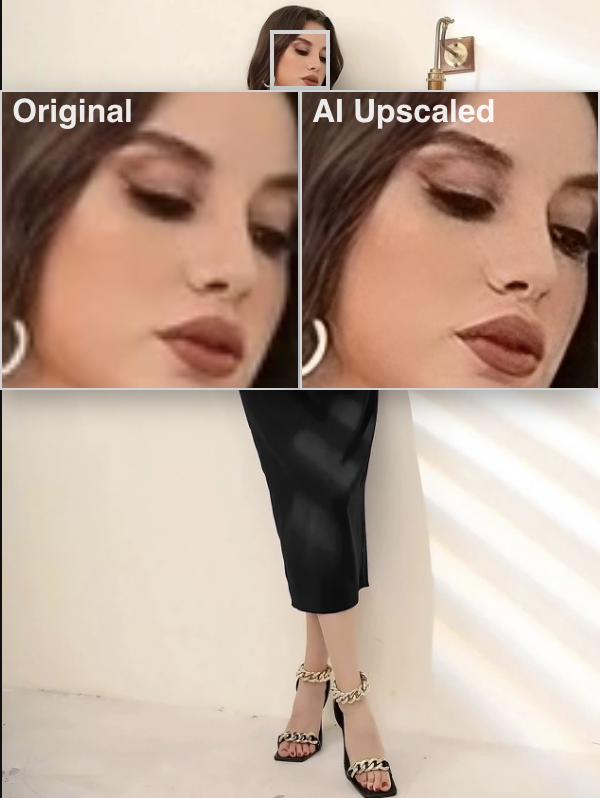
The Image Upscaling feature added extra polish. Hazy or dull photos came out crisp, which is a nice bonus for sellers and content creators.
Ease of Use (UI/UX)
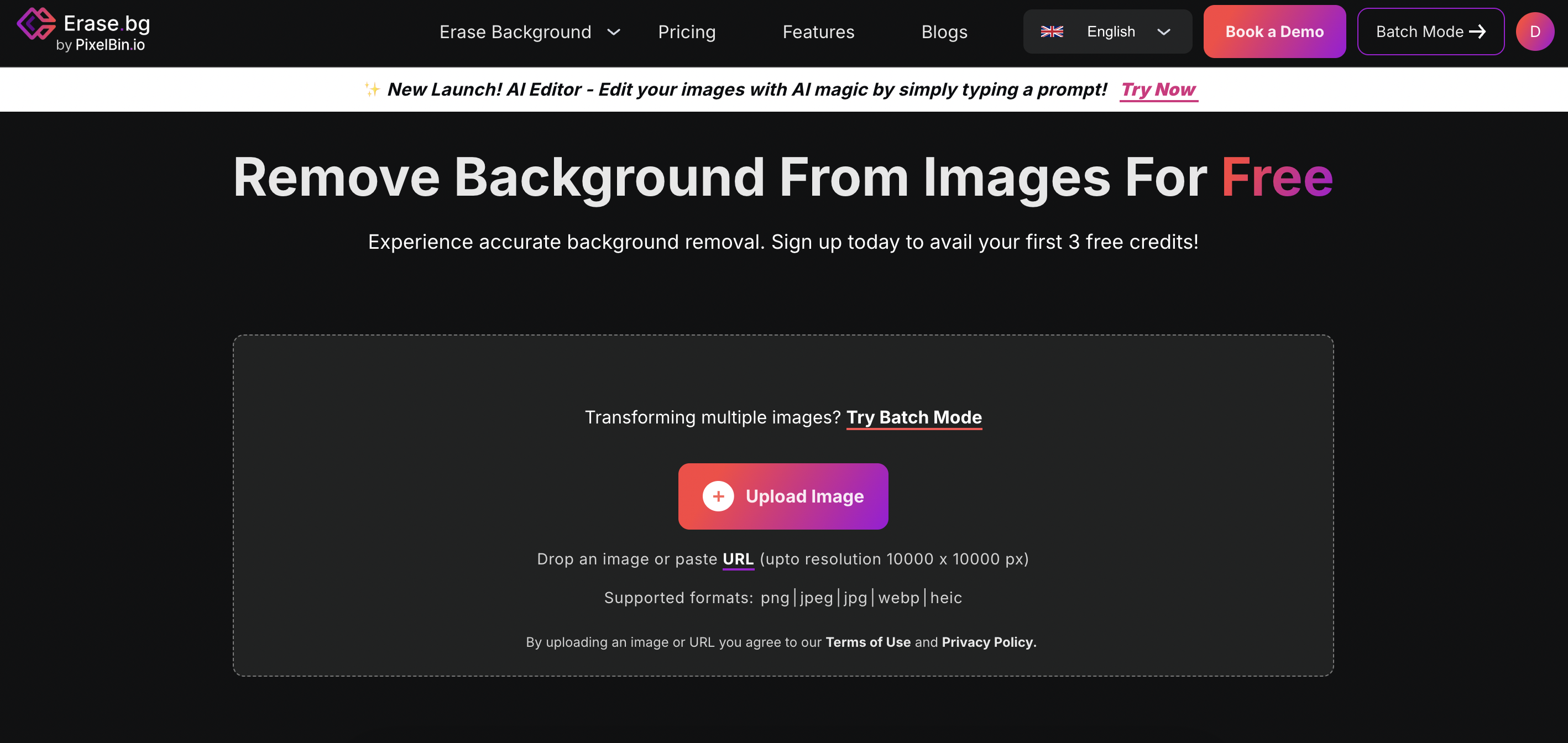
The interface is simple and straightforward. Using the Change Background option, I tested pre-defined templates like bokeh and solid color categories. They worked fine, though nothing extraordinary. The tool is clearly designed with simplicity in mind including fast edits without overwhelming options. The only hiccup was the AI Background Changer, which failed to generate new backgrounds during my testing and remained unreliable for a day. That dents the user experience slightly.
Core AI Features
Erase.bg’s core remains background removal and basic background change, and it does that reliably. The AI Background Changer feels experimental, as it didn’t work properly in my tests. On the other hand, Image Upscaling worked well and added value for photo enhancement. Beyond these, there aren’t many advanced editing features. It’s a moderate tool that focuses on one job and does it well.
Speed & Performance
The tool is snappy. Removing or changing backgrounds takes seconds, and upscaling is also fast. Downloads were smooth, and supporting multiple formats (PNG, JPG, PDF, GIF, HTML) adds flexibility. Performance-wise, it’s reliable except for the AI background issue, which seemed more like a temporary glitch.
Pricing & Usage Limits
Erase.bg uses a credit-based system. Each high-quality download consumes 1 credit. Free downloads are available on the free plan, but for regular use you’ll need to buy credits or a paid package. Compared to other tools, this model works if you only need occasional edits, but high-volume users may find it limiting. API support is available but not enabled by default. You need to contact their team to activate it.
Paid Plans:
- 10 credits/month – $5.00 → Suitable for light users who only need occasional edits.
- 100 credits/month – $20.00 → Best for small businesses or sellers managing a steady flow of images.
- 1000 credits/month – $30.00 → Very cost-effective for high-volume users or agencies (cheapest per credit).
Best Alternatives of Erase.bg
Erase.bg is a handy tool for quick background removal and upscaling, but if you want more advanced editing features, richer design options, or higher reliability, here are some strong alternatives:
1. Remove.bg is one of the most accurate tools for background removal. It specializes in fast, clean cutouts and has strong API support for bulk workflows. Compared to Erase.bg, it’s more stable and battle-tested, though it also uses a credit system for high-resolution downloads.
👉 Best For: Businesses and developers who want reliable background removal with automation at scale.
2. Pixelcut AI goes beyond background removal with extra features like background change, color swap, upscaling, and creative templates. It’s closer to an all-in-one editing app, whereas Erase.bg is more focused.
👉 Best For: Sellers and creators who want background removal plus simple design and editing features in one tool.
3. Photoroom is built specifically for product photos. It combines fast background removal with e-commerce-friendly templates. Unlike Erase.bg, it offers bulk editing inside the app itself and has more polished preset backgrounds for online stores.
👉 Best For: Online sellers and small businesses managing product images.
4. Canva includes background removal but shines as a design platform. Once you remove a background, you can drop your subject into thousands of templates for social posts, ads, and presentations. Compared to Erase.bg, Canva is far better for full design projects.
👉 Best For: Marketers, freelancers, and teams who need editing + design templates in one place.
5. Fotor combines background removal with filters, effects, and retouching tools. It’s not as precise as Remove.bg, but it offers a more creative editing playground than Erase.bg.
👉 Best For: Casual creators who want a mix of utility and artistic photo edits.
Final Verdict
Erase.bg is a straightforward and reliable tool for background removal and quick image enhancements. Its cutouts are sharp, the image upscaling works well, and the ability to download in multiple formats (PNG, JPG, PDF, GIF, HTML) adds flexibility. However, its feature set is limited mainly to background-related tasks, and the AI Background Changer still feels unstable based on testing. The credit-based pricing makes sense for light to moderate use, but heavy users may find it restrictive.
👉 Best For: Small businesses, e-commerce sellers, and creators who want fast background edits and sharper images without learning complex software.
👉 Not For: Power users or designers looking for advanced AI editing, creative control, or guaranteed stable generative features.
In short, A solid background remover with handy extras, but still best suited for simple, high-speed editing workflows.